Connecting to a home network (LAN)
This unit can connect to a network using a wired LAN or wireless LAN.
You can connect this unit to your home network (LAN) to enable various
types of playback and operations as described below.
0
Playback of network audio such as Internet Radio and from your media
server(s)
0
Using the Apple AirPlay function
0
Operation on this unit via the network
0
Firmware Update
For connections to the Internet, contact an ISP (Internet Service
Provider) or a computer shop.
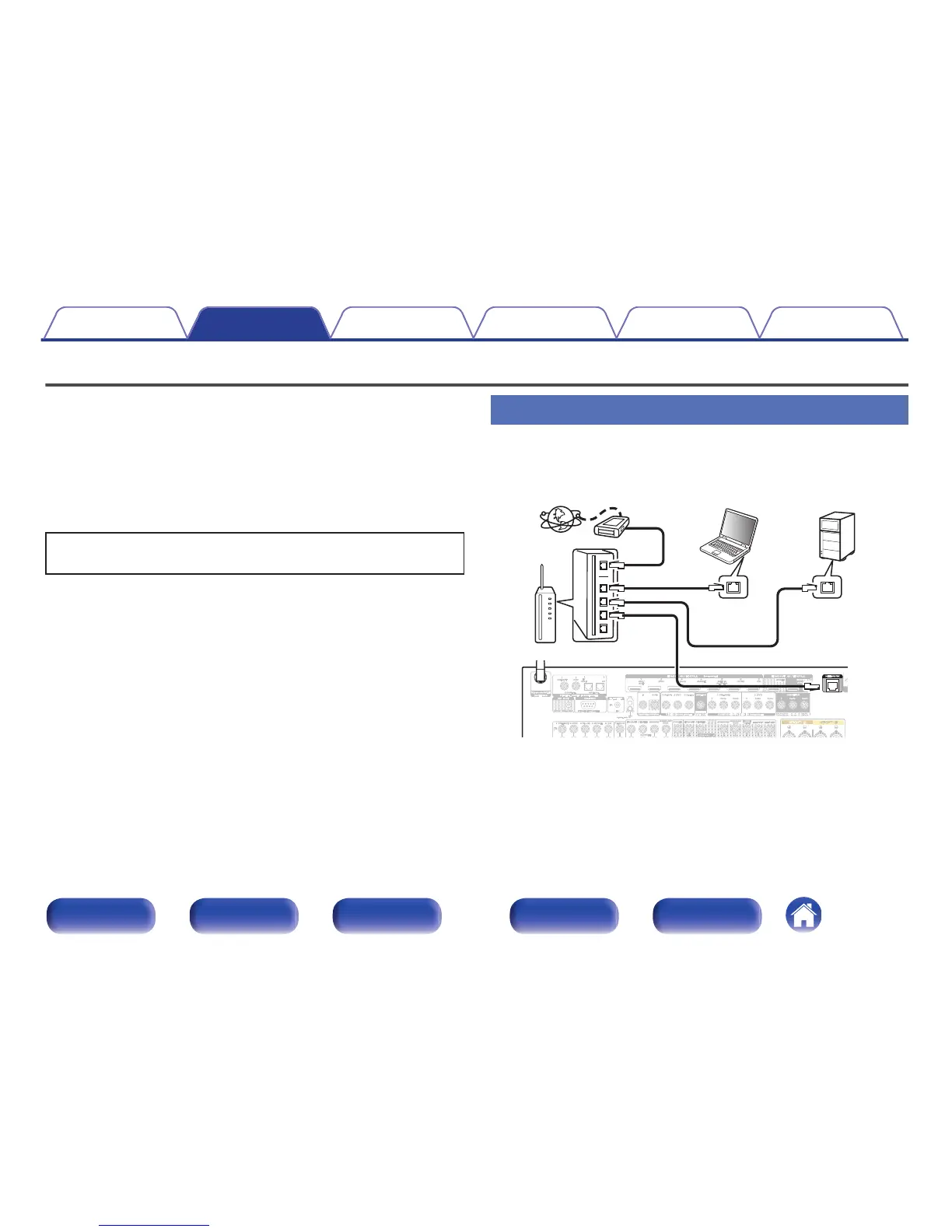
Wired LAN
To make connections via wired LAN, use a LAN cable to connect the
router to this unit as shown in the figure below.
.



 To Next Page