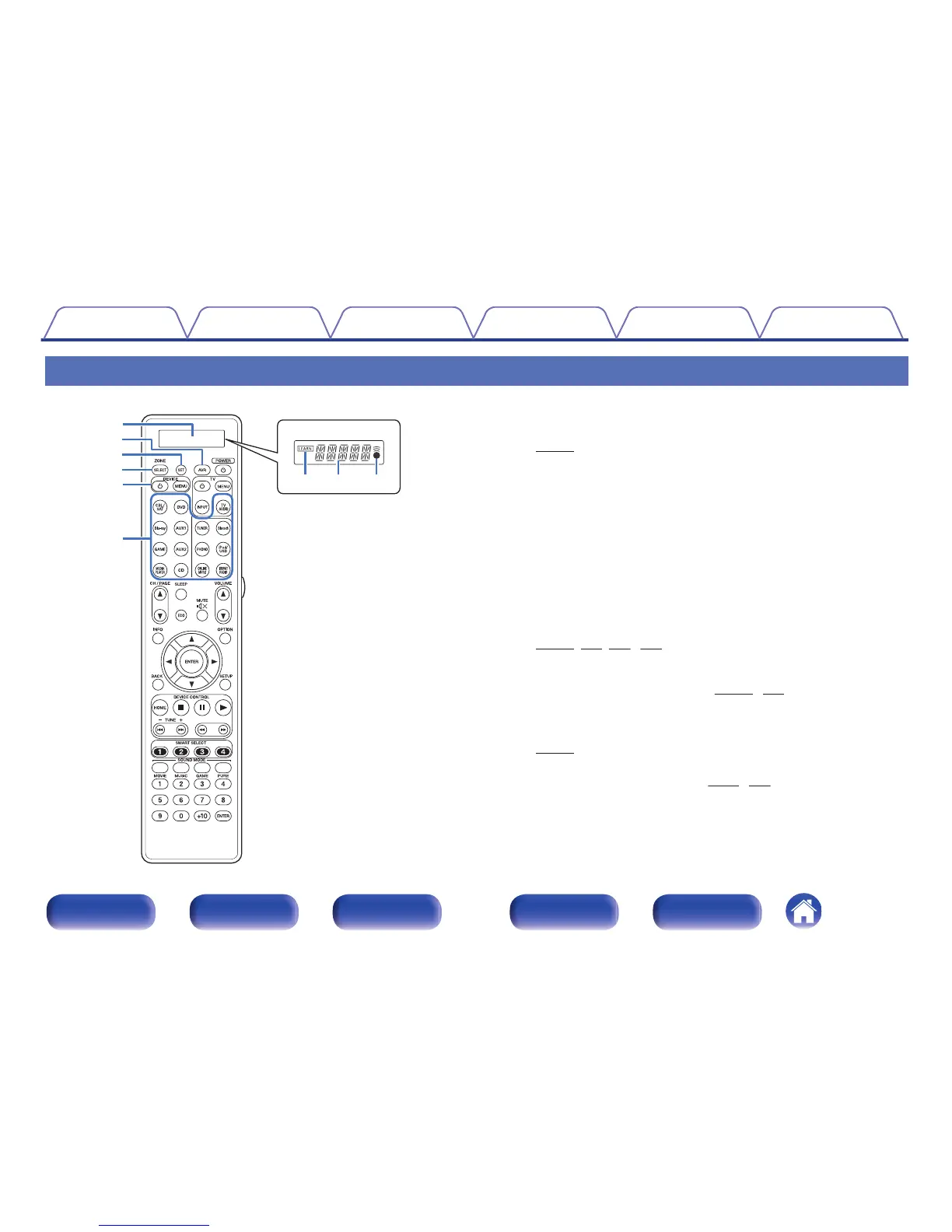
A
Display
A
LEARN indicator
This is lit when setting the learning function for the remote control unit.
(v p. 285)
B
Information display
0
This displays “AVR” when operating this unit.
0
This displays the input source name when operating an external
device.
0
This displays “TV” when operating TV.
C
l
indicator
This is lit when signals are sent from the remote control unit.
B
AVR operation button
When preset codes are registered to the remote control unit, press this
button and then operate the menu on the unit.
C
SET button
This is used for various settings on the remote control unit.
(v
p. 277, 285, 288, 289)
D
ZONE SELECT button
These switch the zone (MAIN ZONE, ZONE2, ZONE3) that is operated
through the remote control unit.
(v
p. 181, 186)
E
Device operation buttons (DEVICE X / DEVICE MENU)
These turn the power of external devices on/off and call up menus.
Preset codes need to be registered in order to use these buttons.
(v
p. 278)
F
Input source select buttons
These select the input source.
(v
p. 86, 181)
Contents Connections Playback Settings Tips Appendix
29
Front panel Display Rear panel Remote Index



 To Next Page