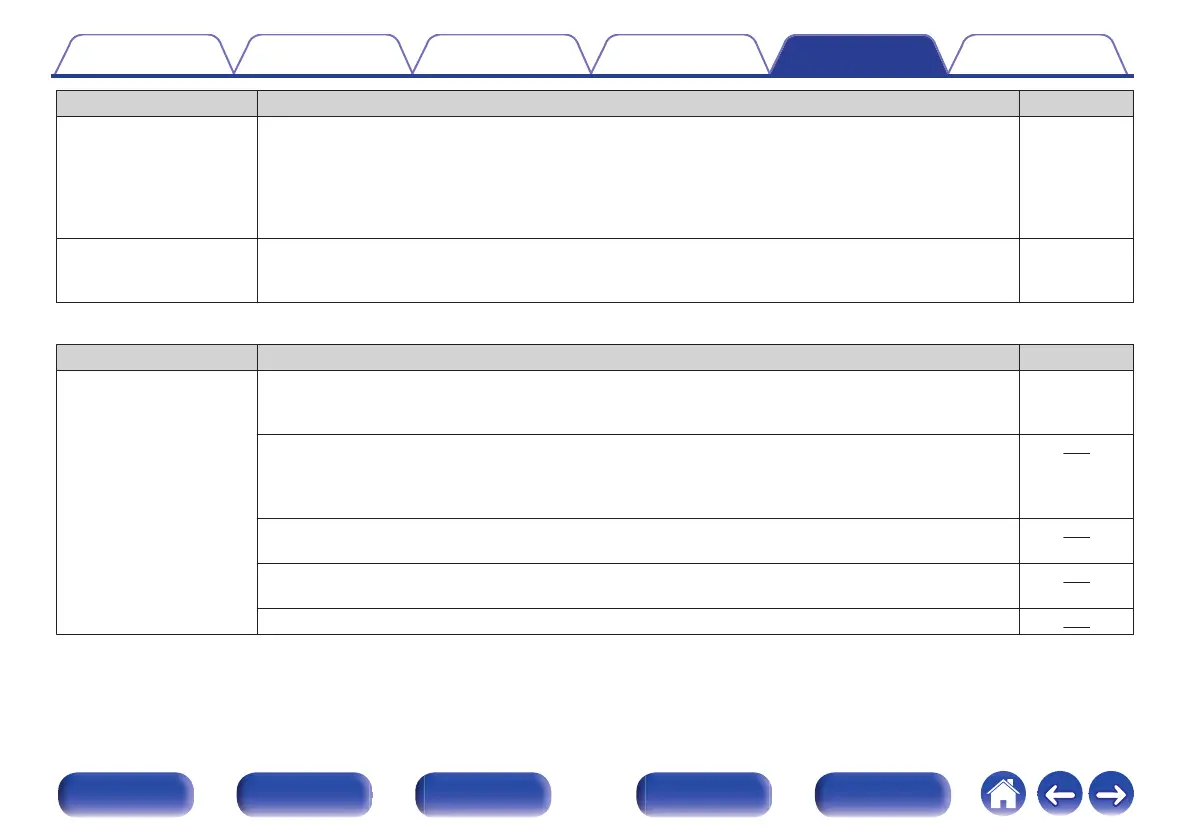
Symptom Cause / Solution Page
While the menu is being
displayed, no video is
shown on the TV.
0
The video being played will not appear in the background of the menu when the menu is operated during
playback of the following video signals.
- Some images of 3D video contents
- Computer resolution images (example: VGA)
- Video with an aspect ratio other than 16:9 or 4:3
- 4K video
-
When using HDMI ZONE2,
the video output in MAIN
ZONE is interrupted.
0
When ZONE2 is operated with the same input source selected for MAIN ZONE and ZONE2, video in
MAIN ZONE may be interrupted.
-
o
The menu screen is not displayed on the TV
Symptom Cause / Solution Page
The menu screen or status
information screen is not
displayed on the TV.
0
The menu screen is only displayed on this unit and a TV connected with an HDMI cable. If this unit is
connected to a TV using a different video output connector, operate while watching the display on this
unit.
-
0
The status information will not appear on the TV when the following video signals are being played.
- Some images of 3D video content
- Computer resolution images (example: VGA)
- Video with an aspect ratio other than 16:9 or 4:3
266
0
When a 2D video is converted to a 3D video on the TV, the menu screen or status information screen is
not displayed properly.
266
0
In the pure direct playback mode, the menu screen or status information is not displayed. Switch to a
sound mode other than the pure direct mode.
146
0
Set the “TV Format” setting in the menu to a selection that is appropriate for the TV. 209
Contents Connections Playback Settings Tips Appendix
293
Front panel Display Rear panel Remote Index



 To Next Page