47
ENGLISH
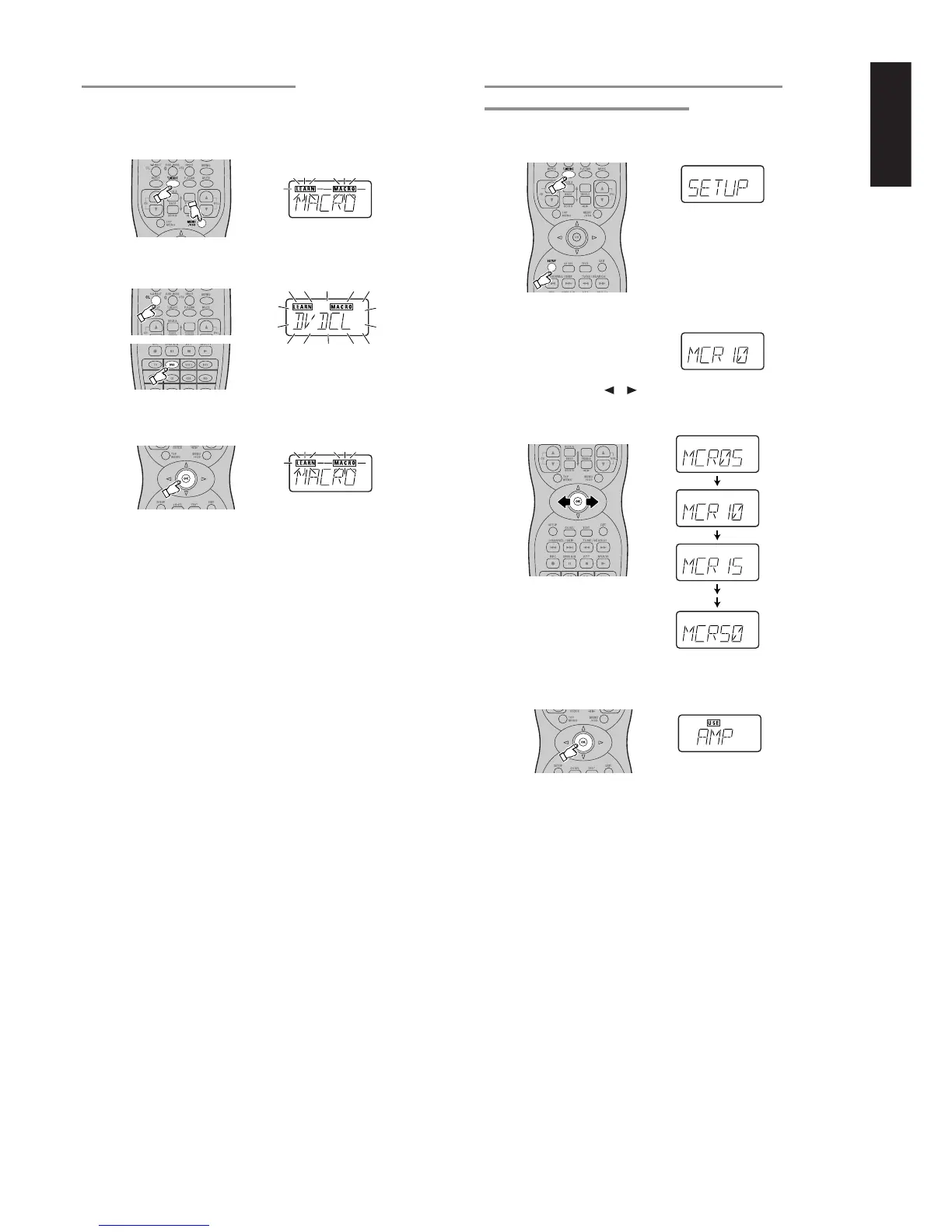
CLEARING MACRO PROGRAMS
The following procedure is used to erase macros you have
programmed into the remote controller’s memory.
1.
Press and hold the T.MODE and MENU button until the MACRO
is displayed on the LCD.
• LEARN and MACRO is displayed blinking.
2.
Press and hold the CL button, then press the button for the
Function to be cleared (in this case DVD) for 3 seconds.
DVDCL will appear on LCD.
3.
Press the OK button to clear and return step
1
.
• To cancel the memory clearing operation, do not press OK
button and simply touch any other button.
4.
To return the USE mode, press and hold down the OK button
until USE is displayed in the display.
(0.5 seconds)
(5 seconds)
(1.5 seconds)
(1 second)
ADJUSTING THE INTERVAL TIME OF MACRO
OPERATIONS TRANSMITTING
1.
Press and hold the T.MODE and SETUP button until the SETUP
is displayed on the LCD.
• SETUP is displayed for 3 seconds
2.
Confirm the display changes from SETUP to MCRxx.
(“xx” means the interval time of macro operations transmitting )
3.
Press the Cursor / button to change the interval time.
• The interval time can be changed from 0.5 to 5 seconds by 0.5
seconds step.
4.
Press and hold down the OK button until USE is displayed in the
display.



 To Next Page