5
ENGLISHFRANÇAISDEUTSCH
NEDERLANDS
ESPAÑOLITALIANO
PORTUGUÊS
SVENSKADANSK
MANUAL INPUT OF STATION NAMES
ON THE REMOTE CONTROL UNIT
1. Receive a preset channnel with preset tuning or using the PRESET
UP or DOWN button.
2. Press the ST NAME button of the main unit. The frequency display
disappears and changes to “_ _ _ _ _ _ _ _ ”, where the rightmost
cursor is blinking.
* When this button is presed while a non-preset station is
received, the frequency display remains the same, “PRESET”
and “” blink, and the station name cannot be input.
3.In the leftmost column with the blinking cursor, input an
alphanumeric character using the numeric buttons.
Each press of each numeric button changes the displayed
character as shown below.
Button 1 A B C 1 A
Button 2 D E F 2 D
Button 3 G H I 3 G
Button 4 J K L 4 J
Button 5 M N O 5 N
Button 6 P Q R 6 P
Button 7 S T U 7 S
Button 8 V W X 9 V
Button 9 Y Z ( _ ) Y
Button 0 + C 1
4. After setting the leftmost column, press the PRESET UP button.
The blinking column moves to the right.
In the same way as 3 above, input the desired alphanumeric
character and press the PRESET UP button again.
Input other characters up to the rightmost colu,m by repeating the
above. (The blinking column can be moved to the left by pressing
the PRESET DOWN button.)
5. After the desired station name has been input, press the MEMO
button.
The blinking of the rightmost cursor stops and the input operation
is completed.
* The station name can be input with up to 5 characters, but it can
be ended with less the 5 characters by pressing the MEMO
button at any desired time.
* To correct a station name which has been entered previously,
repeat steps from 2 to 5. The previous station name can be
replaced with the new name.
* To clear a station name which has been entered previously,
input space (_) in all of the 5 columns.
HOW TO PRESET A FREQUENCY IN THE MEMORY
1. Press the BAND button to select the desired band (FM/AM).
2. Press the TUNING UP/DOWN button to select the frequency of
desired station.
3. When th desired station is received, press the MEMO button.
4. The MEMORY indicator blinks for about 5 seconds. Press the
PRESET button within this time.
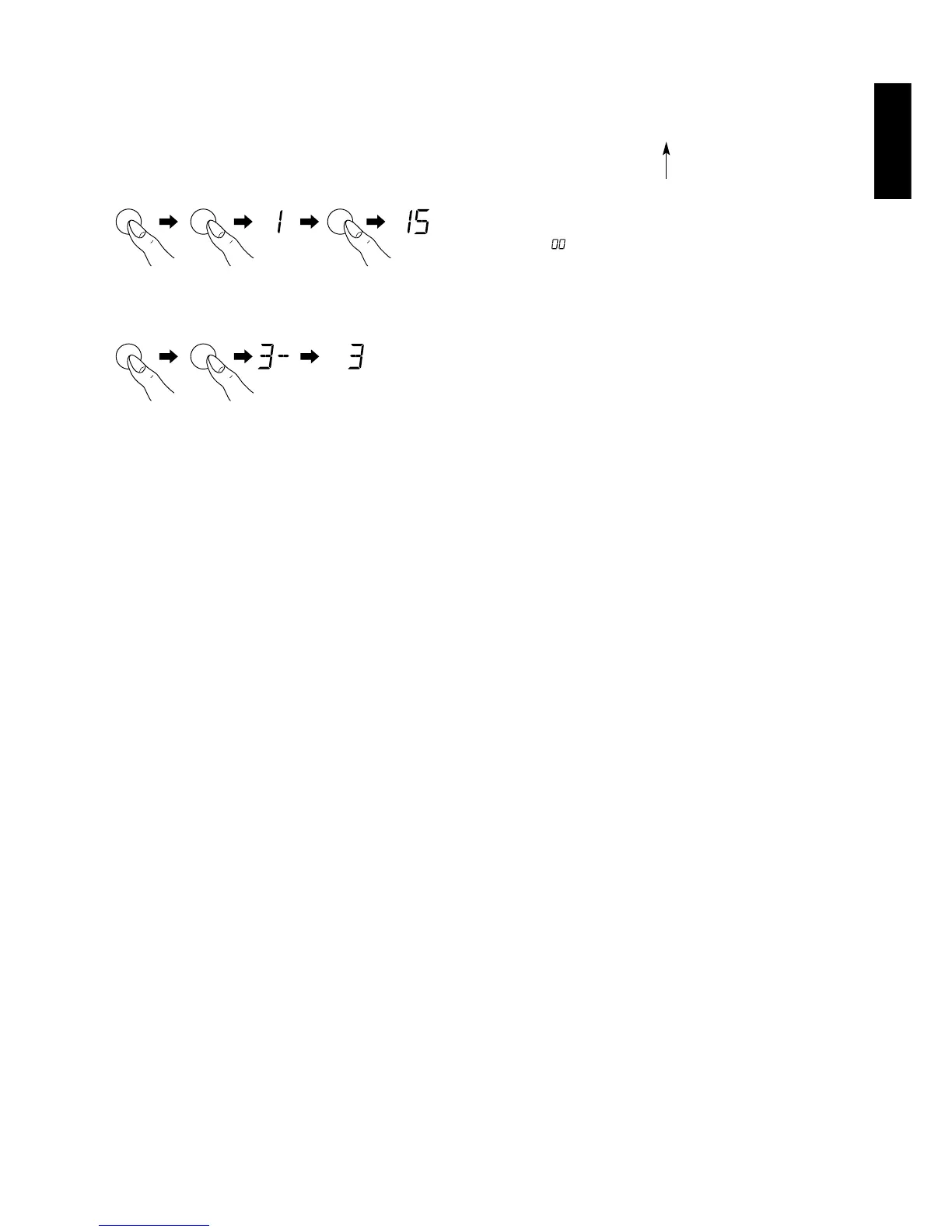
5. Example: To preset under preset no.15
Preset tuning by recalling a preset station
Select the preset no. of the desired station in the same manner as
when presetting a station in the memory.
DELETING THE CONTENTS OF THE PRESET MEMORY
1. Select the preset station you wish to delete.
2. Press the MEMO button.
The “MEMORY” indicator will flash on the display.
3. While the “MEMORY” indicator is flashing (approx. 5 sec.), turn the
GYRO CONTROL ring to set the present number to “00”.
4. Press the MEMO button again.
The preset number and “CLEAR” indicator will flash for approx. 2
seconds on the display and the memory will be deleted.
Station names memorized for the preset station will also be deleted
at the same time.



 To Next Page