7
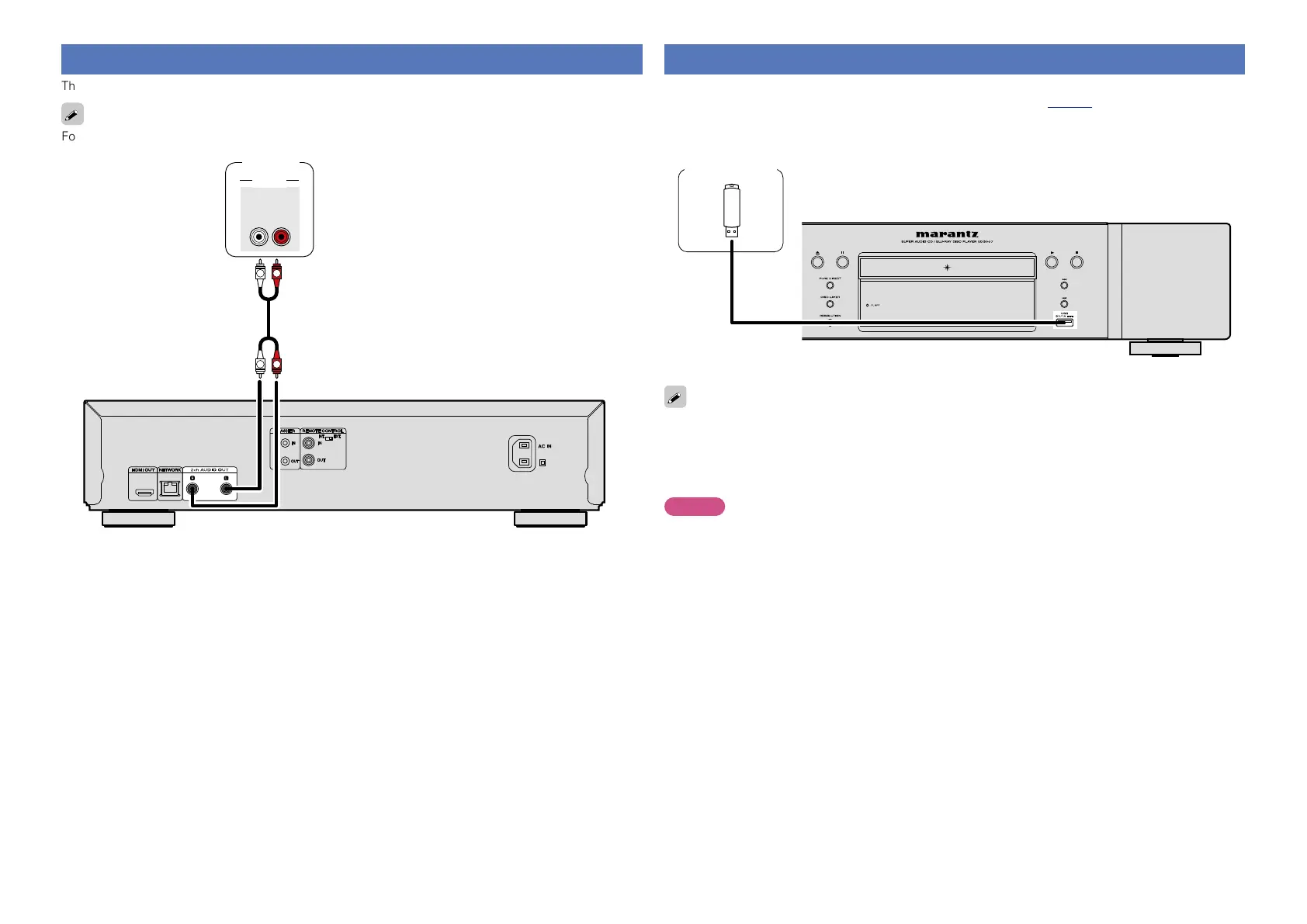
Connecting a 2-channel audio amplifier
This connection is for playback of audio of this unit, using a 2-channel audio device.
For software recorded in multi-channel, an analog signal down-mixed to 2-channel is output.
R
L
R
L
AUDIO
RL
IN
AUDIO
Amplifier
Connecting a USB memory device to the USB port
•You can enjoy music, video and photo stored on a USB memory device.
•For operating instructions see “Playing files (MEDIA PLAYER)” (vpage17).
To connect a USB memory device to this unit.
USB memory
device
•marantz does not guarantee that all USB memory devices will operate or receive power. When using
a portable USB connection type HDD of the kind to which an AC adapter can be connected to supply
power, use the AC adapter.
•If the “USB“ indicator does not light, turn the power off, reinsert the USB memory device, and turn the
unit on again.
NOTE
•USB memory devices will not work via a USB hub.
•It is not possible to use this unit by connecting the unit’s USB port to a PC via a USB cable.
•Do not use an extension cable when connecting a USB memory device. This may cause radio interference
with other devices.
•Be sure to turn the power off when inserting or removing a USB memory device. Data stored in the USB
memory device or the memory of the unit may be damaged.
•Compatibility of all USB memory devices is not guaranteed.
•For reformatting a USB memory device, format it with FAT16 or FAT32.





 To Next Page