44
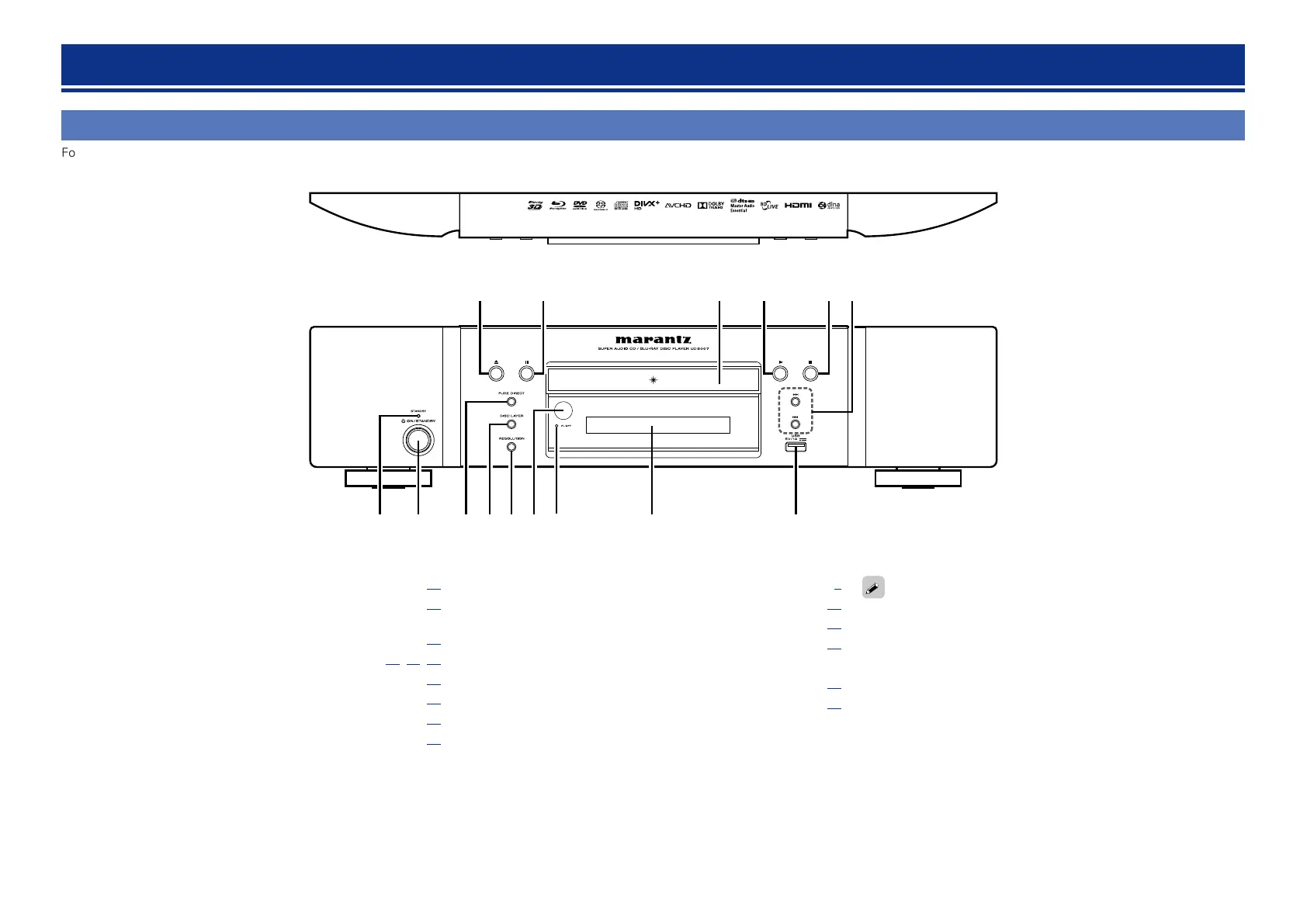
Front panel
For buttons not explained here, see the page indicated in parentheses ( ).
q re yw t
u
i o
Q3
Q0
Q1Q2Q4Q5
q STANDBY indicator ································································· (11)
w Power operation button (X ON/STANDBY) ························· (11)
Turns power to this unit on and off (standby).
e PURE DIRECT button ······························································ (26)
r DISC LAYER button ····················································· (14, 15, 16)
t RESOLUTION button ······························································ (27)
y Remote control sensor ··························································· (48)
u FL OFF indicator ······································································ (26)
i Display ······················································································ (45)
o USB port ····················································································· (7)
Q0 Reverse-skip/Forward-skip buttons (8, 9) ·················· (22)
Q1 Stop button (2) ······································································· (21)
Q2 Play button (1) ········································································ (14)
Q3 Disc tray
Q4 Pause button (3) ····································································· (21)
Q5 Disc tray open/close button (5) ············································· (14)
If Q2 or Q5 is pressed when the power is in standby, the power is
turned on.
Part names and functions





 To Next Page