26
DRIVING RECORDING GUIDE
Driving Recording Guide
When the ignition is turned on, the device will begin recording automatically till the ignition is turned off.
Recording time
Recording file is made at 1min long.
Recording file
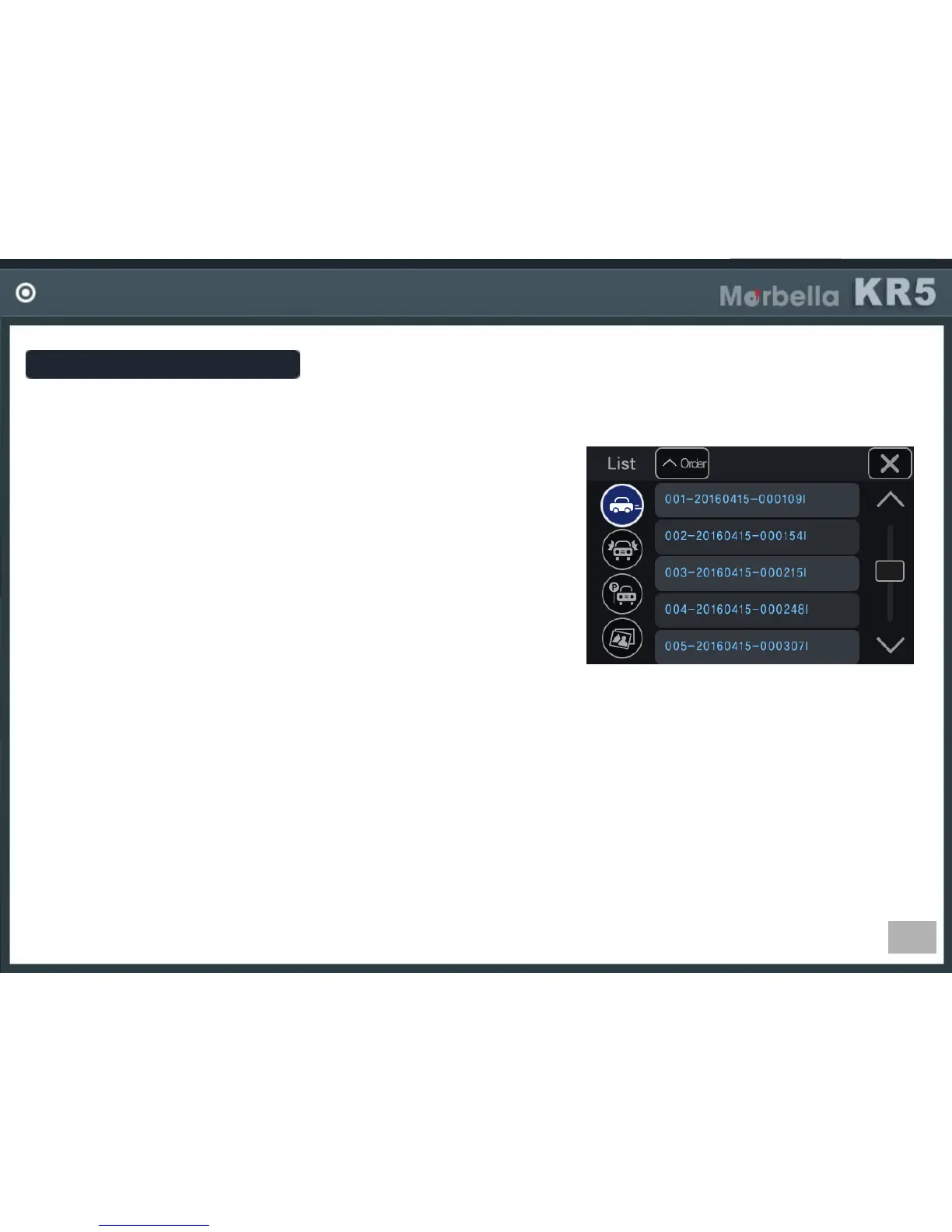
It is made in the format, Year/Mon/Day, hour/min/sec.
ex) 001-20161009_103316I (in case of driving recording file)
001 : file index
20161009 : date (year 2016, Oct, 9
th
)
103316 : time (10oclock 33min 16sec)
I : driving REC, E: event REC, P : parking REC
A,B : photo, A-front, B-rear
If the SD card memory is full
The program will delete the oldest file in order, then create the new file by current date and time.
In the case of an impact?
The sensors will trigger the event mode.
When an impact is registered, it begins to record 10 seconds prior to the impact and 10 seconds after the impact.
The maximum recording time of each file will be up to 20 seconds long.
If the power goes out while driving?
All current recordings will be saved immediately.
In power hardwiring connection, it goes to parking mode recording.
In ACC (cigar power) connection, recording will be stopped.


 To Next Page