32
PHOTO CAPTURE GUIDE
Photo Capture Guide
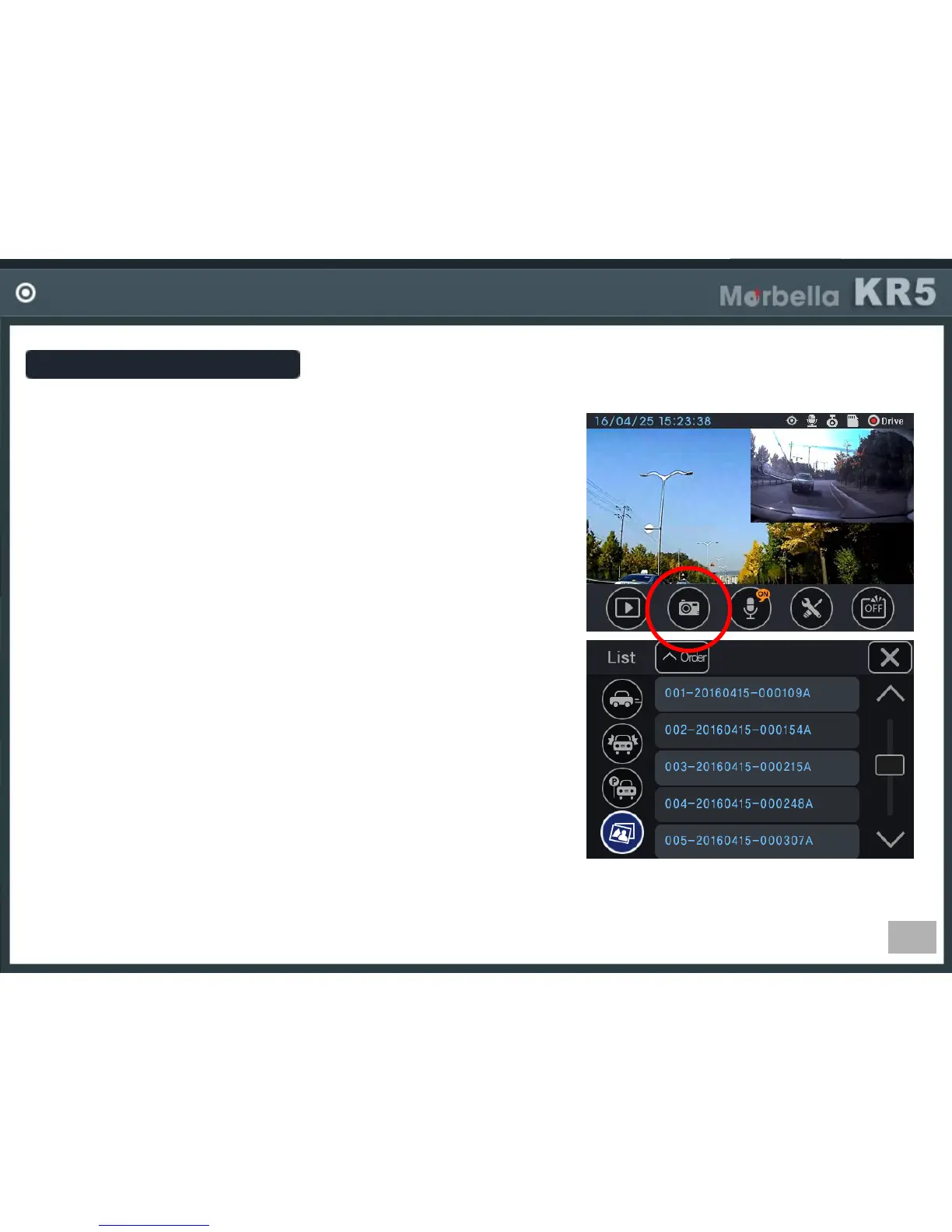
You can take a picture during driving.
If you click photo button in main screen an image is saved.
Recording file
It is made in the format, Year/Mon/Day hour/min/sec.
ex) 001-20161009_103316A (in case of parking recording file)
001 : file index
20161009 : date (year 2016, Oct, 9
th
)
103316 : time (10oclock 33min 16sec)
I : driving REC, E: event REC, P : parking REC
A,B : photo, A-front, B-rear
Which side image can be taken?
It can take front and rear both sides.
Front image file name have “A”, rear image have “B”
When you click the photo button, image is saved as JPG.


 To Next Page