34
BOOTING / MAIN SCREEN
Booting
Power on the ignition or slide the power switch on your left hand side
of the device to turn on the device.
After power is connected, it will automatically enter into the driving mode
and start recording.
(In hardwiring power connection, parking mode is changed to driving mode).
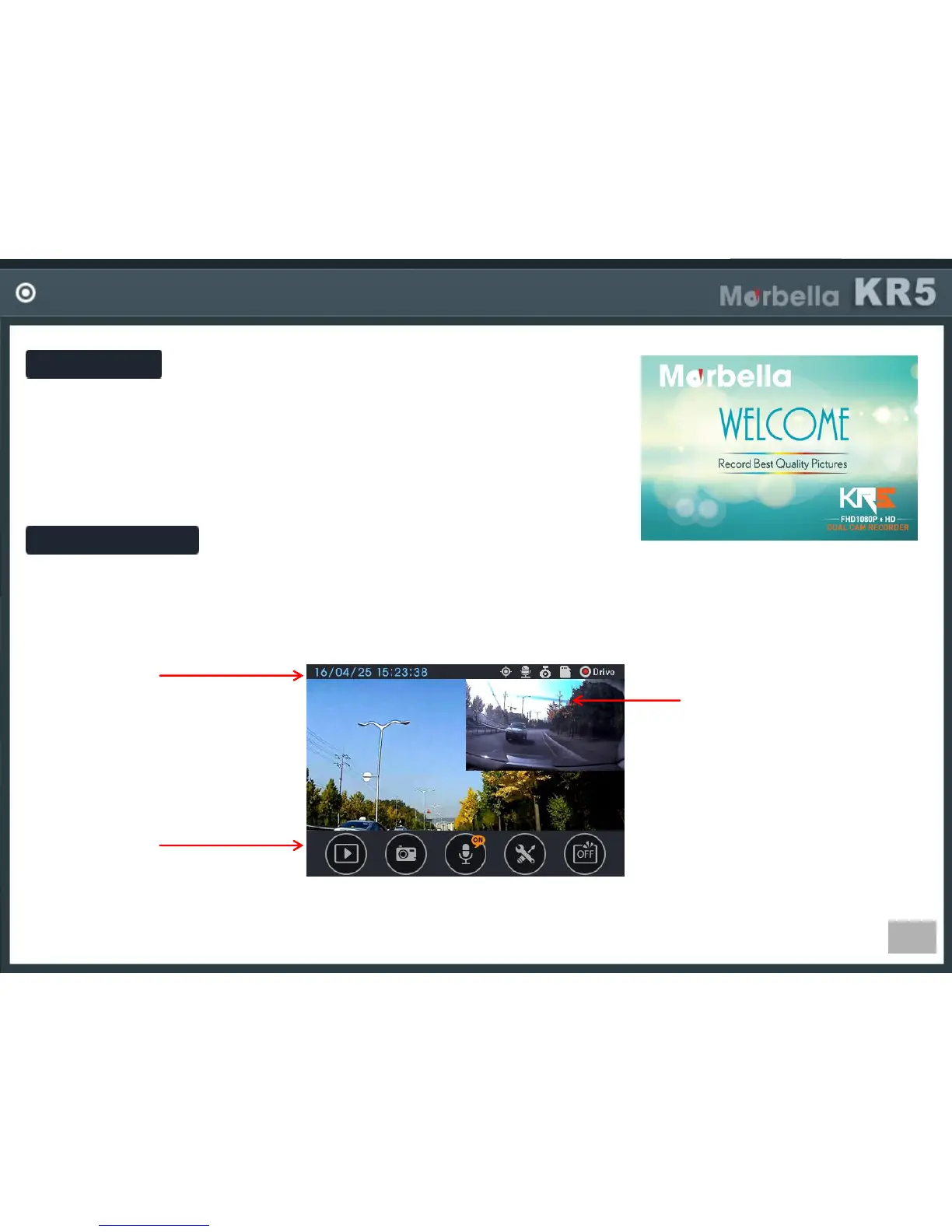
Main Screen
There is status bar in the top, real time video screen in the middle, menu bar in the bottom of screen.
Menu bar is disappeared after seconds as default setting.
Status Bar
-Shows current date/time and
various status information by
icons.
Button Area
-Operate functions using
each button.
View Area
-Shows real time video.
If you can not see the
menu bar, touch the
screen then menu bar will
be displayed.


 To Next Page