38
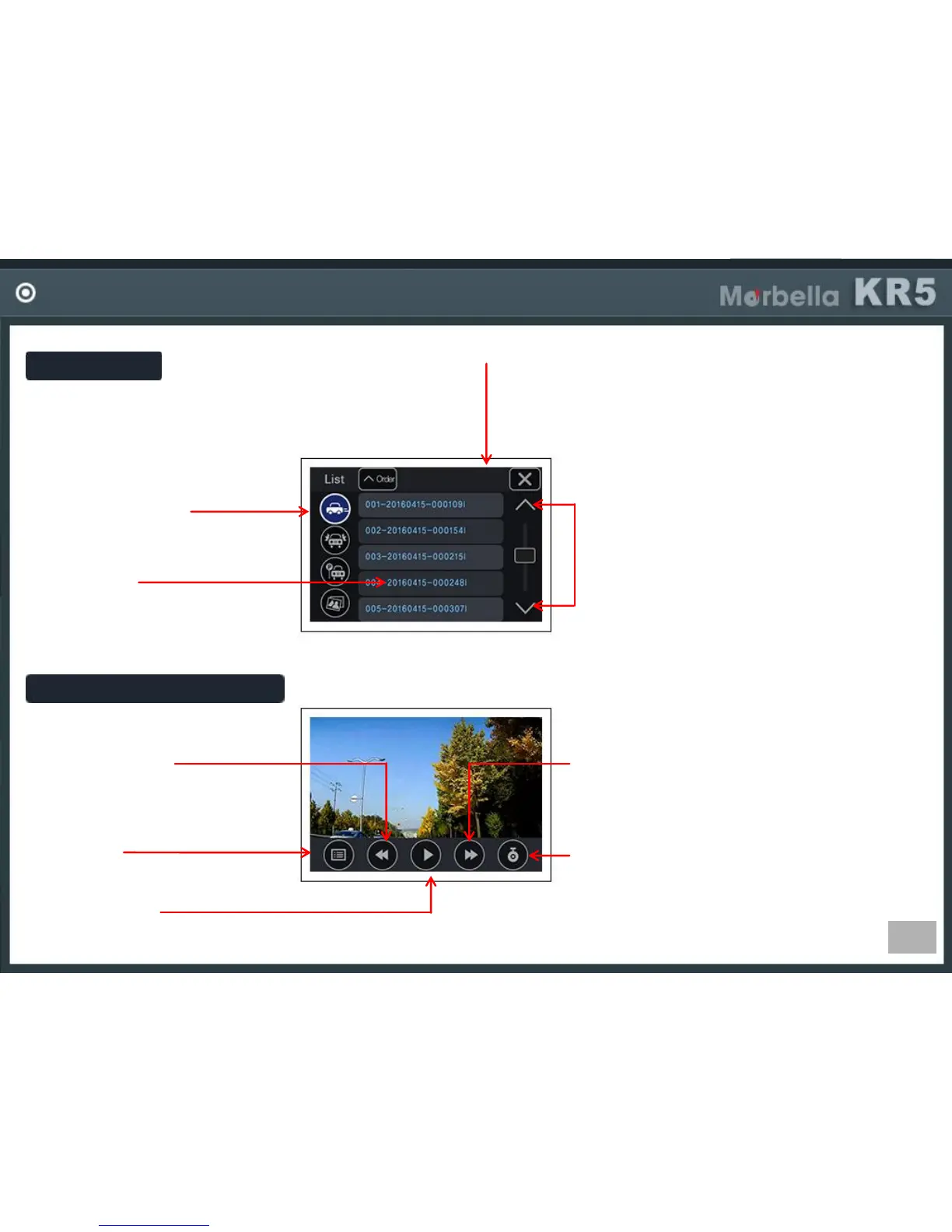
VIDEO PLAYBACK
Play List
Select File Folder
-Select Driving/Event/Parking/
Photo folders
Video File
-If you click a file, playback
starts
Previous File
-Playback previous file.
Move Page
-Move to next or previous page.
Each page shows 5files.
File Order
-You can change the file order in
ascending or descending.
Video Playback Screen
File List
-Move to file list.
Play / Pause
-Play or pause the video.
Next Video
-Play next video file.
Front/Rear Change
-Select front or rear side video.
(FrontRear, RearFront)


 To Next Page