51
STARTING PC VIEWER
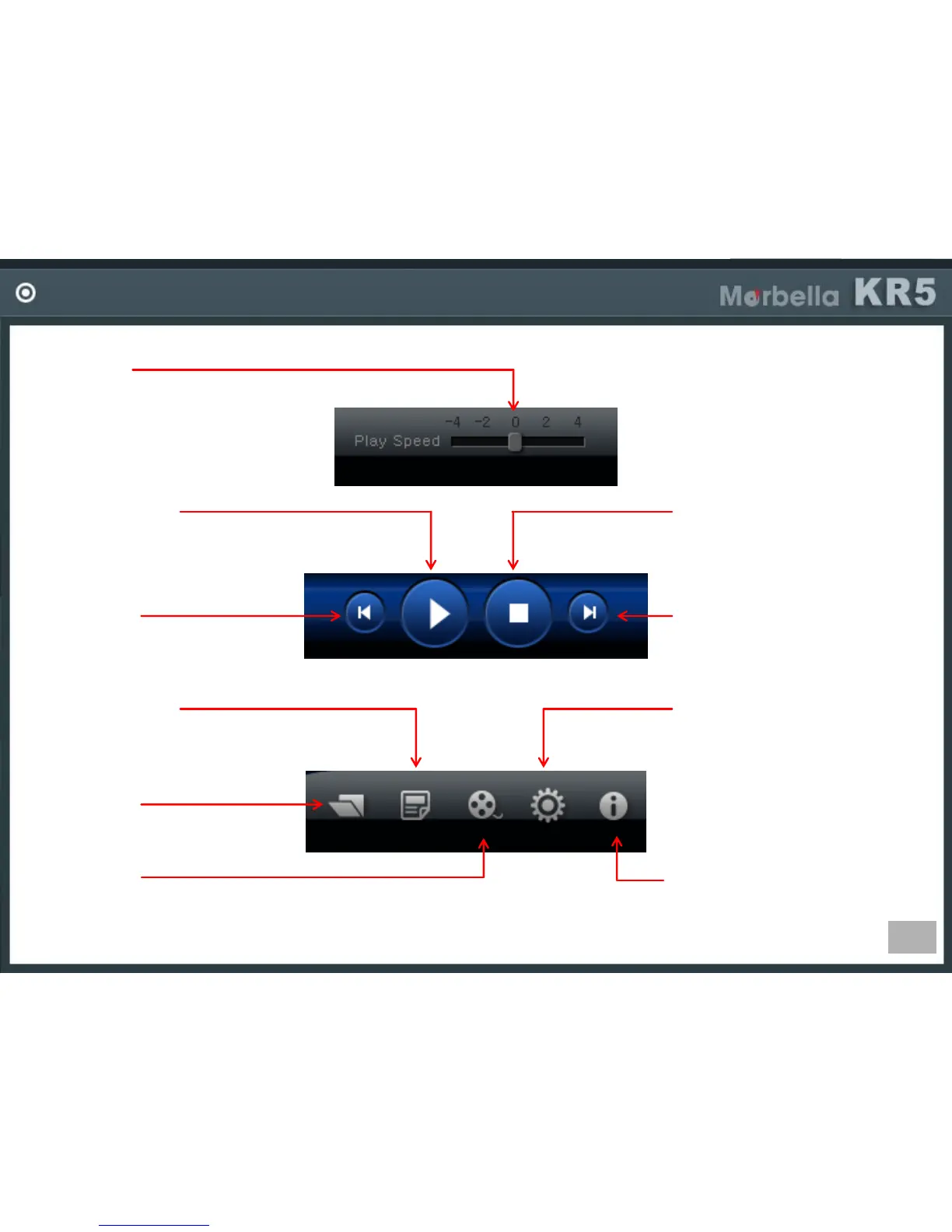
Previous File
-Play previous file of current
playing file.
Information
-Shows PC viewer version
information.
Play Speed
-Control video playback speed.
Video Playback
-Play or pause the video.
Stop
-Stop or pause playing video.
Next File
-Playback next file of
current playing file.
Screen Capture
-Capture current image of the playing video.
Call Files
-Call files stored in SD card.
Settings
-Configure various settings of
DVR device. New settings are
stored in SD card and
transferred to the device
when device booting.
File Save
-Can change current playing
file in to AVI file and
save it in PC.


 To Next Page