INDUSTRIAL PRINTER QUICK START GUIDE
4
USER NOTES
MATERIAL NOMENCLATURE
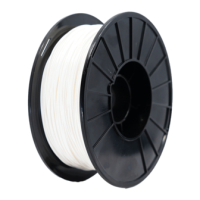
In this guide, “Onyx” refers to Onyx, Onyx FR, and Onyx ESD; “Nylon” refers to Tough Nylon and Nylon White.
TABLETOP USE ONLY
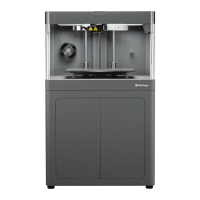
Markforged Industrial Series printers are approved for tabletop use only. Set up your printer on a sturdy level
surface with sucient access on all sides. The printer is not approved for free-standing oor use.
POWER DISCONNECT ACCESS
Take care to set up your Industrial Series printer so that the disconnecting device (power switch on the rear
face of the printer) is accessible at all times. Note that the power cord can be disconnected as a backup if
the power switch becomes inoperable or inaccessible.
CLEANING/DECONTAMINATION
The camera and print chamber can only be wiped down using a damp microber cloth. The clear shield
can be cleaned with a microber cloth and non-abrasive window cleaner, as other cleaning agents could
permanently fog or scratch the surface. Please follow instructions below (Reducing Burn Risks) when
cleaning your printer.
REDUCING BURN RISKS
● Do not touch the nozzles or print head when hot, unless explicitly instructed to do so by Markforged
documentation or personnel
● During a print run, leave all doors closed
ALWAYS FOLLOW SAFETY INSTRUCTIONS
Failing to use your Industrial Series printer in the manner specied by the manufacturer may lead to unsafe
operating conditions. Follow all safety instructions posted on the unit and in the written documentation.
Note: Consult the included Safety Sheet for an explanation of the safety icons used in this manual.
NOTE ON FIBER CAPABILITY
This Quick Start Guide covers all models of Markforged Industrial Series printers. If your printer model is
not ber-capable, some of the sections in this Quick Start Guide may not apply. Instructions that only apply
to ber-capable printers are marked with the icon to the left.


 To Next Page