7
INDUSTRIAL PRINTER QUICK START GUIDE
QUICK START GUIDE
GUIDE INTRODUCTION
This guide will walk you through the process of setting up your printer and printing for the rst time.
Before diving into the printing process, please ensure that you have completed the following steps as
described in this Quick Start Guide:
● Unbox or unpack your printer, drybox, and all other components that were shipped with your
printer.
● Review the safety instructions that came with your printer
Note: Please consult the Safety Sheet for explanations of the icons used in this document
● Review the Network Requirements section at the end of this Quick Start Guide
● Connect your printer to the Internet and apply any available rmware updates
Most Industrial Seriesusers print online via Wi-Fi or Ethernet. This guide will walk you through the setup
necessary for online printing. For users who experience network issues or cannot print online, this guide will
suggest relevant support material in the Industrial Printer User Guide or on the support site.
Tools:
● Drybox
● Plastic load tube
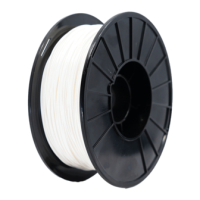
● Unopened bag of plastic lament (not included in accessory kit)
● Unopened spool of ber lament (if applicable, not included in accessory kit)
● Tweezers
● Glue stick
● Leveling shims (in envelope)
● Scraper
● 2.5mm hex key
● Wire cutters
● Masking tape, painter’s tape, or similar (not included in accessory kit)
LOAD PLASTIC
Note: The print head will become hot during the plastic loading process. Exercise caution when
working near the nozzles.
Only use materials that have been approved by Markforged for use with this printer.The
Industrial Series is designed to work only with proprietary materials and consumables from Markforged.


 To Next Page