13
3 Enter the password for the WLAN.
-> select the desired letter with <shift> + the control
knob
-> conrm the letter by pressing on the control knob
-> search for the next letter.
4 When the connection is completely set up, the Mo-
bile Station WLAN searches for a suitable Central
Station and connects to it
5 When the Mobile Station WLAN nds several Cen-
tral Stations, it offers you a selection menu, which
you can use to select the desired Central Station.->
mit einem Druck auf den Drehknopf den Buchsta-
ben bestätigen
The settings that are found are stored in the Mobile
Station WLAN. When both the selected WLAN and
the selected Central Station are available when the
Mobile Station WLAN is turned on, they do not have to
be set up again.
Main Device and Expansion Device
When several locomotive controllers are connected
at the same time to a model railroad, it is obligatory
that one device be the main device. This means that all
other devices are incorporated as expansion units.
Setup, recognition, and programming are done only
through the main device. The expansion device
takes on all locomotives from the main device. The
assignment of main and expansion devices is done as
follows.
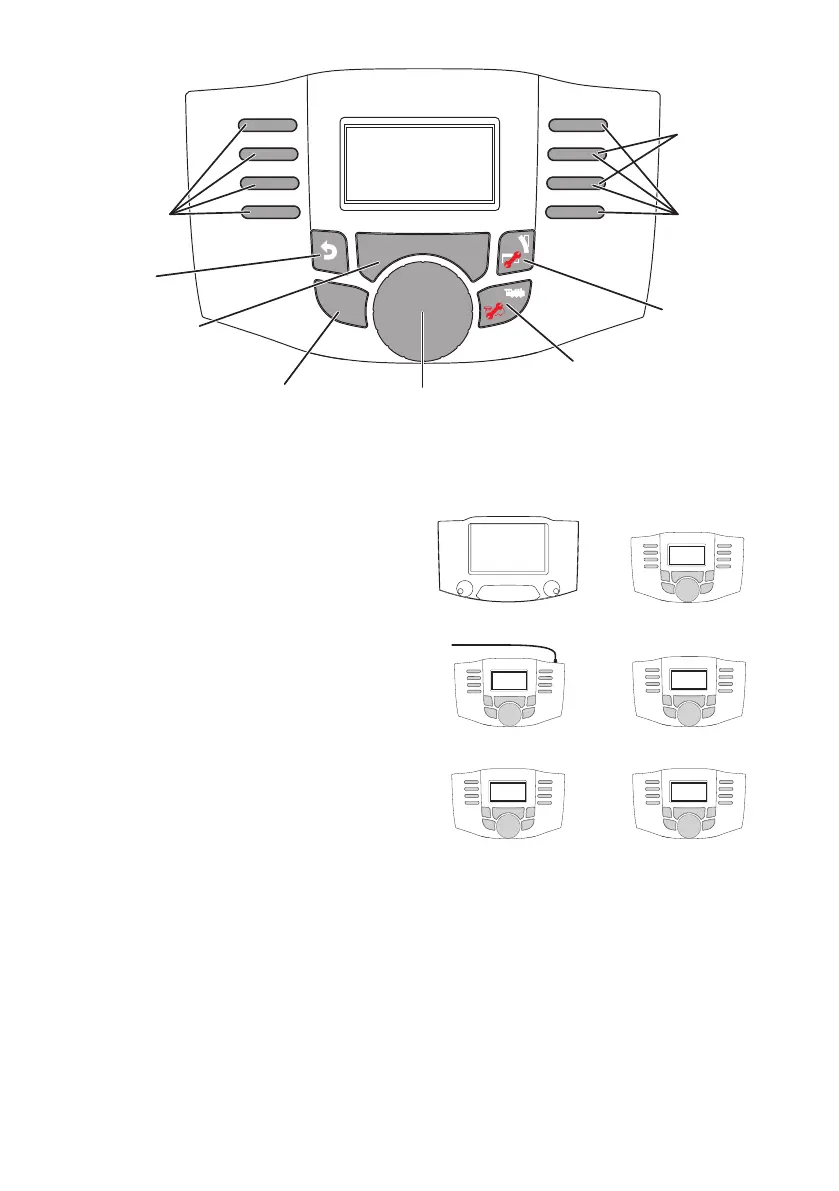
Main Device Expansion Device
+
CS 2 / 3 MS-WLAN
+
MS 2 MS WLAN
+
MS WLAN MS WLAN
(Lower serial number)
If the MS WLAN is operated in addition to several
Central Stations, you can set under „MSW Settings
– Select Main Controller“ which of the connected
Central Stations is to be the main controller.
S H I F T
S T O P S T O P
loco control
rev ersing direction
„OK“
Shift
b ack
1 step
Magnetartikel
+ Shift Menü
scroll
screen
Selection Selection
Loco selection
+Shift conf. loco
Stop


 To Next Page