CHAPTER 3
25/10/17
Quick Digit
TM
Bluetooth
®
Driver
17
3.6
2
3
1
3 PAIRING PROCEDURE
3.1 Pairing procedure
This chapter describes the procedure for pairing a Quick Digit
TM
Bluetooth
®
with the
Quick Digit
TM
Bluetooth
®
driver.
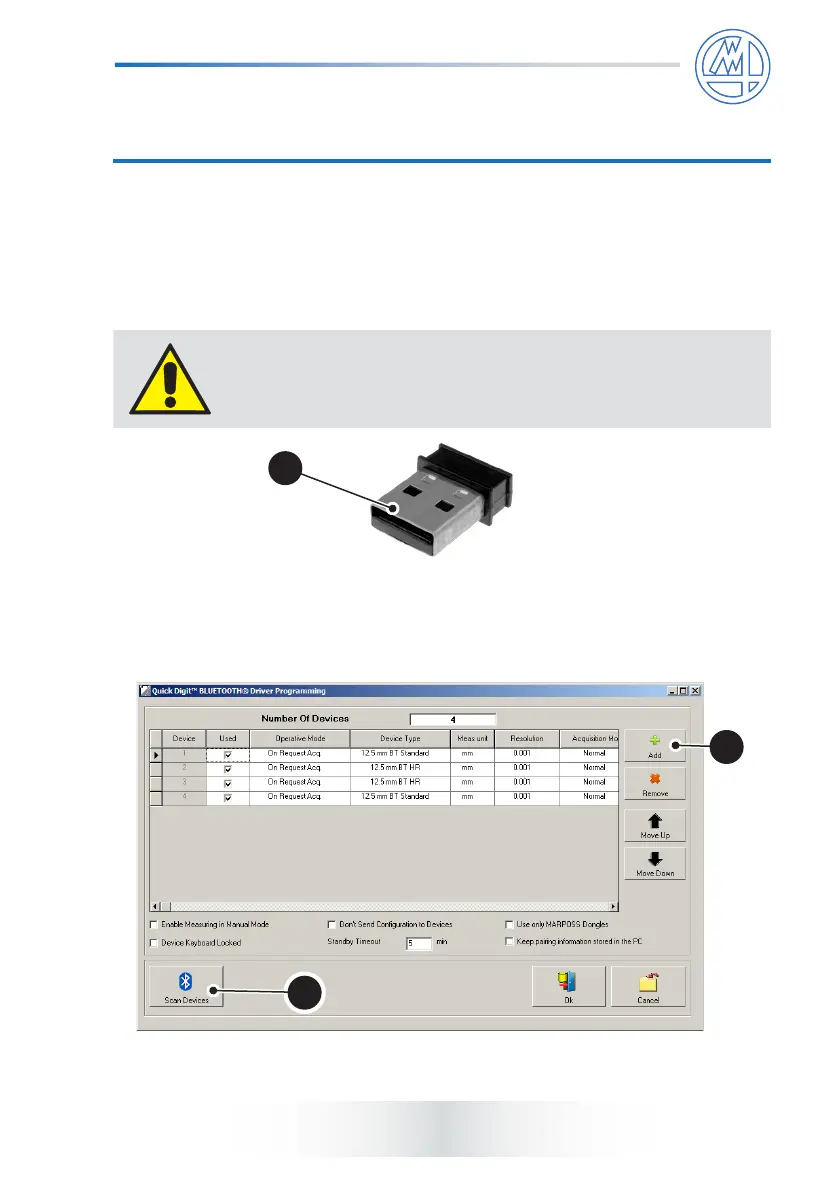
1) Connect the dongle (1) to the PC.
The maximum number of devices than may be paired is 8 or
each dongle. The maximum number of dongles that may be
used in the same application is 2.
2) Launch the driver. Press “Add” (2) once for each device to be connected.
Next, press “Scan Devices” (3) to pair the Bluetooth
®
devices.



 To Next Page