25/10/17
Quick Digit
TM
Bluetooth
®
Driver
7
3.6
CHAPTER 2
2 MAIN PAGE
2.1 Device programming
When the the Quick Digit
TM
Bluetooth
®
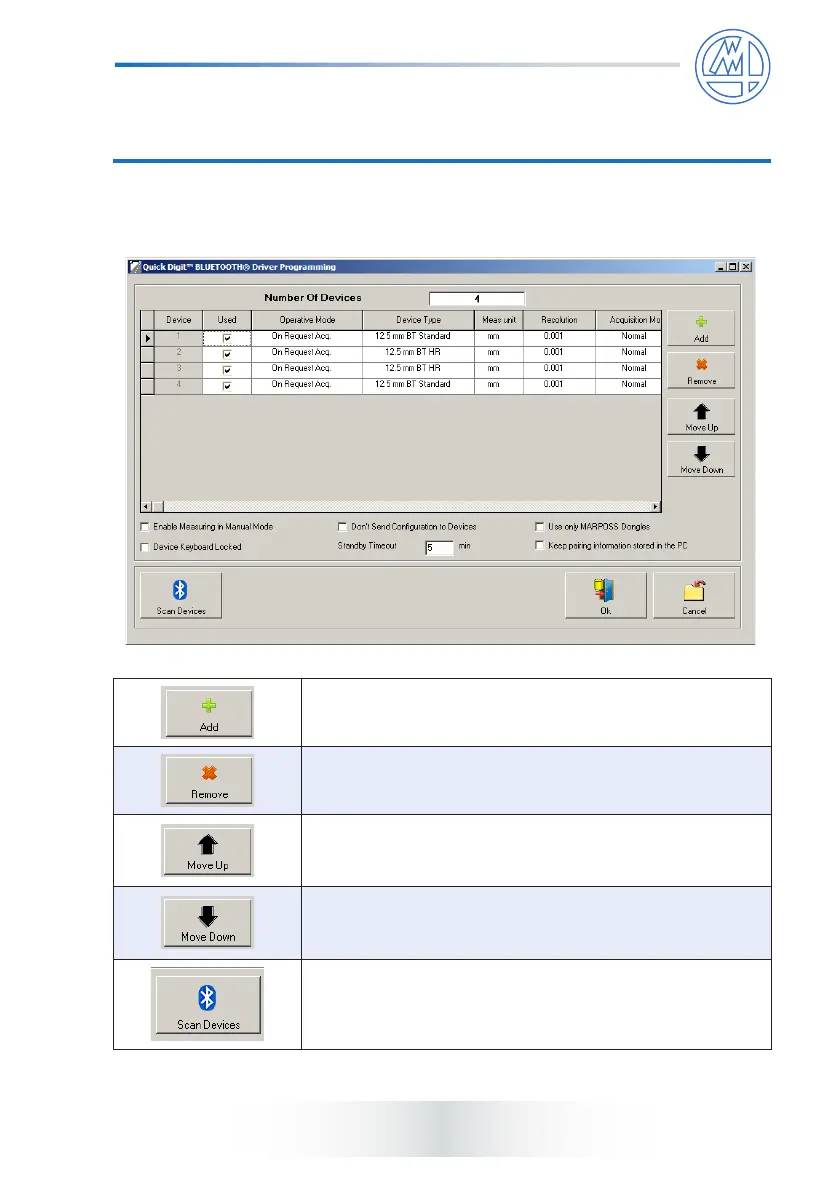
is started, the following page appears.
This button allows to add a new Quick Digit
TM
Bluetooth
®
to the conguration.
This button allows to remove the selected Quick Digit
TM
Bluetooth
®
to the conguration.
This button allows to move up the selected Quick Digit
TM
Bluetooth
®
in the list, so that it corresponds to a lower
numbered channel.
This button allows to move down the selected Quick Digit
TM
Bluetooth
®
in the list, so that it corresponds to a higher
numbered channel.
This button allows to open the pairing window. Please see
chapter 3 for Pairing Procedure.



 To Next Page