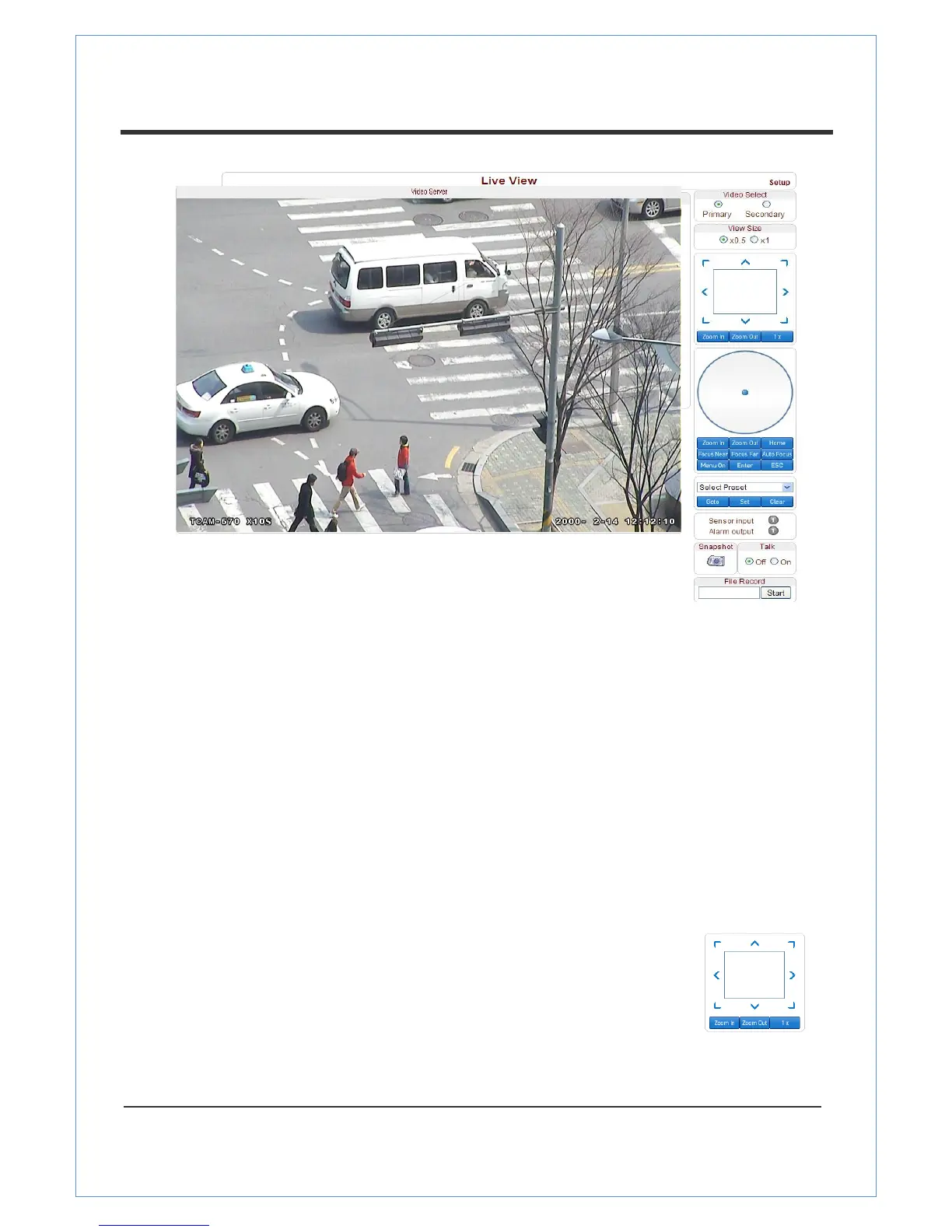
Video Selection
This feature lets you select the video stream to be viewed: Primary or Secondary.
VS-102-HDSDI is capable of dual streaming; primary streaming and secondary streaming.
Video will be displayed according to the resolution set on video configuration. If dual streaming
(“Use Dual Encode” Menu on the Video page) is not activated, secondary video is not available.
Screen Size
This feature enables you to adjust the screen size.
The screen size is initially adjusted according to the compression resolution. If you click on the
x1/2 icon, the whole screen size will be reduced in a half.
Digital Zoom
The feature lets you control the digital zoom on the screen.
The more the camera zooms in, the smaller the square of control panel is.
Position of the image can be changed by moving the position of the square.
Max x5 digital zoom is available. If you press x1, the screen will return to
the normal size.


 To Next Page