22/61
General
Sy stem Mode
This option lets you select the Sy stem Mode: Encoder or Decoder .
Sy stem ID
Set the Sy stem ID. The set Sy stem ID is display ed with the video image in the web browser .
The Sy stem ID is also transferred to remote software, such as VMS, and is displayed on it.
Language
This lets you select the language to be to be used for web-based configuration.
Firmware
Firmware version
This shows you the current firmware version.
Board ID
Display the Network board ID of VS-102-HDSDI recognized by sy stem.
Upgrade
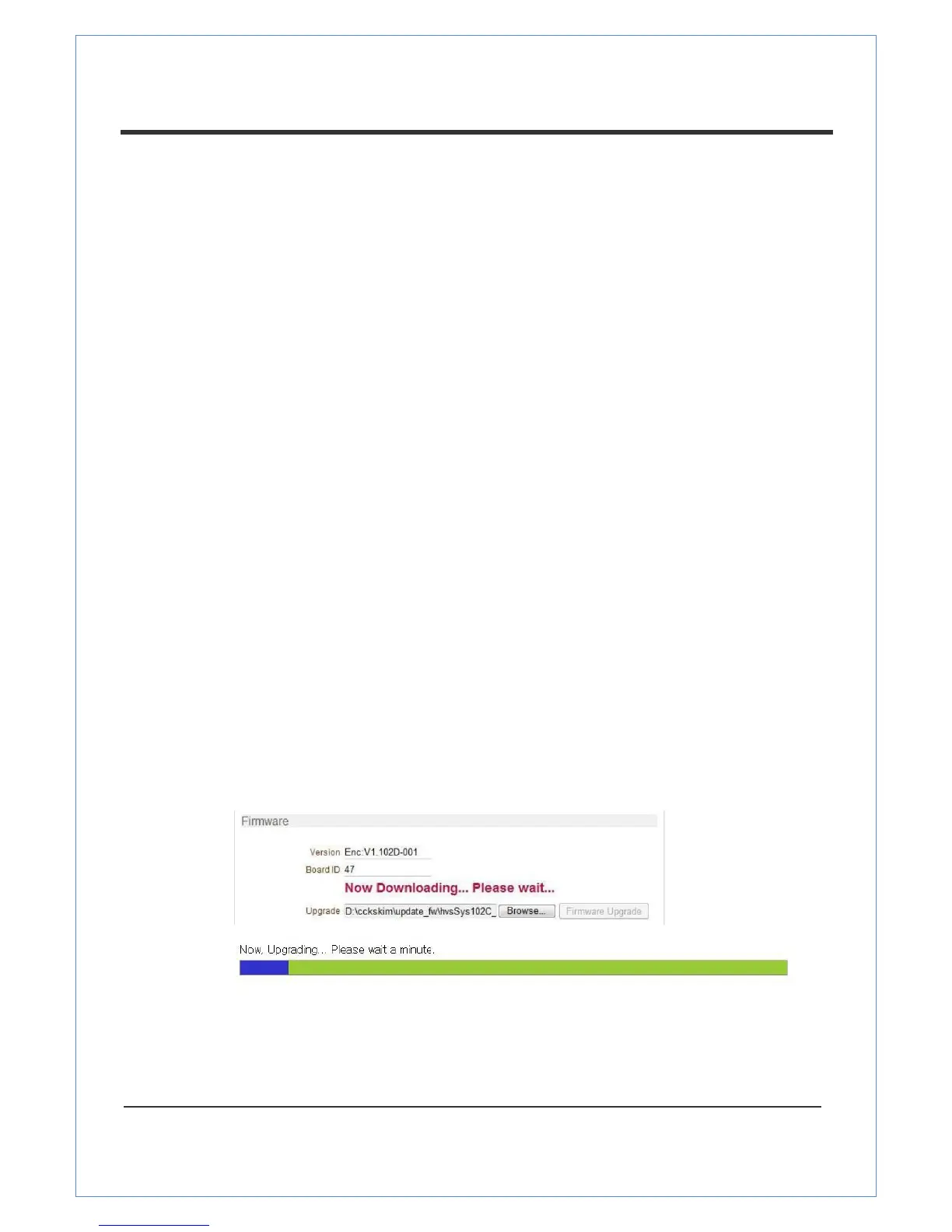
Upgrade firmware
1. Press the Browse button to select a firmware file from PC.
2. Press the Firmware Upgrade button to st art to upgrade.
3. Messages for showing status (downloading / upgrading) will be display ed.
4. The ca mera will reboot automatically after completing upgrade. Do not turn the camera
off during upgrading.
Time
S t art Time
This shows the latest sy stem boot date and time


 To Next Page