20
Parking Brake
1. Apply the brakes.
2. When the vehicle is fully stopped, pull the parking
brake lever rearward as far as possible to set the
parking brake.
3. Stop the engine.
4. To release the parking brake, apply the brakes and
push the lever toward the passenger seat and
forward.
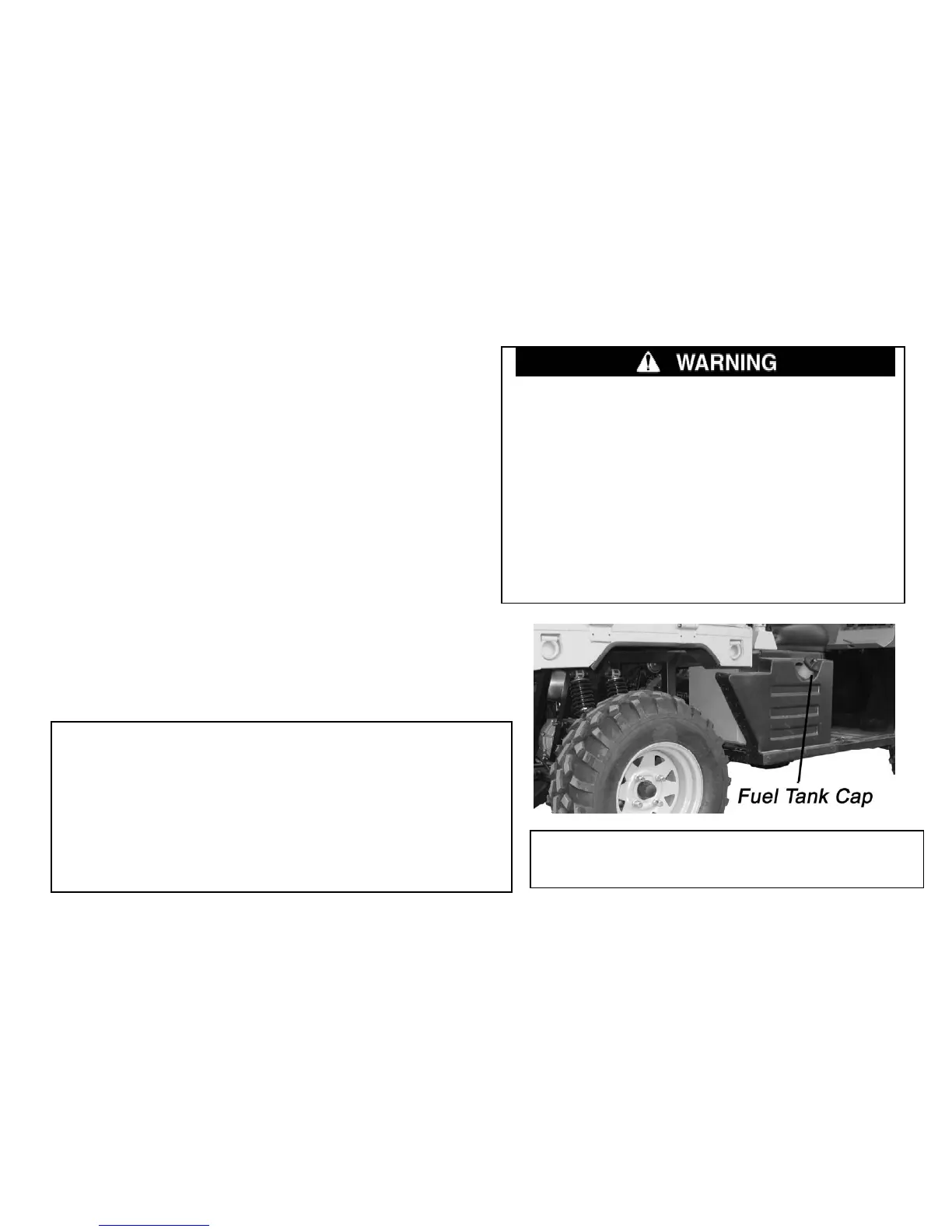
Fuel tank cap
1. Always set the parking brake whenever the
vehicle is left unattended.
2. Operating the vehicle while the parking
brake is engaged could cause an accident
resulting in serious injury or death. It could
also result in driveline or engine damage.
Always be sure to disengage the parking
brake before operating the vehicle.
Brake Pedal
Depress the brake pedal to slow or stop the
vehicle. Apply the brakes while starting the
engine.
Remove the fuel tank cap by Insert key
and turnin
it counterclockwise.
Never allow a child to refuel or handle gasoline.
The fuel tank filler cap is located on the behind of the
rear cargo box of the vehicle. Open the fuel tank port
cover, you can see the fuel tank cap. When refueling,
always use unleaded gasoline.


 To Next Page