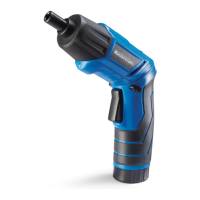
CHARGING THE BATTERY
1. Place the cordless screwdriver and
the charging stand near a 120 V, 60
Hz electrical outlet.
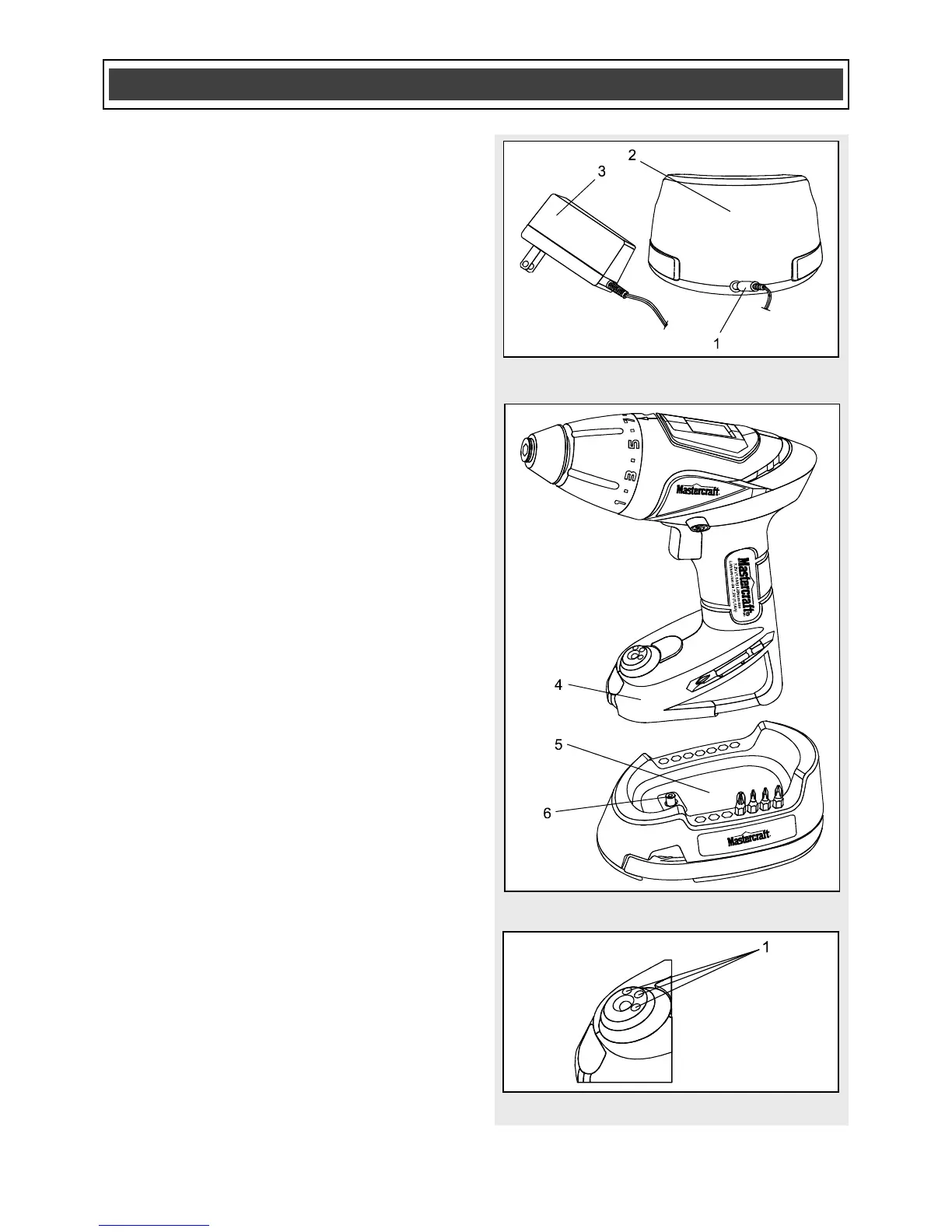
2. Insert the small battery charger plug
(1) into the receptacle in the rear of
the charging stand (2) (Fig. 1).
3. Plug the battery charger (3) into a
120 V, 60 Hz wall receptacle.
4. Place the cordless screwdriver (4) into
the charging stand (5) (Fig. 2).
NOTES:
a) Make sure the charging plug (6) in the
charging base is fully inserted into the
matching receptacle in the bottom of the
screwdriver handle.
b) A new battery or one that is completely
exhausted should be charged for 5 hours
or until the charger shuts down and the red
indicator light goes OFF. After normal use,
a battery should be fully charged in about
3 hours.
c) If the battery does not charge properly,
check to make sure the electrical outlet is
“live” and that the temperature range in the
work area is between 0–40° C
(32–104° F).
LED BATTERY AND CHARGING
STATUS INDICATORS
The battery charge level and the battery
charging status are indicated by three
LED’s (1) located in the base of the tool
(Fig. 3). They are green, orange and red.
The functioning of these LED’s is detailed
in Fig. 4 through Fig. 11.



 To Next Page