26
Installation of a MATCH Extension Card
It is possible to extend the functionality of the
MATCH PP 62DSP amplier by inserting an option-
al MATCH Extension Card (MEC) - for example a
Bluetooth
®
Audio Streaming module, an optical dig-
ital input or an AUX input.
To install a MATCH Extension Card it is necessary
to remove the side panel of the PP 62DSP and re-
place it by the new side panel that comes with the
MEC.
Attention: Install the MEC module only in the
designated device and its specic slot. Using
the MEC module in other devices or slots can
result in damage of the MEC module, the ampli-
er, the head unit / car radio or other connected
devices!
Read in the following the steps how to install a MEC
module:
1. First disconnect all cables from the device.
2. Dismantle the side panel where the USB input
is located by removing the Phillips screws.
3. Pull out the bottom plate.
4. Prepare the module for installing it into the de-
vice. Any further mounting information will be
found in the instruction manual of the respective
MEC module.
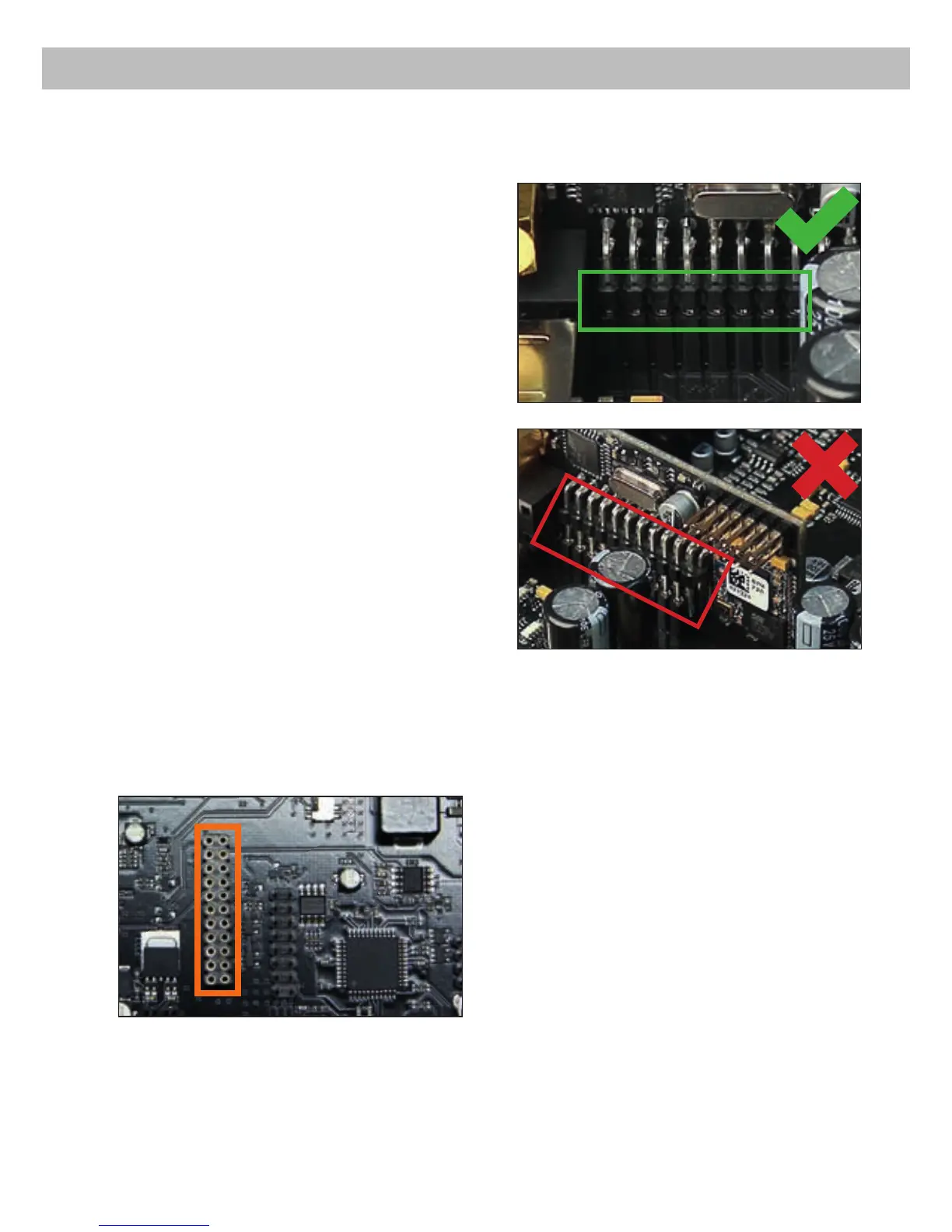
5. Insert the MEC module into the specic slot of
the device which is marked in the following pic-
ture.
6. Make sure that the MEC module is installed
properly and all pins are fully inserted into the
socket.
7. Reinsert the bottom plate and x the new side
panel which is delivered with the MEC module
with the Phillips screws.
8. Bolt the MEC module to the side panel. Pre-
cise mounting information will be found in
the instruction manual of the respective MEC
module.
9. Reconnect all cables to the device.
10. Turn on the amplier. The MEC module is auto-
matically detected by the device and the Status
LED of the MEC module lights up green.
11. If car-specic setups are used the MEC mod-
ule will be automatically detected as an auxil-
iary source, whereas in combination with the
DSP PC-Tool it has to be congured rst in the
software for proper operation.



 To Next Page