25
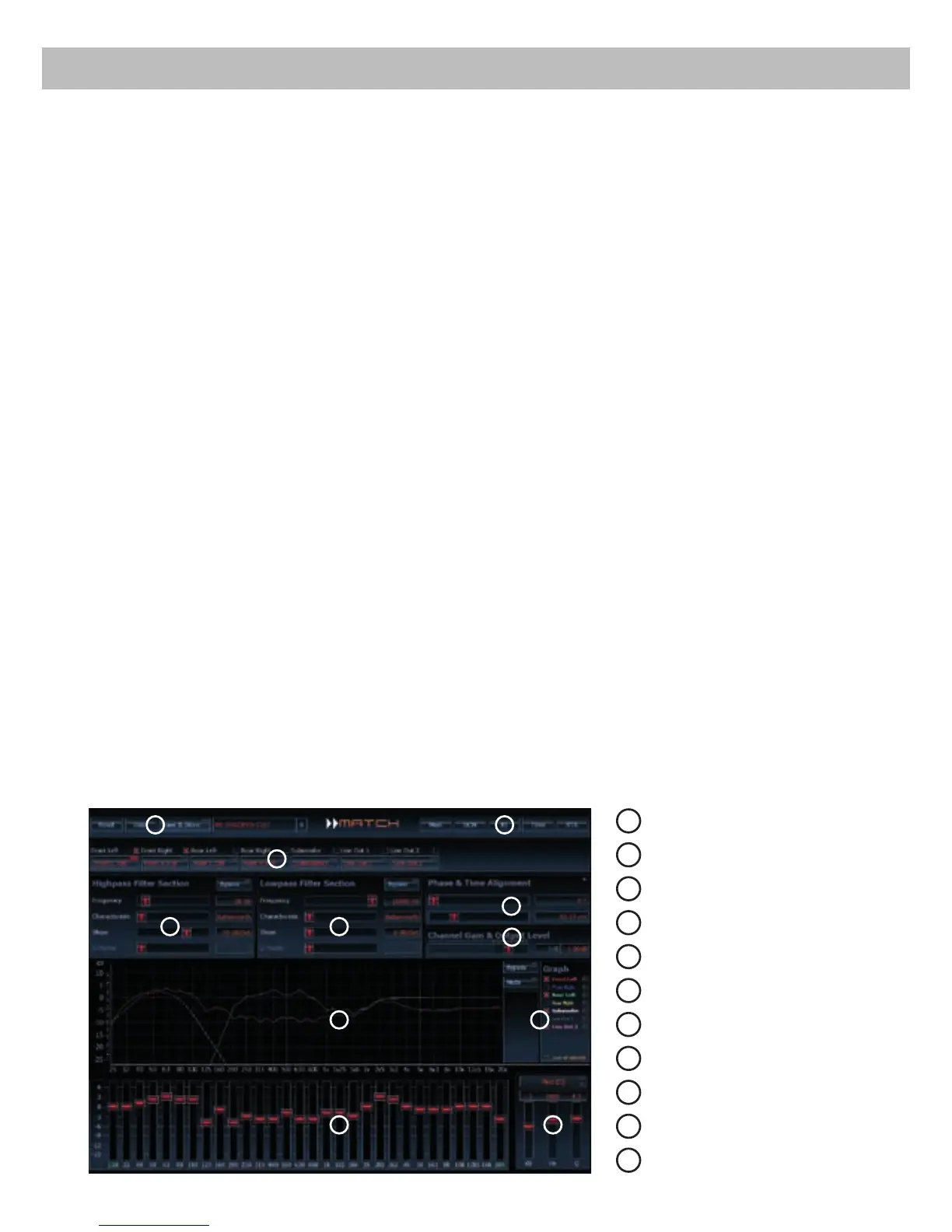
It is possible to freely congure the MATCH
PP 62DSP with our DSP PC-Tool software. The
user interface is designed for easy handling of all
functions and allows an individual adjustment of
each of the 8 DSP channels. Prior to connecting the
amplier to your PC visit our website and download
the latest version of the DSP PC-Tool software.
Check from time to time for software updates.
You will nd the software and the respective user
manual on www.audiotec-scher.com.
We strongly recommend to carefully read the user
manual (Sound Tuning Magazine) before using the
software for the rst time in order to avoid any com-
plications and failures.
In the following the most important steps how to
connect and the rst start-up are described:
1. Download the latest version of the
DSP PC-Tool software (available on our web-
site www.audiotec-scher.com) and install it
on you computer.
2. Connect the amplier to your computer using
the USB cable that is included in delivery. If you
have to bridge longer distances please use an
active USB extension cable with integrated re-
peater and no passive extension.
3. Turn on the amplier and start the software after
the Status LED lights up green. The operating
software will be updated automatically to the
latest version if it is not up-to-date.
4. Now you are able to congure your MATCH
PP 62DSP amplier with our intuitive
DSP PC-Tool software. Nevertheless interest-
ing and useful hints can be found e.g. in our
“Sound Tuning Magazine”, which can be down-
loaded for free from our website.
Important: We highly recommend to set the vol-
ume of you car radio to minimum position during
rst start-up. Additionally no device should be con-
nected to the Line Outputs until general settings in
the DSP PC-Tool software have been made. Es-
pecially if the PP 62DSP will be used to drive fully
active speaker systems, a wrong setup can destroy
your tweeters right away.
Connection to a PC
1
Load and save
2
Main menu
3
Channel configuration
4
Highpass filter
5
Lowpass filter
6
Time alignment
7
Output level
8
Frequency graph
9
Range of frequency graphs
10
Equalizer
11
EQ fine adjustment
8
1
6
3
4
7
5
2
9
10 11



 To Next Page