Connection to a PC
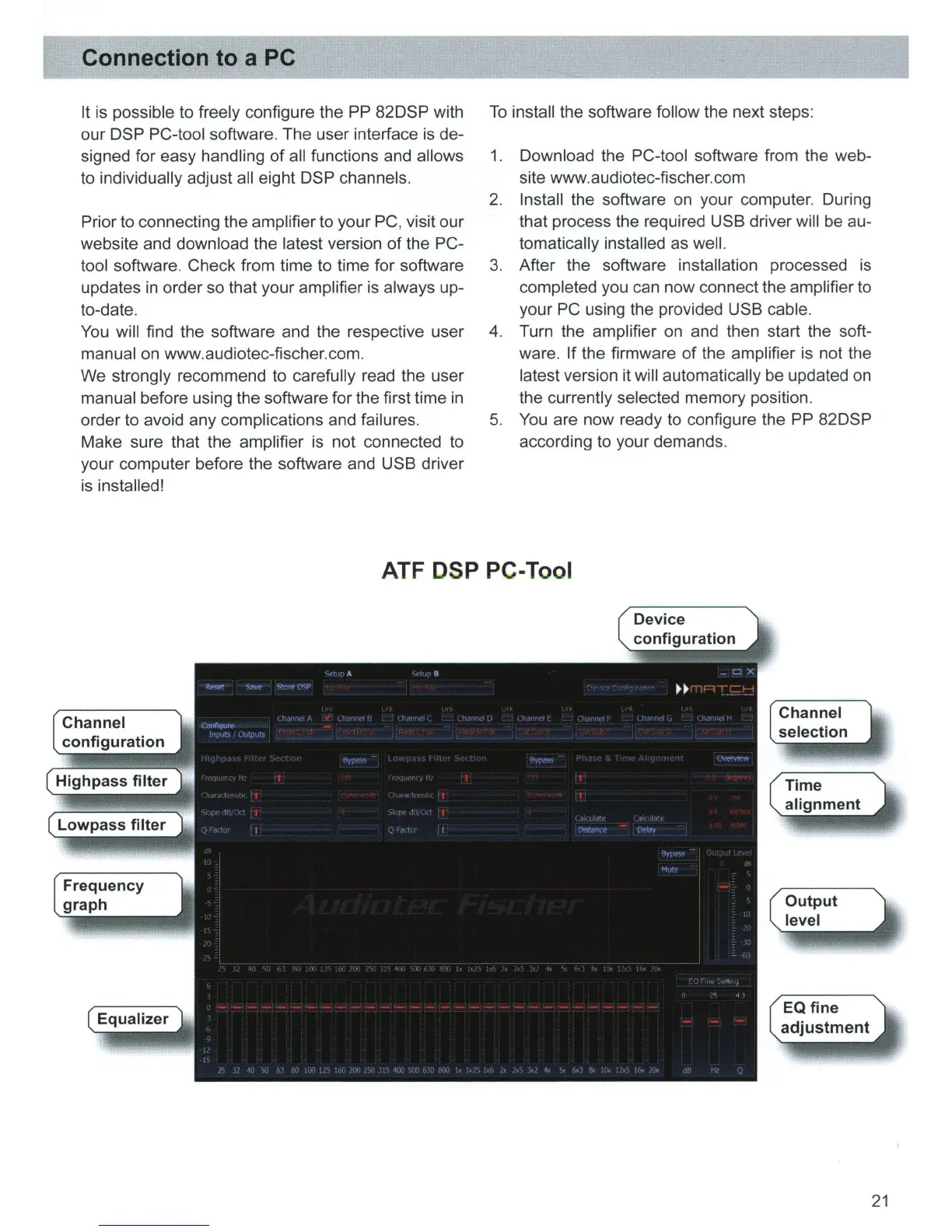
It is possible to freely configure the PP 82DSP with
our
DSP PC-tool software. The user interface is de-
signed for easy handling
of
all functions and allows
to individually adjust all eight DSP channels.
Prior to connecting the amplifier to your PC, visit our
website and download the latest version
of
the PC-
tool software. Check from time to time for software
updates
in
order so that your amplifier is always up-
to-date.
You
will find the software and the respective user
manual on www.audiotec-fischer.com.
We strongly recommend to carefully read the user
manual before using the software for the first time
in
order to avoid any complications and failures.
Make sure that the amplifier is not connected to
your computer before the software and USB driver
is installed!
To
install the software follow the next steps:
1. Download the PC-tool software from the web-
site
www
.audiotec-fischer.com
2.
Install the software on your computer. During
that process the required USB driver will be au-
tomatically installed as well.
3. After the software installation processed is
completed you can now connect the amplifier to
your PC using the provided USB cable.
4. Turn the amplifier
on
and then start the soft-
ware.
If
the firmware
of
the amplifier is not the
latest version it will automatically be updated on
the currently selected memory position.
5.
You
are now ready to configure the PP 82DSP
according to your demands.
ATF DSP PC-Tool
Channel
configuration
Highpass filter
Channel
21



 To Next Page