MATCO TOOLS MAXTPMS 2.0 - User Guide
UM-MDMAX-MA2-01 User manual MATCO TOOLS MAXTPMS 2.0 Page 14/47
3. PROGRAM TPMS SENSORS
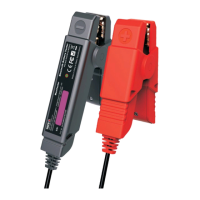
This section is to create or copy a sensor ID in order to program a spare blank sensor. If the
"old" sensor can be read, use the "COPY SENSOR" section to recover the existing ID. If it
cannot be read, use the "CREATE SENSOR" section to create a new ID.
In addition, you can use “COPY SET” section to know how to copy four sensors in a row.
“MANUAL ID” function can be used to manually enter the ID number printed onto the sensor.
“RETREIVE ID” offers the ability to read the recorded sensor ID’s directly from the vehicle
ECU and program spare blank sensors accordingly.
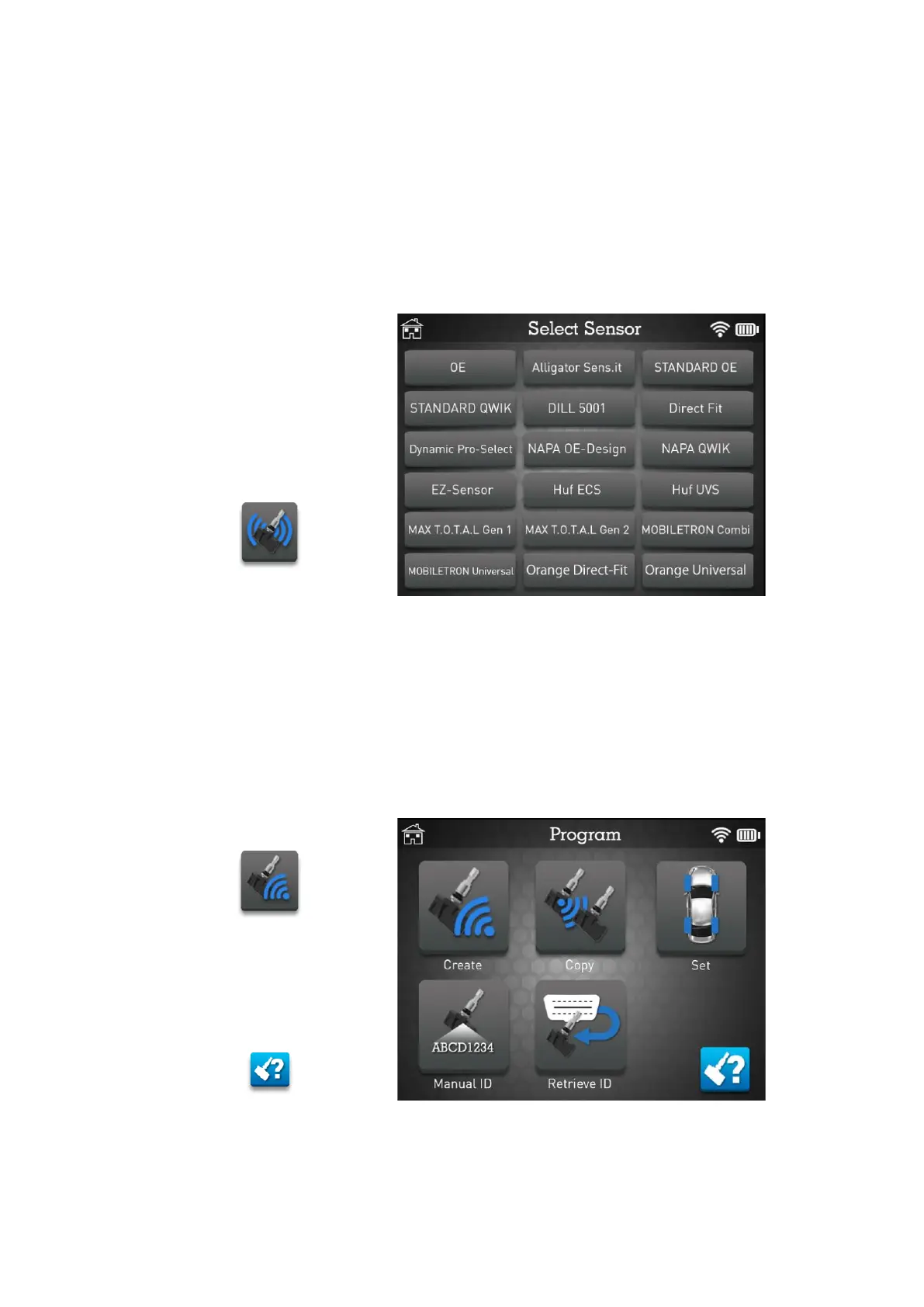
Select the programmable sensor you want to use. Scroll down to display additional sensor
brands and models.
➢ Choose OE if you want to display Original Equipment part number and remember
that OE sensors does not require programming. Simply replace sensor(s) and
perform relearn.


 To Next Page