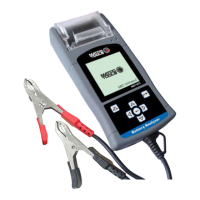
MBT1015 rev-C
User’s Manual Version 18.08
Table of Contents
1.0 Introduction------------------------------------------------------------------------------------------
1.1 MBT1015 rev-C (Battery Electrical System Analyser) ------------------------------------------------------ 3
1.2 Specifications--------------------------------------------------------------------------------------------------4
2.0 Safety Measures------------------------------------------------------------------------------------
2.1 Safety Precautions--------------------------------------------------------------------------------------------5 2.2
Other Precautions---------------------------------------------------------------------------------------------6
3.0 Working with Batteries--------------------------------------------------------------------------
7
4.0 The Battery Electrical System Analyser-------------------------------------------------------
4.1 MBT1015 rev-C ----------------------------------------------------------------------------------------------------------- 9
4.2 Key Functions ---------------------------------------------------------------------------------------------------9 4.3
Functions of Individual Key-------------------------------------------------------------------------------10
5.0 Initial Setup -----------------------------------------------------------------------------------------
5.1 Paper Installation---------------------------------------------------------------------------------------------11
5.2 Setup Menu ----------------------------------------------------------------------------------------------------11
5.3 LCD Brightness-----------------------------------------------------------------------------------------------12
5.4 Printer------------------------------------------------------------------------------------------------------------12
5.5 Set Date & Time ----------------------------------------------------------------------------------------------12
5.6 Key in Company name and contacts ----------------------------------------------------------------- 13
5.7 Erase Memory -------------------------------------------------------------------------------------------------15
6.0 Battery Test--------------------------------------------------------------------------------------
15
6.1 Begin Battery Test (Automotive) -----------------------------------------------------------------------18
7.0 Continue Testing ---------------------------------------------------------------------------------
7.1 Battery Test-----------------------------------------------------------------------------------------------------29
7.2 Starter Test-----------------------------------------------------------------------------------------------------29
7.3 Alternator Test -------------------------- ----------------------------------------------------------------------31
Starts with No Load testing at 3,000 RPM------------------------------------------------------------31
Testing with electrical load at 2,000 RPM------------------------------------------------------------33
Diode Ripple Test --------------------------------------------------------------------------------------------34
7.4 Grounding Test------------------------------------------------------------------------------------------------37
8.0 Stored Results -------------------------------------------------------------------------------------
8.1 Recalling and viewing previous Test Results-------------------------------------------------------41
9.0 Printing the Test Result from Stored memory------------------------------------------
44
10.0 PC Link----------------------------------------------------------------------------------------------
10.1 Installing driver -----------------------------------------------------------------------------------------------45
10.2 Printing Results from PC Printer-------------------------------------------------------------------------50
10.3 Saving Results to PC----------------------------------------------------------------------------------------50
11.0 Warranty Information----------------------------------------------------------------------------
11.1 Limited Warranty----------------------------------------------------------------------------------------------51
11.2 Limitations of Warranty-------------------------------------------------------------------------------------52


 To Next Page