MBT1015 rev-C
User’s Manual Version 18.08
6.1 Begin Battery Test
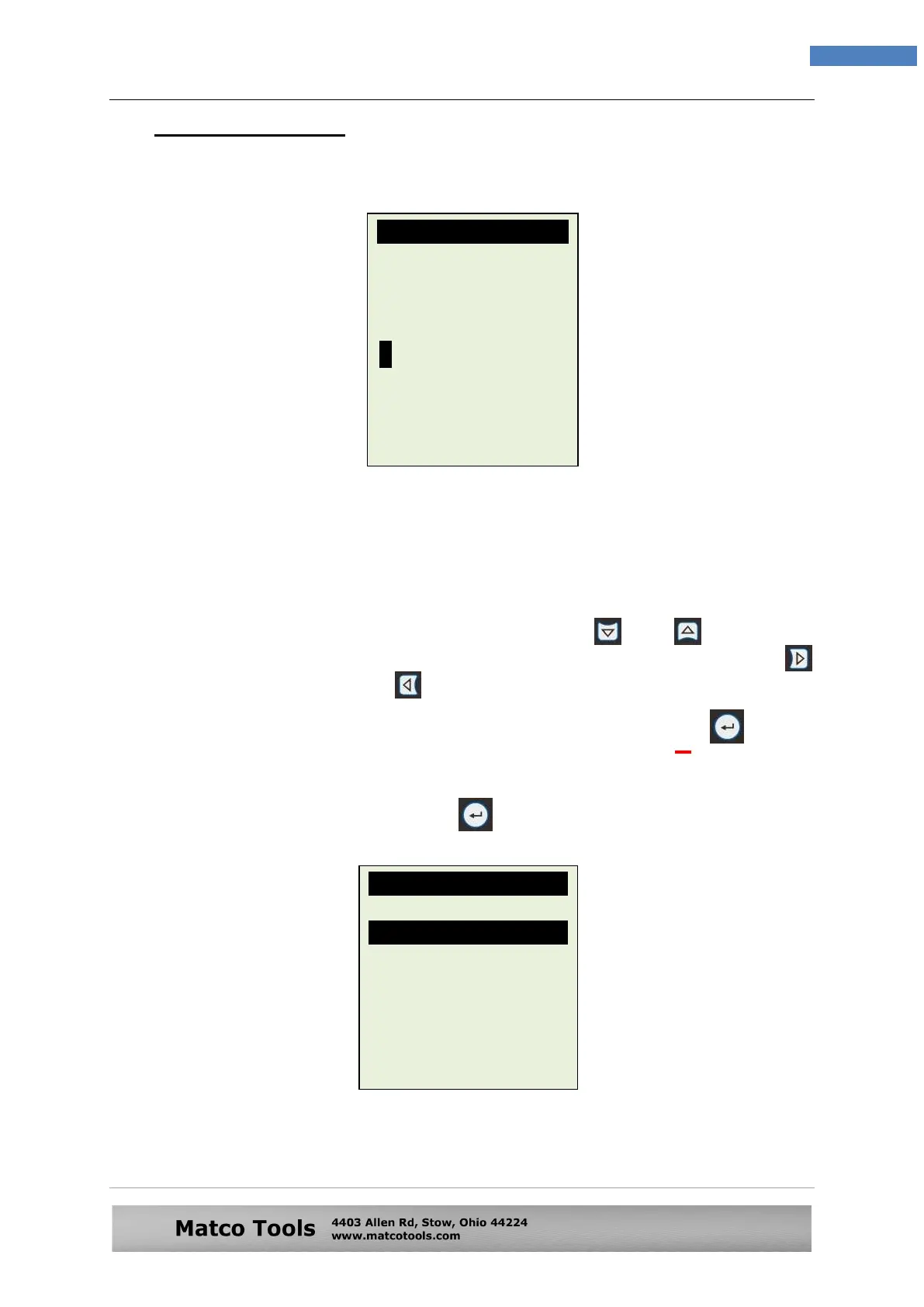
1. After you have made your choice, selecting “New Test” will proceed to the
display below: (Fig. 20)
3. Here it lets you to key in the particulars (e.g. license plate number, etc.) that
you need to be included into the test report when printed out after the test and
it also serves as the name for the record to be saved in its memory for easy
search.
4. To key in the alphabets or numbers, keep pressing or key to scroll
from X,Y,Z,-,.,/,0,1,2,3,... in a loop sequence and stop it when found. Press
key to move to the next or key to move backwards to continue the key in.
Note: If you do not input any particulars and straight away press key to
continue, then the test results obtained saved as blank in the
memory.
5. After completion of the input, press key will proceed to the next display as
shown in Fig. 21 below.
Fig.20
Vehicle Details:
Bar code:
Particulars:
[Enter] to proceed
Select Test
Car
Motorcycle
[Enter] to proceed
Fig.21


 To Next Page