Using the Scan Tool
THE SYSTEM MENU - VIEWING OEM ENHANCED DTCs (except Ford/Mazda)
12
THE SYSTEM MENU
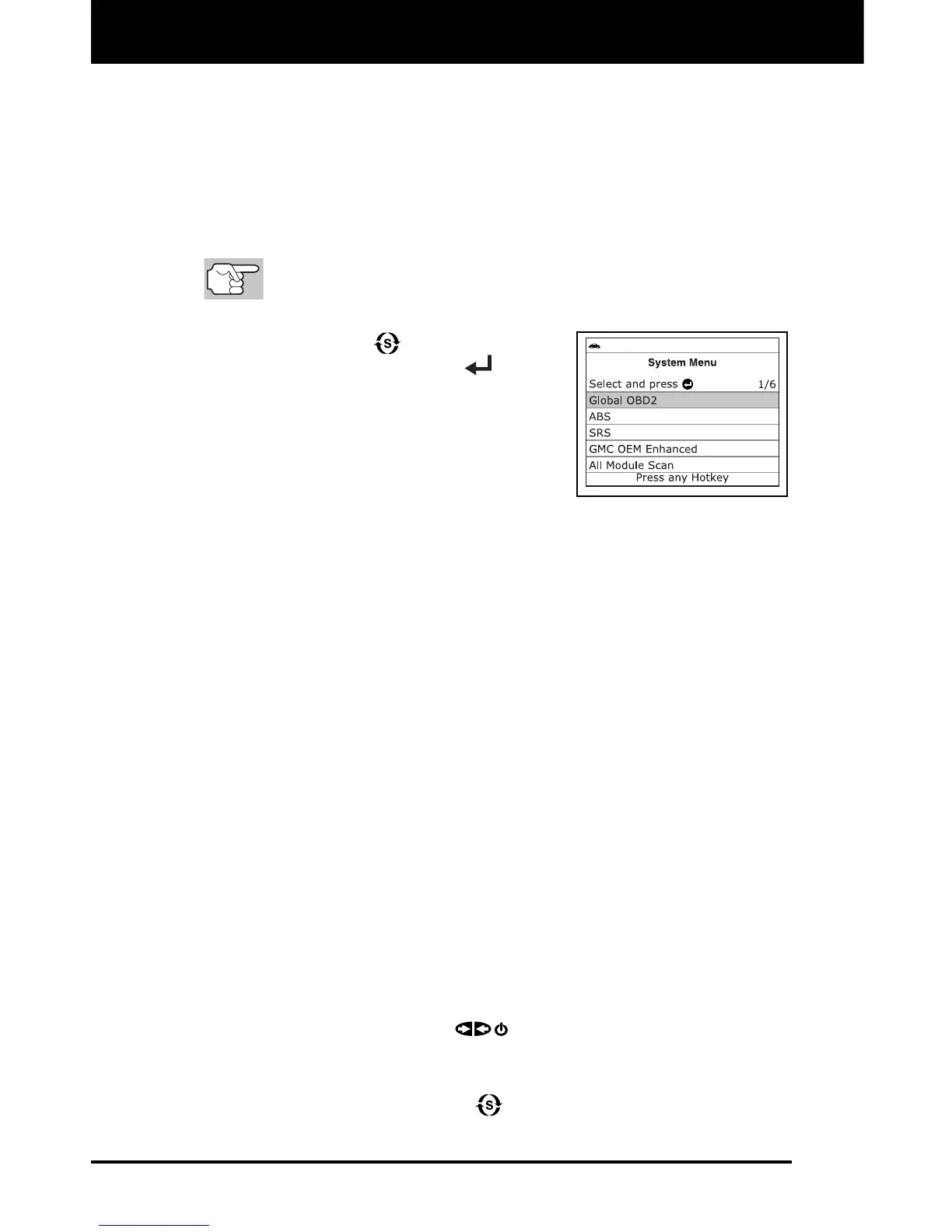
The System Menu provides the ability to retrieve “enhanced” DTCs, Anti-
Lock Brake System (ABS) and Supplemental Restraint System (SRS)
DTCs for most BMW, Chrysler/Jeep, Ford/Mazda, GM/Isuzu, Honda/Acura,
Hyundai, Mercedes Benz, Nissan, Toyota/Lexus, Volkswagen and Volvo
vehicles. The types of enhanced data available depends on the vehicle
make. You can also return to the Global OBD2 mode.
Depending on the vehicle under test, some features and functions
may not be available.
To access the System Menu, press
SYSTEM MENU
. Select the desired
option, then press ENTER
to view
the selected information.
To view ABS DTCs: Select ABS. Refer to
VIEWING ABS DTCs on page 15 to view
ABS DTCs for your vehicle.
To view SRS DTCs: Select SRS. Refer to
VIEWING SRS DTCs on page 16 to view
SRS DTCs for your vehicle.
To view OEM enhanced DTCs: Select OEM Enhanced. Refer to
VIEWING OEM ENHANCED DTCs (except Ford/Mazda) on page 12 or
VIEWING OEM ENHANCED DTCs (Ford/Mazda only) on page 13 to
view OEM enhanced DTCs for your vehicle.
To perform a Network Test: Select All Module Scan or Select
Modules, as desired. Refer to NETWORK TEST on page 17 to view
DTCs for other modules.
VIEWING OEM ENHANCED DTCs (except Ford/Mazda)
When (make) OEM Enhanced is chosen from the System Menu, the
Scan Tool retrieves OEM enhanced DTCs from the vehicle’s computer.
1. A “One moment please” message displays while the Scan Tool
retrieves the selected DTCs.
If the Scan Tool fails to link to the vehicle’s computer, a
“Communication Error” message shows.
- Ensure your vehicle is OBD2 compliant.
- Verify the connection at the DLC, and verify the ignition is ON.
- Turn the ignition OFF, wait 5 seconds, then back ON to reset
the computer.
- Press POWER/LINK
to continue.
If the Scan Tool cannot link to the vehicle’s computer after three
attempts, the message “Contact Technical Support” displays.
- Press SYSTEM MENU
to return to the System Menu.
- Turn the ignition off, and disconnect the Scan Tool.


 To Next Page