- 8 -
4.2 ASSEMBLING PROCEDURE
After removing the packaging, make sure the machine is intact, checking that there are no visibly damaged
parts. In case of doubt DO NOT USE THE MACHINE and contact the retailer.
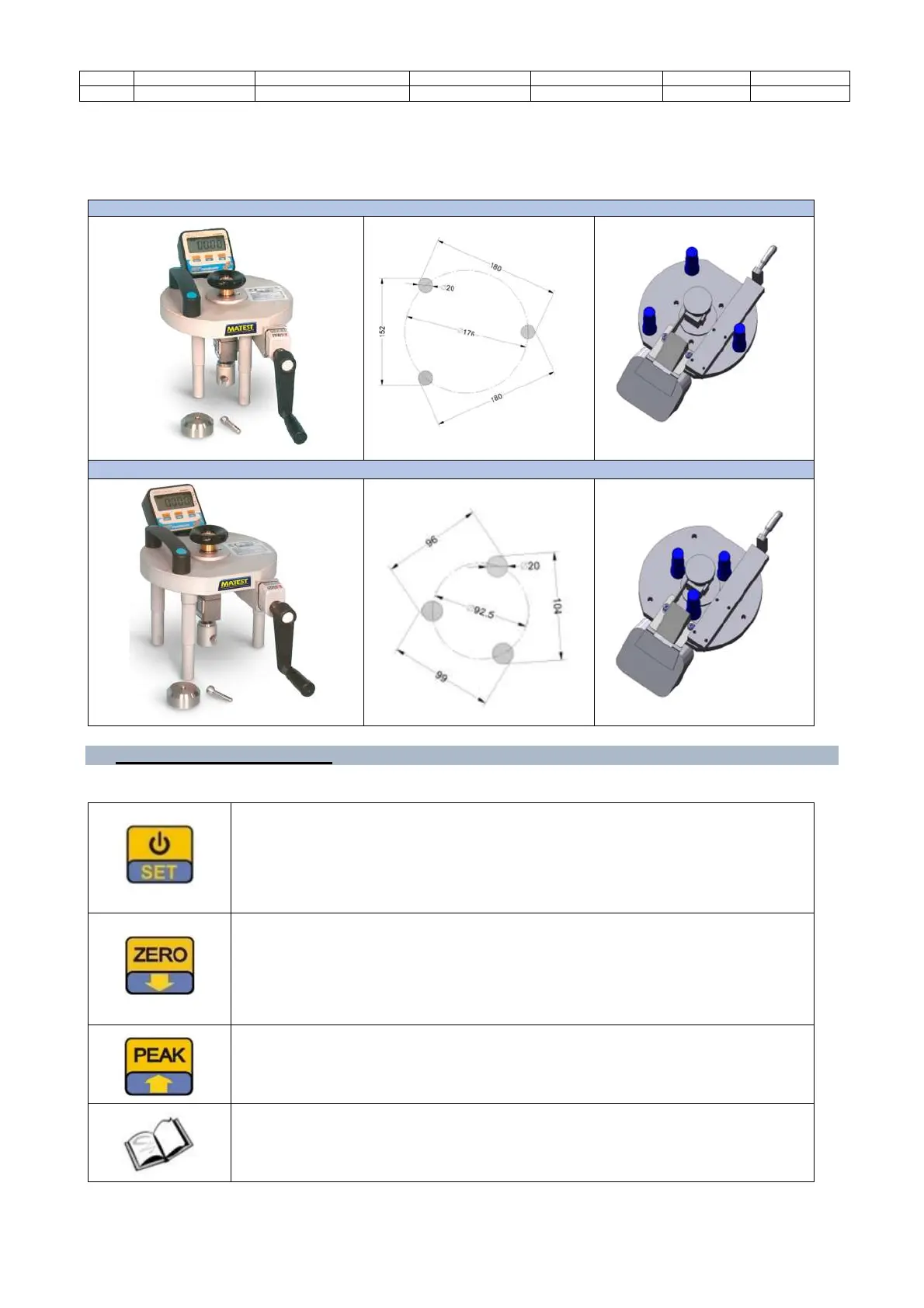
The device can be adjusted in two different configurations.
EXTERNAL LEGS CONFIGURATION
INTERNAL LEGS CONFIGURATION
5. MAN-COMMAND INTERFACE
5.1 COMMANDS AND BUTTONS
(1) It performs the instrument switching On.
(2) Pushed about 3 seconds it enters into the parameters Menu.
(3) Pushed about 5 seconds switch Off the instrument.
(4) If enabled, each time the key is pressed for a short time,
the display back Light is activated for the time that has
been set in the Parameter.
(1) During the measurement, if pushed for 1 second, it performs the display ZERO.
(2) If kept pressed for about 3 seconds it deactivates the ZERO function displaying
the offset of the load cell.
(3) In Peak Mode, reset the measured peak value.
(4) Inside the setting menu it decreases the value on the display.
(1) During the measurement, if pressed for a second, it activates the PEAK+
(2) During the measurement, if pressed for 3 seconds, it activates the PEAK-
(3) Inside the setting menu increases the value on the display.
For further information on the digital unit, consult the relevant
operating manual.


 To Next Page