- 10 -
B – HOW TO PREPARE THE TEST SURFACE AND TO GLUE THE ADHESION DISC
It is preferable to perform the following operations before starting the test:
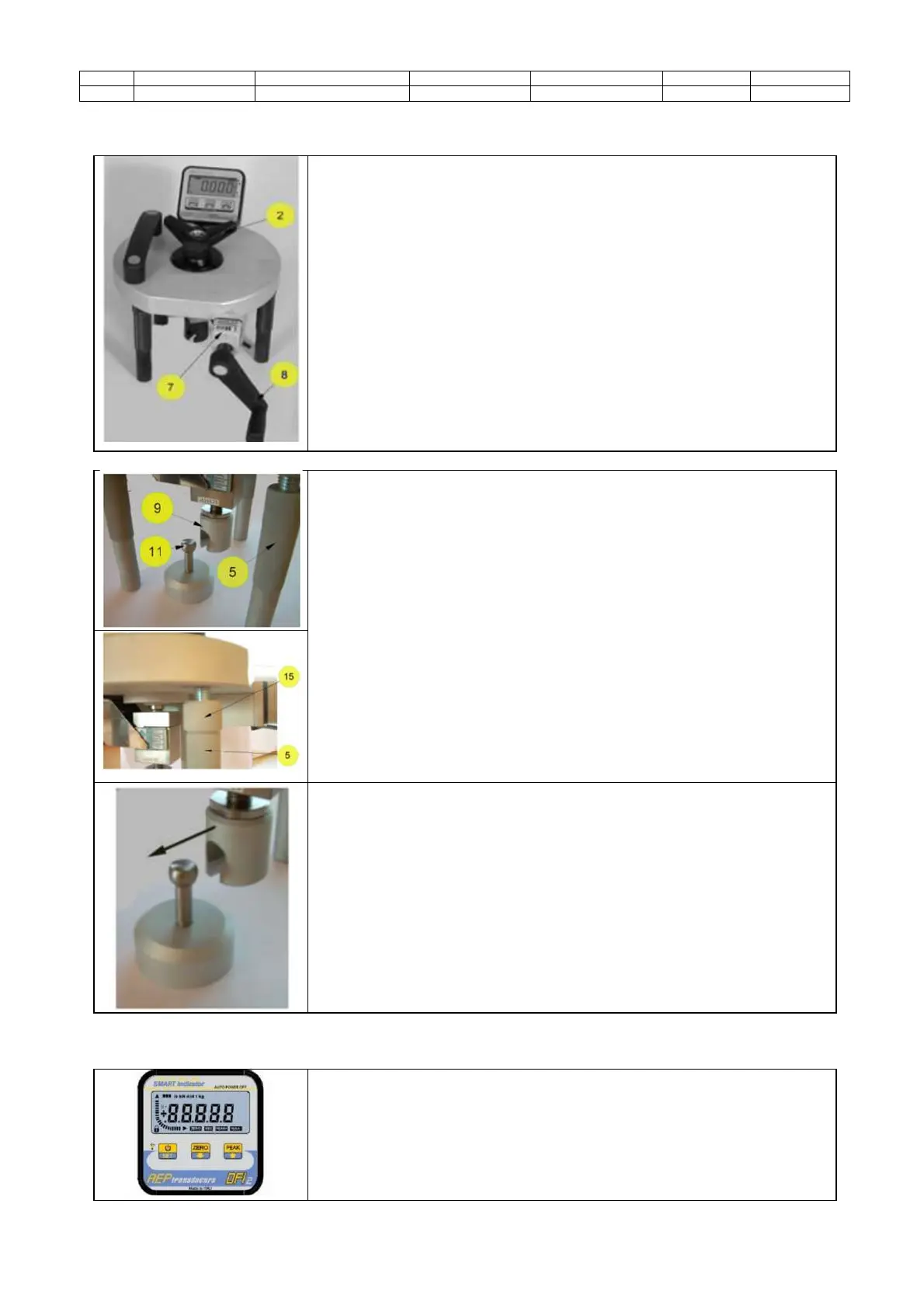
Screw the upper hand wheel (2) completely without forcing it and by
rotating it clockwise.
Zero the round counter (7) by rotating the hand wheel for force
application (8) contraclockwise.
Put the Pull-Off tester next to the adhesion disc with the tie rod with
spherical head screwed.
Before starting the test, check that the tensile head (9) is at a height
closed to the one of the tie rod with spherical head (11).
Adjust the tensile head position by rotating the upper hand wheel
(2). If you rotate it contraclockwise, the tensile head will lower and vice versa.
A further adjustment of the height could be obtained by unscrewing
or screwing the three feet (5), paying attention to fix them using the relevant
locking ring nuts (15).
It is very important that the Pull-Off tester leans steadily on a surface with its
three feet during the test. The Pull-Off plate must be parallel to the surface
itself.
Move the Pull-Off tester in such a way to Insert the tie rod into the connecting
slot of the tensile head.
6.3 TEST START UP
Push the “ON” button to turn the digital display on. Push the “ZERO” button
to reset to zero the display. Keep the button “PEAK” pushed for few seconds
– until the relevant icon will be shown on the display – to set the automatic
saving of the peak value of the test. The digital display is provided with an
auto power off function.


 To Next Page