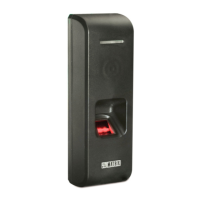
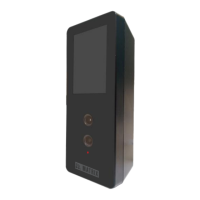
The COSEC Panel200 is a versatile access control panel designed for secure and efficient management of access points. It operates either independently (standalone mode) or as part of a larger COSEC server application, offering a flexible solution for various access control needs. The device communicates with the COSEC server via a TCP/IP network connection, ensuring robust and reliable data exchange.
Function Description:
The COSEC Panel200 serves as the central intelligence for access control, making independent decisions based on its completely distributed database. This database stores all critical information, including card details, time zones, relay control parameters, and alarm points, allowing the panel to function effectively even when offline. It connects to COSEC Door controllers via an RS485 loop or TCP/IP network, extending its reach to multiple access points.
Key access control features provided by the COSEC Panel200 include:
- Man Trap: A security feature that prevents unauthorized entry by controlling two doors in sequence, ensuring only one door can be open at a time.
- Dead Man Zone: Defines a secure area where a person must exit within a specified time, preventing loitering or unauthorized presence.
- Time-based Access: Grants or restricts access based on predefined time schedules.
- Shift-based Access: Manages access privileges according to different work shifts.
- Panel Route Access: Controls access based on a predefined route or sequence of access points.
- DND Zone: Designates a "Do Not Disturb" zone where access is restricted during specific periods.
- IO Linking: Allows for the integration and control of various input/output devices for enhanced security and automation.
The panel's ability to operate offline is a significant advantage, ensuring continuous access control functionality even in the event of network disruptions.
Important Technical Specifications:
- Maximum Doors: 255
- Doors on Ethernet: 255
- Doors on RS-485: 32
- User Capacity: 25,000
- Event Buffer: 500,000
- Communication: Ethernet / RS-485 / Bluetooth / Wi-Fi
- Mode of Operation:
- Standalone: Provides a built-in GUI to control Matrix Door Controllers and Users.
- Server: Used for feature and capacity enhancement for Access Control and connected with COSEC Centra Server.
- AUX-IN Port: One
- AUX-Out Port: Form C SPDT Relay output, max 5A@24 VDC
- Door Type Support: COSEC ARC Series, COSEC PATH Series, COSEC VEGA Series, COSEC DOOR PVR, COSEC DOOR FOP
- LED Indicators: Three (ALARM, STATUS, POWER)
- Dimensions (WxHxD): 81mm x 125mm x 32.5mm
- Weight: 135 g (approx.)
- Operating Temperature: 0° to 45°C
- Humidity Range: 5% to 90% RH Non-Condensing
- Power Supply: 12V DC, 2A
RF Module Specifications:
- Model Name: WL18MODGB (Test Grade: WL 1835MODCOM8B/WL 1835MODGBMOC/WL 1831MODGBMOC)
- Brand Name: Texas Instrument
- EUT Type: WiFi and Bluetooth Module
- Compliance (standard/Directive):
- EMC (Europe): EN 301 489-1 V2.1.1, EN 301 489-17 V3.1.1
- RED (Europe): EN 300 328 V2.1.1
- Health (Europe): EN 62311:2008
- LVD (Europe): EN 60950-1:2006+A11:2009+A1:2010+A12:2011+A2:2013
- ROHS: EN 50581:2012
- FCC ID (USA): Z64-WL18SBMOD
- Wireless Technology and Frequency range:
- WLAN: 2.4 GHz Band: 2412MHz ~ 2472 MHz
- Bluetooth: 2402~2480MHz
- Rated Power (EIRP): <20dBm
- Mode: 802.11 b/g/n HT20/HT40, Bluetooth BR, EDR, LE v4.2
Usage Features:
- Connectivity: The Panel200 offers multiple connectivity options. It can connect to up to 32 devices using an RS-485 loop or up to 255 devices via an Ethernet switch. Power over Ethernet (PoE) enabled devices do not require an external power supply, simplifying installation.
- Auxiliary Input/Output: The Auxiliary Input Port allows connection of sensors for detecting alarm conditions, while the Auxiliary Output Port can activate alarm devices (like a hooter), energize other devices, or control annunciation devices.
- USB Port: This port is used for connecting Wi-Fi or Mobile Broadband Dongles, and for downloading events directly from the Panel200 to USB memory.
- SD Card: An internal SD card provides storage for processing data.
- Network Configuration: The device comes pre-configured with a default IP address (192.168.50.1) and Subnet Mask (255.255.255.0). Network settings can be changed via a web browser by accessing the Panel200's IP address and logging in with default credentials (Username: Admin, User defined Password).
- Operating Modes:
- Standalone Mode: Configured via the web interface, this mode allows the Panel200 to operate independently, managing access control decisions without a central server.
- Server Mode: When connected to a COSEC server, the Panel200 enhances features and capacity for access control. Adding the Panel200 to the COSEC server involves selecting the device type, configuring network settings (IP address or host name of the server PC), and testing the connection.
- LED Status Indicators: The device features three LEDs (ALARM, STATUS, POWER) that provide visual feedback on its operational state:
- Power ON Sequence: Power LED (Red ON), Status LED (Orange blinking)
- Idle-Online (when online with server): Power LED (Red ON), Status LED (Green blinking)
- Idle-Offline: Power LED (Red ON), Status LED (Red blinking)
- Idle-Network Fault/Link fail: Power LED (Red ON), Status LED (Orange blinking)
- ALARM LED: Blinks red during power-on sequence, glows red for critical alarms until reset, and blinks red for minor and major alarms.
Maintenance Features:
- Reset Pin: The Reset pin can be used to revert the Password and Network settings of the Panel200 to their default values, which is useful for troubleshooting or reconfiguring the device.
- Installation and Servicing: Installation and servicing should only be performed by a qualified technician to ensure proper functioning and safety.
- Environmental Considerations: The device should not be installed on unstable surfaces, near ferromagnetic fields or noise, where static electricity is generated (e.g., plastic desks, carpets), near volatile inflammable materials or gases, or within 2m of high voltage equipment or wiring. These precautions help maintain the device's reliability and longevity.
- Firmware Updates: While not explicitly detailed in the provided text, devices like the COSEC Panel200 typically support firmware updates to introduce new features, improve performance, and address security vulnerabilities. This is a common maintenance practice for such systems.

 Need help?
 General

 To Next Page