20
19
Figure 12
Figure 13
Botttom
Enclosure
Top
Enclosure
1. Power: Connect the M12 4-Pin Male connector of the cable to the
M12 4-Pin Female connector of the camera cable. Make sure the
pins are aligned, and if there is a threaded connection, make sure
you secure it properly as M12 connectors often have threaded
design for secure connection.
Connect the other end of the M12 4-Pin Male connector cable to the
Mobile NVR device or client. Make sure the pins are aligned and
secure the connection.
OR
You can also connect a 12V DC Adapter (not provided by Matrix) to
power the camera. Make sure you use a BIS, CE, ROHS and FCC
approved Adapter.
2. Audio Input: You can connect the Audio Input device such as
Mike to the Audio input cable of the camera. The audio when
enabled will be recorded with the video and will be available at the
monitoring location.
3. Audio Output: You can connect the Audio Output device such as
Earphone or Speaker to the Audio Output cable of the camera. This
will generate audio received from the network.
4. Alarm IN: To detect alarm events you can connect a Sensor
Device to the Alarm IN cable of the camera.
5. Alarm OUT: To get alerts on alarm you can connect the alarm
sounding device such as hooter or siren to the Alarm OUT cable of
the camera.
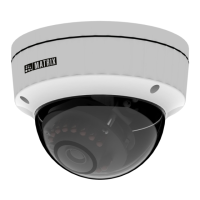
Connecting the Camera
Allen
Key



 To Next Page
