The Matson Digital Battery Tester BT900 is a comprehensive battery and electrical system analyzer designed for testing 12-volt batteries and 12-volt and 24-volt charging systems. It operates within an ambient temperature range of 0°C (32°F) to 50°C (122°F).
Function Description:
The BT900 performs various tests to assess the health and performance of vehicle batteries and electrical systems. Its primary functions include:
- Battery Test: Evaluates the condition of 12-volt batteries, providing readings for voltage (VOL), Cold Cranking Amps (CCA), and Internal Resistance (IR). It supports different battery types such as Regular/STD (Flooded, AGM Flat Plate, AGM Spiral, VRLA/GEL) and Start/Stop (AGM Flat Plate, EFB) batteries. The tester allows users to select the battery rating standard (CCA/SAE, EN, JIS, DIN, IEC, CA/MCA) and input the battery's rated capacity.
- System Test: Assesses the vehicle's charging system, including cranking voltage and alternator performance. It checks for normal, low, or high charging volts at idle, and also detects ripple from the charging system.
- In-Vehicle Test: A combined test that integrates both battery and system testing procedures for a complete vehicle electrical system diagnosis.
- Print Last Result: Allows users to print the results of the most recent test.
- Test Counter: Displays the number of times battery, system, or in-vehicle tests have been performed.
Important Technical Specifications:
While specific numerical ranges for voltage, CCA, and IR are displayed on the device's screen (e.g., "XX.XX V," "XXXX CCA/SAE," "XX.XX mΩ"), the manual provides general ranges for battery capacity input:
- CCA/SAE: 40~2000
- EN: 40~1885
- DIN: 25~1120
- IEC: 30~1320
- JIS: By Battery Type No.
- CA/MCA: 50~2400
The device also indicates a normal high limit for a typical automotive regulator as 14.7 volts +/- 0.05.
Usage Features:
The BT900 features a user-friendly interface with a main menu that allows navigation through various functions and settings using directional keys and an "Enter" button.
- Before Testing:
- Ensure the ignition, all accessories, and loads are turned off, and vehicle doors and trunk lid are closed.
- A CR2032 battery must be installed for date and time keeping.
- Battery terminals should be clean; wire brush if necessary.
- Clamp the black lead to the negative battery terminal and the red lead to the positive terminal, ensuring clamps are on the lead part of the terminal only, not the iron part, to avoid incorrect results.
- The tester performs a quick cable verification upon connection. If the connection is poor, it displays "CHECK CABLE."
- Battery Test Procedure:
- Select "BATTERY TEST" from the main menu.
- Choose between "REGULAR/STD" or "START/STOP" battery types.
- Select the specific battery type (e.g., AGM Flat Plate).
- Select the battery rating standard (e.g., CCA/SAE).
- Input the battery's rated capacity.
- Confirm the ambient temperature (Above 32°F/0°C? YES/NO).
- Press "Enter" to begin the test.
- The tester may prompt to remove surface charge by turning headlights on for 15 seconds (in-vehicle) or by simply proceeding with testing (out-of-vehicle).
- After testing, the display shows voltage, CCA, and internal resistance. Directional keys can be used to view State of Health (SOH) and State of Charge (SOC).
- System Test Procedure:
- Select "SYSTEM TEST" from the main menu.
- Turn off all vehicle accessory loads and start the engine.
- The tester displays cranking voltage results (Normal, Low, Not Detected).
- Press "Enter" to proceed to the charging system test.
- Ensure all loads are off for the initial charging system test.
- The tester displays results for alternator idle volts (High, Normal, Low).
- For testing with accessory loads, turn on high-heat blower, high-beam headlights, and rear defogger (avoid cyclical loads like A/C or wipers).
- For older diesel engines, run the engine up to 2500 RPM for 15 seconds.
- The tester then reads ripple from the charging system (Ripple Detected Normal, No Ripple Detect, Excess Ripple Detected).
- After all system tests are completed, turn off all accessory loads and the engine.
- Results Interpretation: The manual provides detailed explanations for six possible battery test results:
- GOOD & PASS: Battery is good and holds a charge.
- GOOD & RECHARGE: Battery is good but needs recharging.
- CAUTION: Battery may service but capability decreases; may fail in extreme conditions; check connections and charging system.
- RECHARGE & RETEST: Battery is discharged; retest after full charge.
- BAD & REPLACE: Battery will not hold a charge; replace immediately.
- BAD CELL & REPLACE: Battery has at least one short-circuited cell; replace immediately.
- For SOC & SOH, the display shows a percentage (e.g., 90%).
- Settings: The main menu includes options for:
- Language Select: Change the operating language.
- Date & Time Setting: Adjust year, month, day, hour, and minute.
- Brightness: Adjust screen brightness.
- Customize: Edit customized information.
Maintenance Features:
- Paper Replacement: The device includes a built-in printer for test results. To replace the paper roll:
- Open the clear cover.
- Place a new paper roll in the compartment.
- Pull a short length of paper from the compartment and press down the clear cover to close.
- General Safety Precautions:
- Always work in a well-ventilated area when testing batteries.
- Have fresh water and soap available in case of acid contact.
- Wear safety glasses and protective clothing.
- Immediately wash skin/clothing with soap and water if acid contacts; flood eyes with cold water for at least ten minutes and seek medical attention if acid enters eyes.
- NEVER smoke or allow sparks/flames near the battery or engine.
- Be cautious to avoid dropping metal tools onto the battery to prevent sparks or short circuits.
- Remove personal metal items (rings, bracelets, etc.) when working with lead-acid batteries to prevent severe burns from short circuit currents.
- Inspect the battery for cracked or broken cases; do not use the tester on damaged batteries.
- For non-sealed maintenance-free batteries, add distilled water to each cell to the manufacturer's specified level.
- If removing the battery from a vehicle, always remove the ground terminal first and ensure all vehicle accessories are off to prevent arcing.
- Warning: The product contains chemicals, including arsenic, known to cause cancer in California. Users are directed to www.P65Warnings.ca.gov for more information.
- Environmental: DO NOT expose the tester to rain or snow.
Glossary: The manual provides definitions for key terms:
- GEL Battery: Sealed, maintenance-free, uses thixotropic gelled electrolyte, prevents gas escape via recombination, non-spillable (except upside-down), requires retorquing connections and periodic cleaning.
- AGM Battery: Sealed, maintenance-free, electrolyte absorbed in matted glass fibers, prevents gas escape via recombination, non-spillable (except upside-down), requires retorquing connections and periodic cleaning.
- VRLA Battery (Valve Regulated Lead Acid): Sealed, maintenance-free, with a "Bunce" valve that opens to release excess gas pressure and then resets.
- SLI Battery (Starting, Lighting, Ignition): Designed for basic vehicle functions, often more powerful for heavy haulage diesel motors (COMMERCIAL batteries).
- State of Health (SOH): Percentage of remaining battery capacity compared to original marked capacity.
- State of Charge (SOC): Percentage of actual battery charge.
- CCA (Cold Cranking Amps): Current a new, fully charged battery can deliver for 30 seconds at 0°F without terminal voltage dropping below 1.2 volts per cell.
- Ampere-Hour: Unit of electrical capacity; current (amperes) multiplied by time (hours).
Warranty: The product comes with a guarantee from Tridon Australia Pty Ltd for its reasonable life. For warranty claims, users should provide proof of purchase to the store or contact Tridon Australia directly. Tridon Australia will cover costs associated with legitimate warranty claims.

 Need help?
 General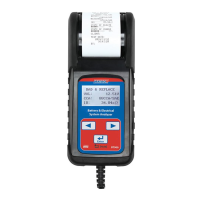

 To Next Page