19
Hardware Configuration
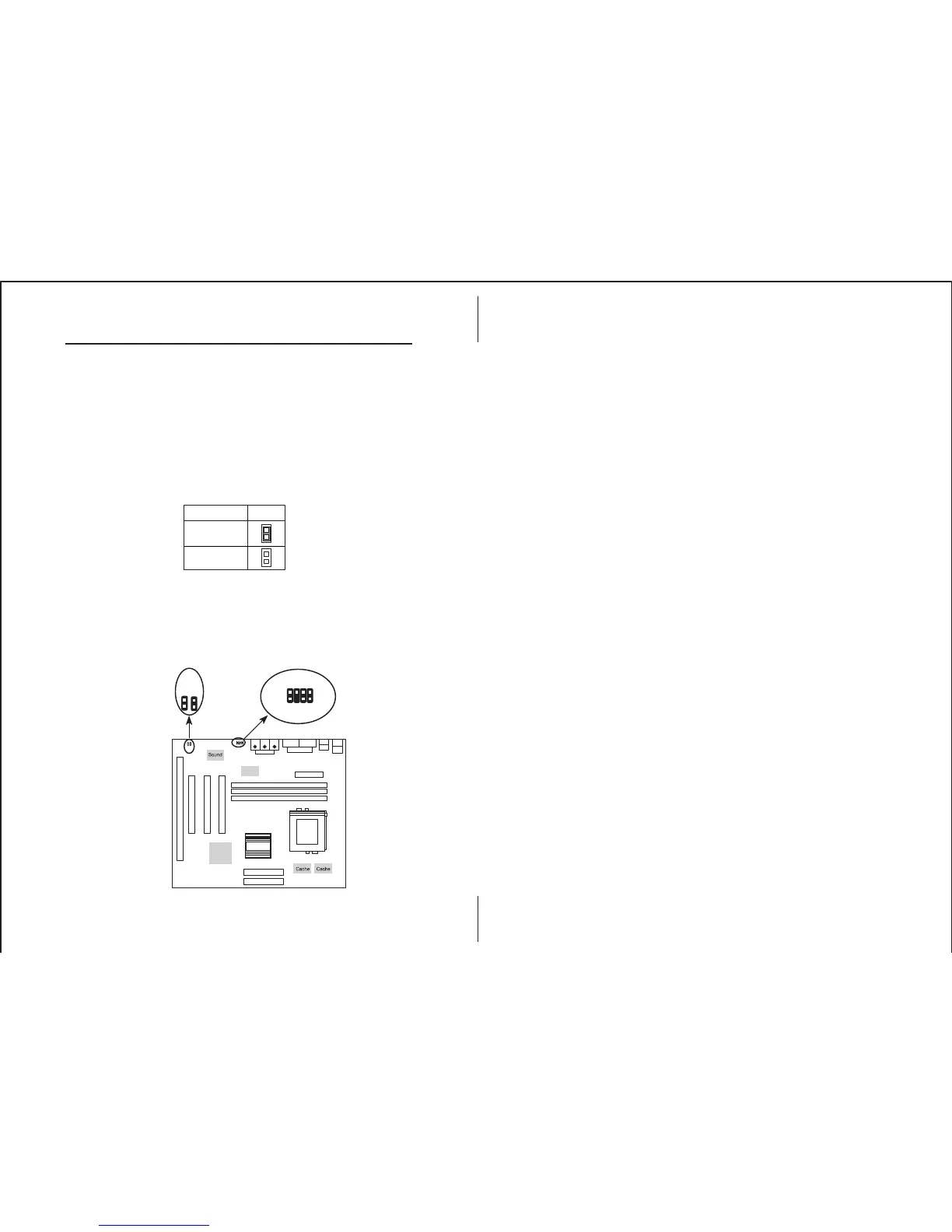
J5 – Digital Audio Connector
Connect this connector to the Aux. Sound ribbon cable/
bracket that contains 3 jacks for Aux IN, SPDIF IN and
SPDIF OUT device. Aux IN is called the second Line-in.
Connect SPDIF IN to the Mini-Disk to record, and avoid
this jack to work simultaneously with the internal SPDIF IN
connector. Connect SPDIF OUT to the AC3 Audio
Amplifier or Mini-Disk to play, and set the following
jumper to select 5V or 0.5V signal level for used device.
CD2 – SPDIF OUT Signal Level Selector
CD1 – Internal SPDIF IN Connector
Connect to “DIGITAL AUDIO” port of the CD-ROM drive
by using the SPDIF/IN cable, which gives you the non-
distortion digital audio from CD-ROM. Avoid this
connector to work simultaneously with the SPDIF IN jack.
Description CD2
0.5V
(default)
5V
1
CD1
CD2
J5
Chipset
Chipset
I/O
Aux L 1
D In 5
D Out 7
CD1
CD2
J5
2 Aux R
4 GND
6 GND
8 GND




 To Next Page