26
Installing a Hard Disk Drive and CD-ROM
This section describes how to install IDE devices such as a hard
disk drive and a CD-ROM drive.
Note:
Ribbon cable connectors are usually keyed so that they can
only be installed correctly on the device connector. If the
connector is not keyed, make sure that you match the pin-1 side
of the cable connector with the pin-1 side of the device connector.
Each connector has the pin-1 side clearly marked. The pin-1 side
of each ribbon cable is always marked with a colored stripe on the
cable.
About IDE Devices
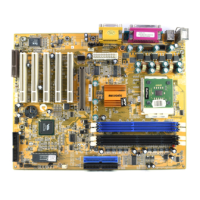
Your mainboard has a primary IDE channel interface (IDE1) and
a secondary IDE interface (IDE2). The mainboard ships with one
IDE ribbon cable that supports one or two IDE devices. All IDE
devices have jumpers or switches that can be used to set the
IDE device as MASTER or SLAVE.
If you install two IDE devices on one cable, you must make sure
that one device is set to MASTER and the other device is set to
SLAVE. The documentation of your IDE device explains how to
do this.
If you want to install more than two IDE devices, obtain a second
IDE cable and you can add two more devices to the secondary
IDE channel. If there are two devices on the cable, make one
MASTER and one SLAVE.
About UDMA
This mainboard supports UltraDMA 33/66. UDMA is a
technology that accelerates the performance of devices in the
IDE channel. We recommend that you install IDE devices that
support UDMA, and use IDE cables that support UDMA.




 To Next Page