27
Installing a Hard Disk Drive
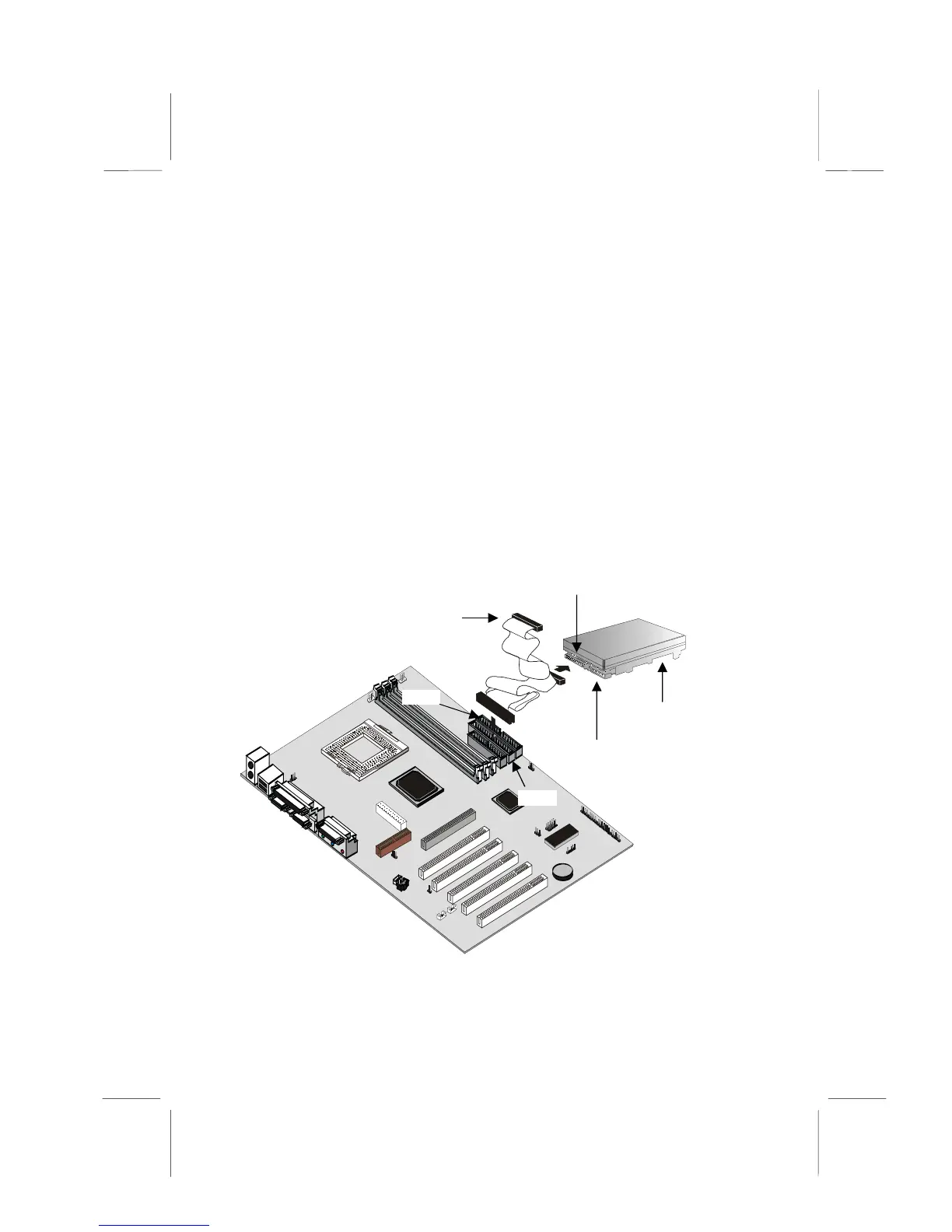
1. Install the hard disk drive into the drive cage in your system
case.
2. Plug the IDE cable into the primary IDE channel on the
mainboard IDE1.
3. Plug one of the connectors on the IDE cable into the IDE
connector on the back edge of the hard disk drive. It doesn’t
matter which connector on the cable you use. Make sure
that you have the pin-1 side of the cable matched with the
pin-1 side of the connector.
4. Plug a power cable from the case power supply unit into the
power connector on the back edge of the hard disk drive.
5. When you first start up your system, go immediately to the
Setup Utility and use the IDE Hard Disk Auto Detect feature
to configure the IDE devices that you have installed. See
Chapter 3 for more information.
IDE1
IDE2
IDE ribbon
cable
connector
Hard disk
drive
Power
connector




 To Next Page