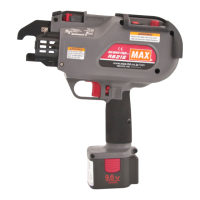
RB515
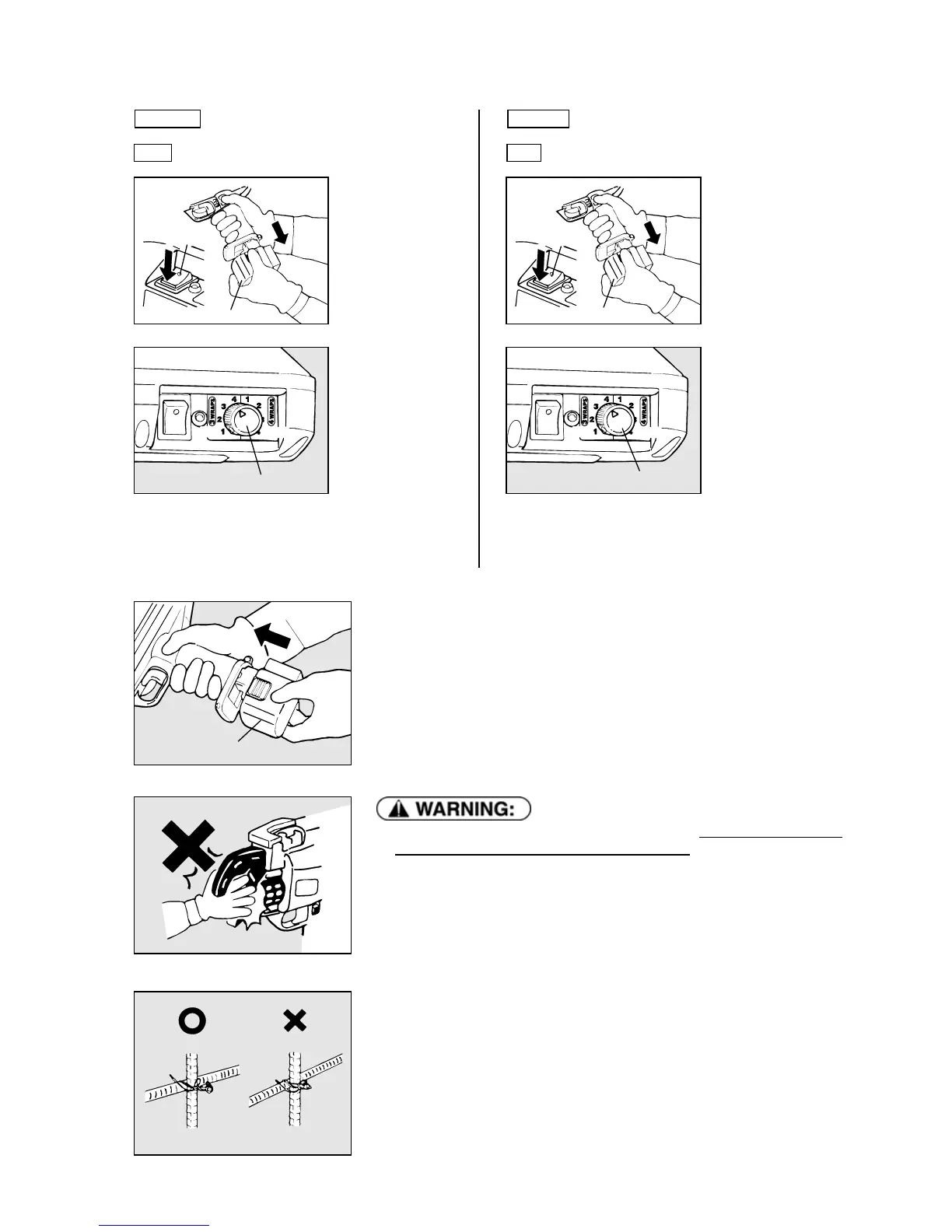
3 Tension and wrap adjustment
① Be sure to turn the
Main switch OFF,
to lock the Trigger
and detach the
Battery pack.
② This dial allows
you to set 3 wraps
/ tie or 4 wraps / tie
and also you can
adjust the torque.
To increase the
tension, turn it in
the clockwise.
To decrease the
tension, turn it in
the
counterclockwise.
RB395
3 Tension adjustment
① Be sure to turn the
Main switch OFF,
to lock the Trigger
and detach the
Battery pack.
② This dial allows
you to adjust wire
tension torque
slightly.
To increase the
tension, turn it in
the clockwise.
To decrease the
tension, turn it in
the
counterclockwise.
③ Insert the charged battery pack into the tool until a click is heard.
Main switch
● When setting the main switch to ON, absolutely do not bring your hand
close to the binding part or rotating part of the tip.
④ Set the Trigger Lock to UNLOCK and turn on the main switch.
The Tie-Wire is fed automatically to the arm unit and set in the required position.
⑤ Test the tool again to check the tie strength.
⑥ If the tie strength is not appropriate, repeat procedures ①~⑤.
Battery pack
Main switch
Battery pack
LOW
Torque dial
HIGH
Torque and wrap dial
LOW
HIGH
Battery pack
Reinforcing bars Over-tightened
Appropriate
17


 To Next Page