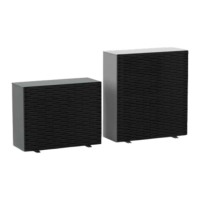
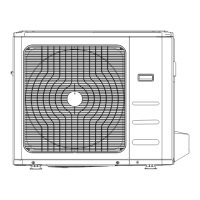
i-MAX Industrial inverter air/water heat pump with axial fans
9
5.2.6 Parameters menu
The parameters are collected into groups; each group is identified by a three-digit code, while the index of each parameter is
preceded by a letter.
GROUP’S IDENTIFICATIVE CODE
5.2.7 Operation hours menu
You can display the number of operating hours of the compressors and of the pumps.
Press the ESC button for 3 seconds to resets the actual number of operating hours. Note that, the access to the menu is allowed
only by using password.
5.2.8 USB menu
The available functions through the use USB flash drive connected to the board are indicated below.
5.2.8.1CONTROLLER’S FIRMWARE UPDATING
You can make the update of the controller in case of new versions of the firmware by using the USB flash dive via its port on the
controller itself.
For the updating:
1. Copy the updated files in the main directory of a USB pen-drive;
2. Place the unit in standby mode and turn it off, placing the main switch on OFF position;
3. Introduce the USB pen-drive into its port on the controller;
4. Turn ON the unit by placing the main switch in ON position;
5. Enter at the page of the parameters PRGPSSPRG(introduce the maintainer password)PRGUSBUPdFPRG.
The automatic firmware update process starts with the selection of this option, the display shows the transferred data in
Kilobytes. When the update is completed the display shows "boot" then the LEDs will light up in sequence.
6. .Once the update is completed, the board returns to normal operation and the appliance is ready to start operation.
7. Turn off the unit by placing the main switch in OFF position.
8. Remove the USB pen-drive from its port.
9. Feed the unit by placing the main switch on the ON state.
Perform please this procedure for all controllers in the unit.
5.2.8.2PARAMETERS UPDATING
You can upgrade the parameters using the USB pen-dive via its port on the controller.
For the updating:
1. Copy the update files in the main directory of a USB pen-drive;
2. Place the unit in standby mode and turn it off, placing the main switch in OFF position;
3. Introduce the USB pen-drive in its port on the controller;
4. Turn ON the unit by placing the main switch in the ON position;
5. Enter at the page of the parameters PRGPSSPRG(introduce the maintainer password)PRGUSBUPPAPRG.
The automatic firmware update process starts with the selection of this option, the display shows the transferred data in
Kilobytes. When the update is completed the display shows "boot" then the LEDs will light up in sequence.
6. Once the update is completed, turn off the unit by placing the main switch on OFF position.
7. Remove the USB pen-drive from its port.
8. Turn ON the unit by placing the main switch on the ON state;
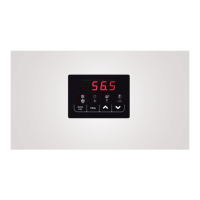
5.2.9 DISPLAY
In Normal view, the display shows, the outlet water temperature reported to tenths of degrees, or alarm code if any is active. In
case of multiple alarms, it will display the first alarm, while the second appears when the first is reset. Into the menu mode, the
display depends on the current position where you are.
WARNING
All the operations with installer visibility must be carried out by qualified personnel.
The company excludes any contractual and extra contractual liabilities for damages caused to persons, animals
or objects, by incorrect installation, setting and maintenance, improper use of the equipment, and the partial or
superficial reading of the information contained in this manual.


 To Next Page