9
English
Keyboard & Function Keys
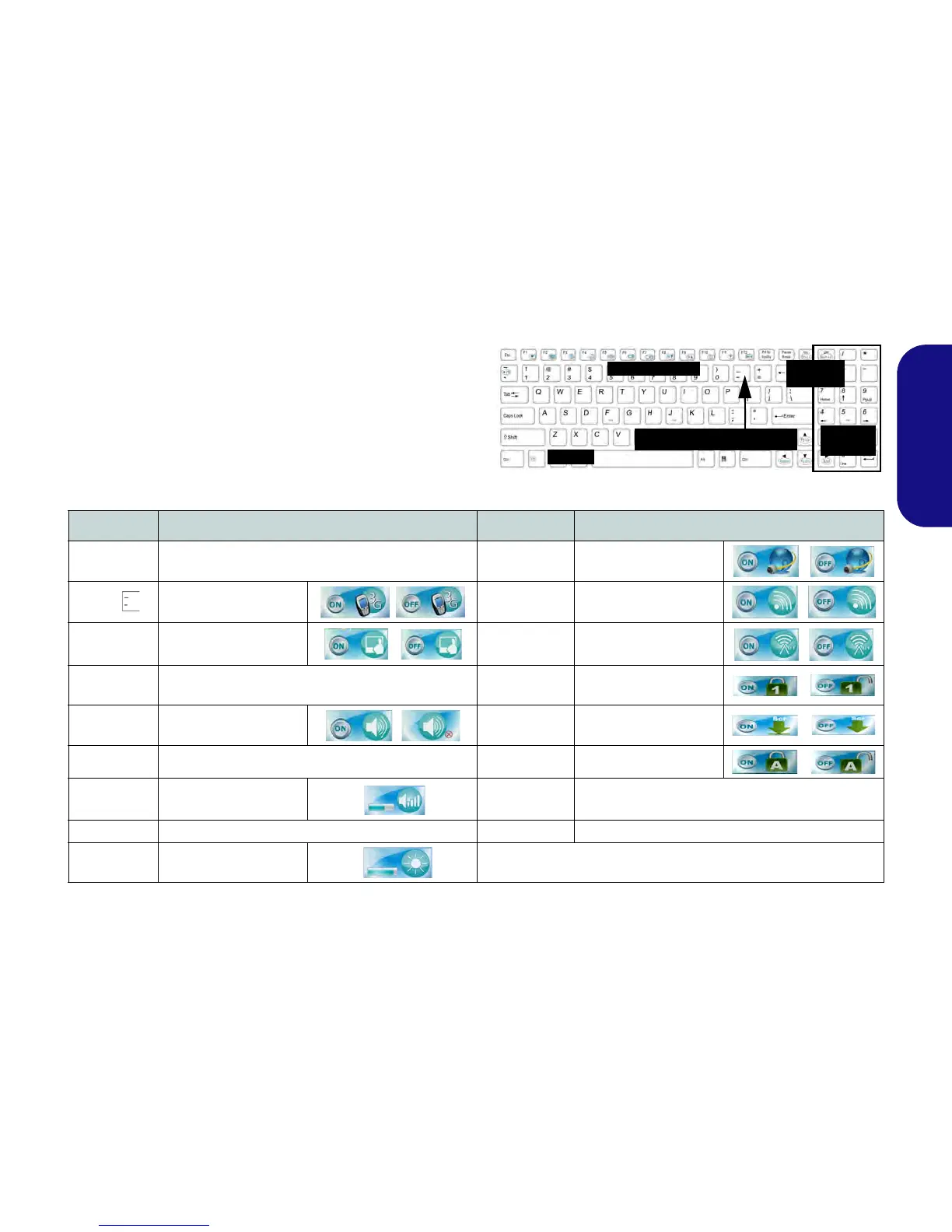
The keyboard includes a numeric keypad for easy numeric
data input. Pressing NumLk turns on/off the numeric key-
pad. It also features function keys to allow you to change
operational features instantly. The function keys (F1 - F12
etc.) will act as hot keys when pressed while Fn is held
down. In addition to the basic function key combinations,
visual indicators are available when the hot key driver is in-
stalled.
Keys Function/Visual Indicators Keys Function/Visual Indicators
Fn + ~ Play/Pause (in Audio/Video Programs) Fn + F10
PC Camera Power
Toggle
Fn +
3G Module Power Tog-
gle
Fn + F11
WLAN Module Power
Toggle
Fn + F1 Touchpad Toggle Fn + F12
Bluetooth Module
Power Toggle
Fn + F2
Turn LCD Backlight Off
(Press a key to or use Touchpad to turn on)
Fn + NumLk Number Lock Toggle
Fn + F3 Mute Toggle Fn + ScrLk Scroll Lock Toggle
Fn + F4 Sleep Toggle Caps Lock Caps Lock Toggle
Fn + F5/F6
Volume Decrease/
Increase
Fn + Power
Button
Powered USB Port Power Toggle (see page 20)
Fn + F7 Display Toggle Fn + Esc Control Center Toggle (see page 10)
Fn + F8/F9
Brightness Decrease/
Increase
Table 3 - Function Keys & Visual Indicators



 To Next Page