14
English
3G Module
If you have included an optional 3G module in your pur-
chase option, follow the instructions below to install the
USIM card (which will be provided by your service pro-
vider), and then run the appropriate application supplied
with your module.
USIM Card Insertion
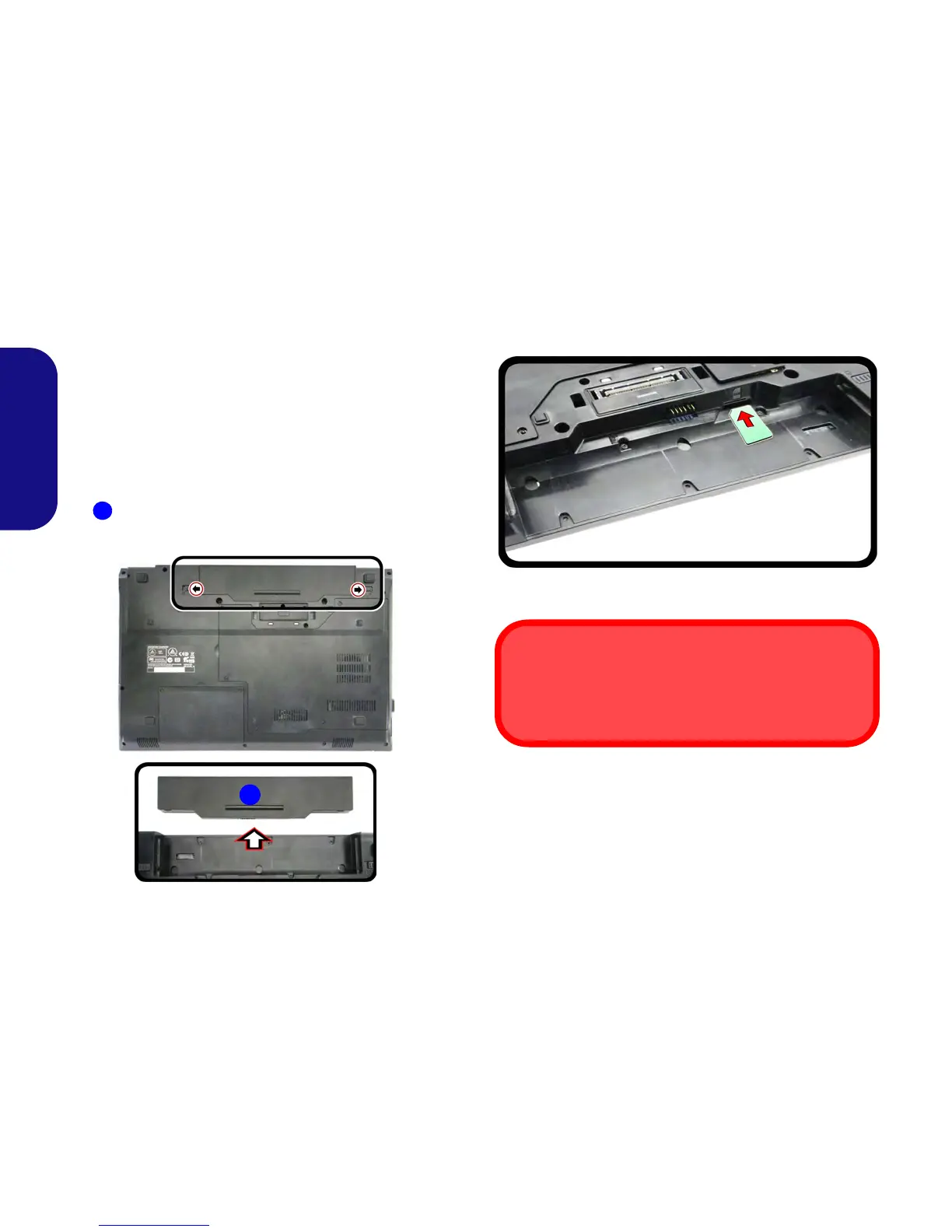
1. Turn off the computer, and turn it over and remove the battery
(slide the latches in the direction indicated below and slide
the battery out).
Figure 7 - Remove the battery
2. Insert the USIM card as illustrated below until it clicks into
position, and replace the battery.
Figure 8 - Insert the USIM Card
USIM Card Orientation
Note that the USIM card’s readable side (with the gold-col-
ored contacts) should face upwards as illustrated.



 To Next Page