10
English
Control Center
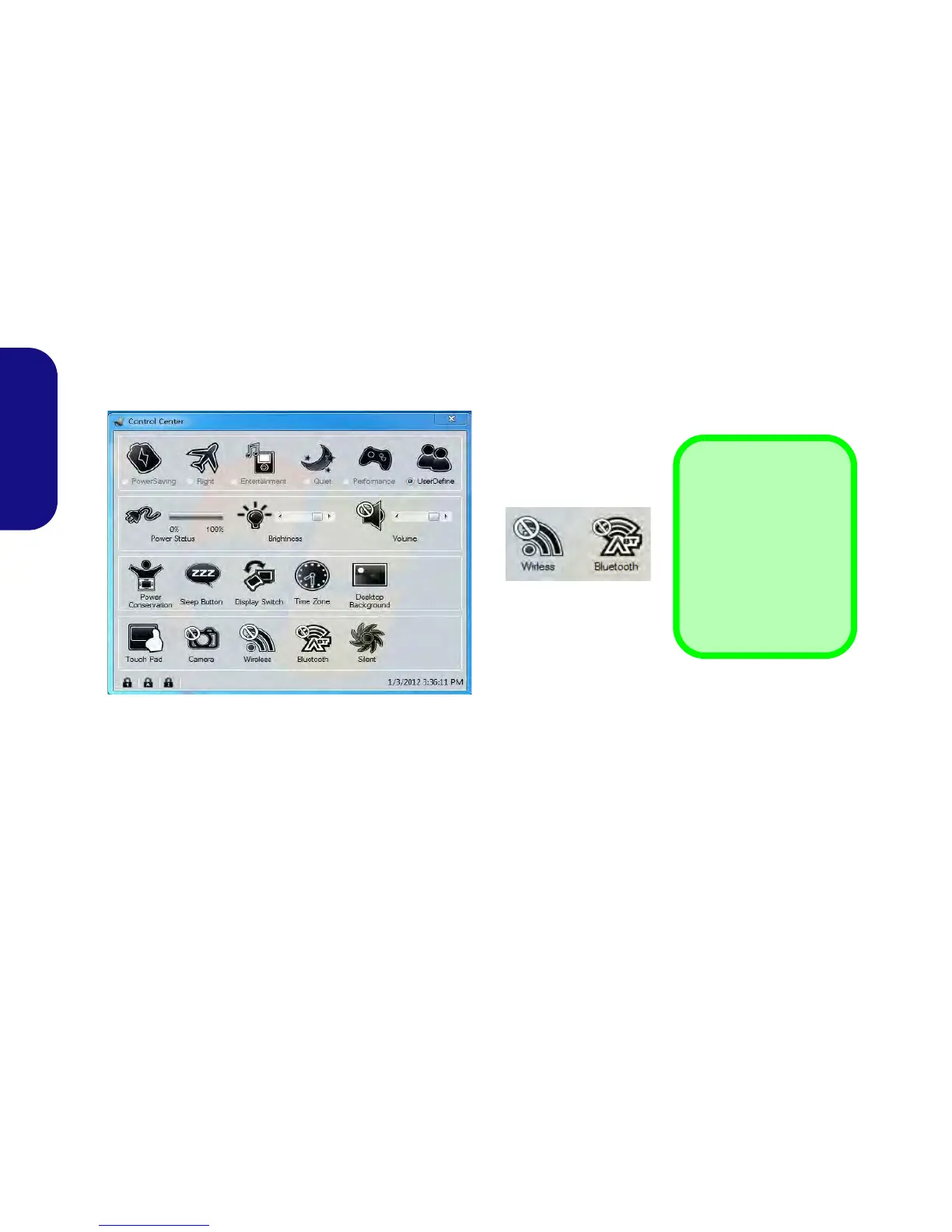
Press the Fn + Esc key combination to toggle the Control Center on/off. The Control Center gives quick access to
frequently used controls, and enables you to quickly turn modules on/off.
Figure 6 - Control Center
Click on any button to turn any of the modules (e.g. TouchPad, Camera) on/off. Click on Power Conservation to switch
between Performance, Balanced or Energy Star modes. Click on the buttons (or just click and hold the mouse button)
to adjust the slider for Brightness/Volume. Click on Display Switch/Time Zone/ Desktop Background to bring up
the appropriate Windows control panel. Click on the Sleep button to put the computer into Hibernate or Sleep modes.



 To Next Page