mber
Play with Bluetooth Device
You can listen to music from a Blue-
tooth-enable device via this player.
Pair the Bluetooth-enabled devices
The first time you connect your Bluetooth
device to this player, you need to pair your
device to this player.
Note:
- The operational range between the
main
unit and a Bluetooth device is
approximately 8 meters.
- Before you connect a Bluetooth device
to this unit, familiarize yourself with the
Bluetooth capabilities of the device.
- Compatibility with all Bluetooth devices
is not guaranteed.
- Any obstacle between this unit and a
Bluetooth device can reduce the
operational range.
- Keep this unit away from other electronic
devices that may cause interference.
To connect your device to the unit via
Bluetooth, follow the steps below:
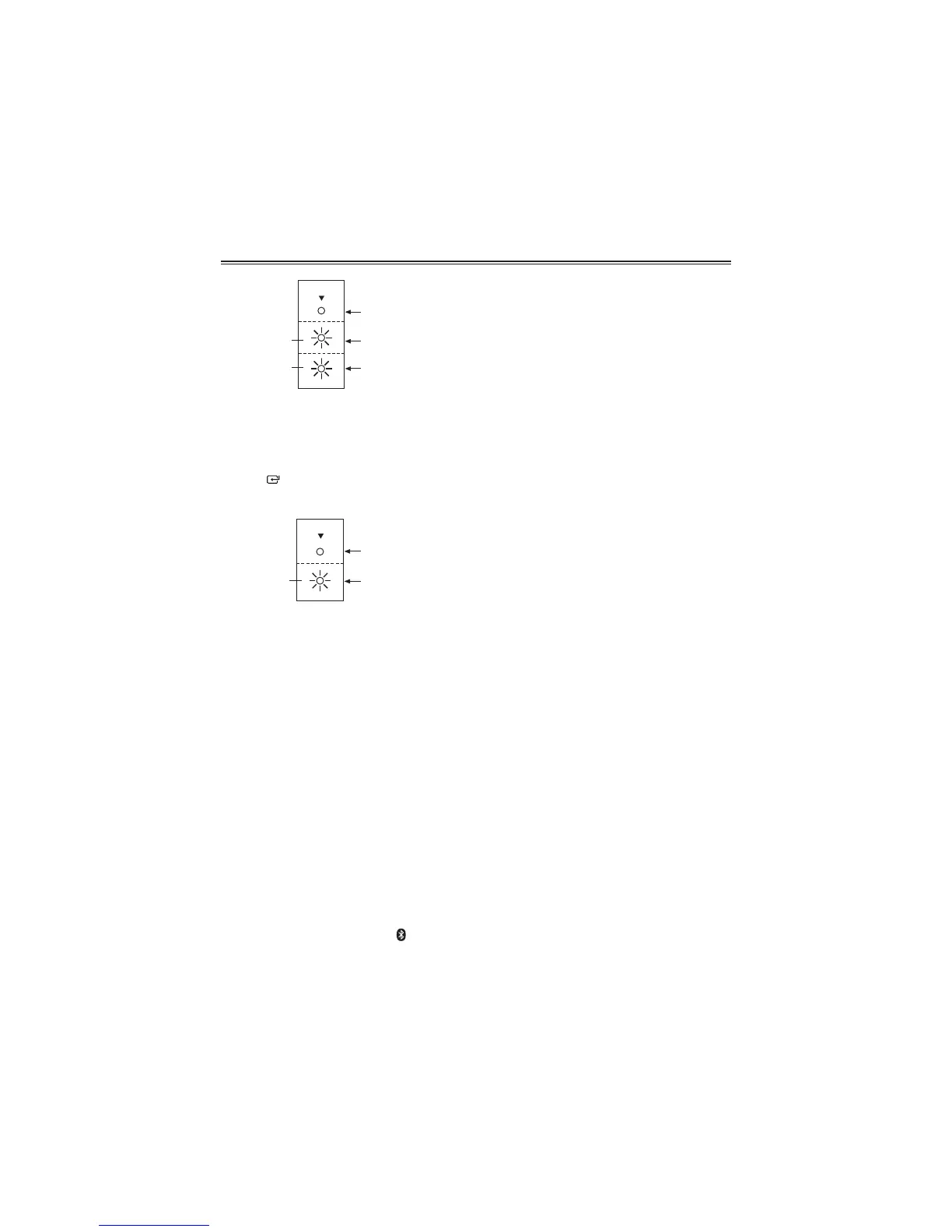
1 Switch the unit on. Press the
Button
on the main unit or the BT/PAIR Button
on the remote control repeatedly to
select BLUETOOTH pairing mode, the
%/8(7227+,QGLFDWRUZLOOÁDVKXQLWLWSDLUV
2 Activate your Bluetooth device and
select the search mode.
3 “SSB-3WB” will appear on your Bluetooth
device.
4 Select “SSB-3WB” and enter “0000” for
password if necessary.
7 On successful pairing, the BLUETOOTH
Indicator will light up steadily.
Tip
- If there is an existing connection, press
the BT PAIR Button on the remote control
to re-activate the pairing mode, the
existing connection will be interrupted.
- If no other Bluetooth device pairs with
this player within two minutes, the player
will recover its previous connection.
- The player will also be disconnected
when your device is moved beyond the
operational range.
- If you want to reconnect your device
to this player, place it within the
operational range.
- If the device is moved beyond the
operational range, when it is brought
back, please check if the device is still
connected to the player.
- If the connection is lost, follow the
instructions above to pair your device to
the player again.
Listen to music from Bluetooth device
z
If the connected Bluetooth device
supports Advanced Audio Distribution
3URÀOH$'3\RXFDQOLVWHQWRWKH
music stored on the device through the
player.
z
If the device also supports Audio Video
5HPRWH&RQWURO3URÀOH$95&3SURÀOH
you can use the player’s remote control
to play music stored on the device.
1 Pair your device with the player.
2 Start playing music via your device
(if it support A2DP)
3 Use supplied remote control to control
play (if it supports AVRCP)
- To pause/resume play, press the
BF
button.
Basic Operation


 To Next Page