6
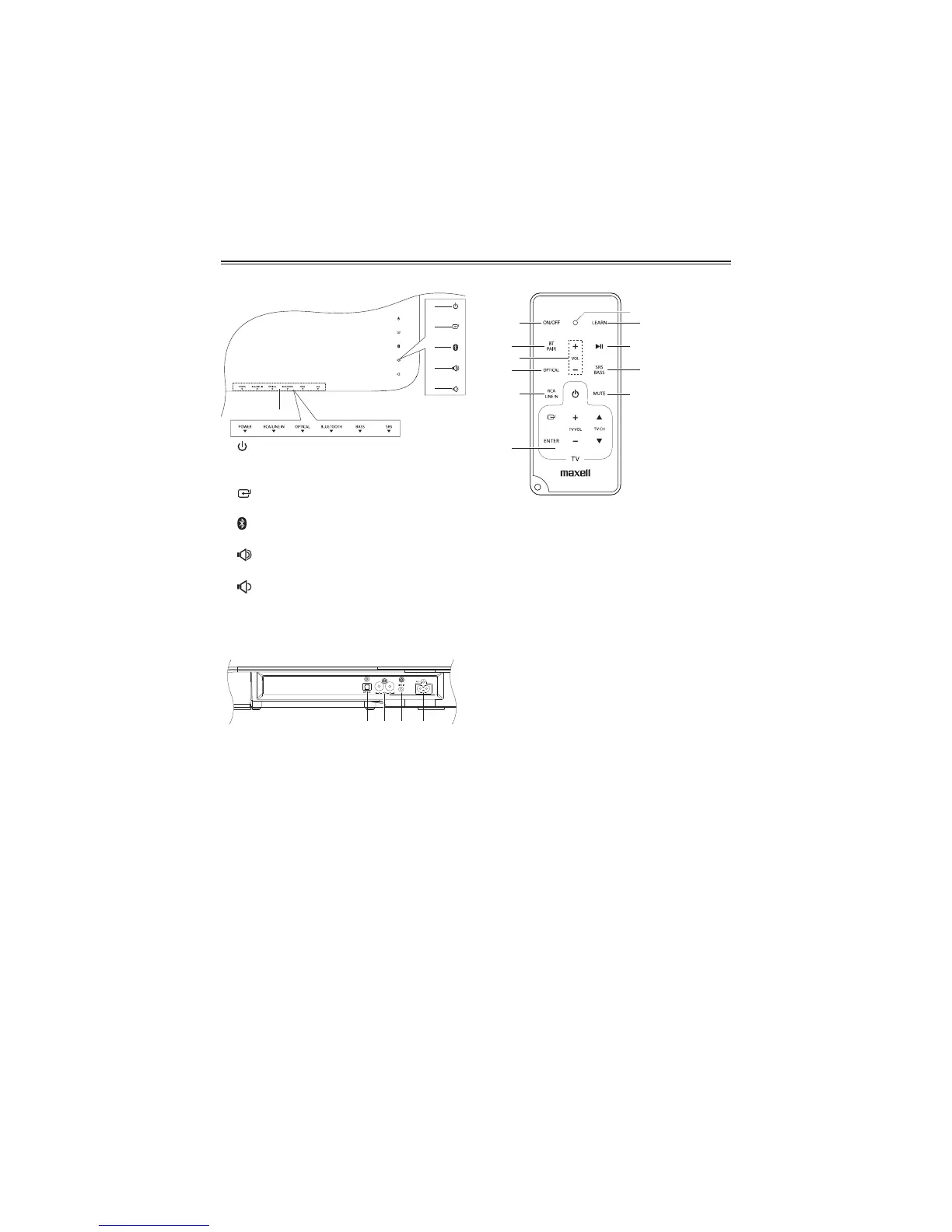
Smart Remote Control
SSB-3WB
1 ON/OFF
- Turn on or turn off the unit.
2 BT/PAIR
- Activate the pairing function in
BLUETOOTH mode and disconnect the
existing paired Bluetooth device. .
3 VOL+/- (Volume)
- Adjust sound volume level
4 Optical
- Select OPTICAL source or activate
Audio Return Channel (ARC) function.
5 RCA/LINE IN
Select RCA or LINE IN Source input.
6 TV Learning Zone
- Store some TV Remote Control functions
onto the Smart Remote Control.
(see P.12 for detail)
7 LEARNING INDICATION LIGHT.
- On: Learning mode activated
- Off: Learning mode inactivated
(see P.12 for detail)
8 LEARN
- Activate learning mode to setup
commands from the TV remote
control, to control some TV functions.
9
BF
- Plays/pauses/resumes playback in
Bluetooth mode.
10 SRS/BASS
- Switch on or turn off SRS WOW HD
effect.
- Select Bass boost level 1,2 or no Bass
boost effect.
11 MUTE
- Mute or resume sound from the unit.
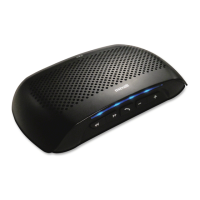
Main Unit: Top View
1
- Turn on this unit or switch to Power
standby mode.
2
- Select a source.
3
- Pair Bluetooth-enabled device.
4
- Increase sound volume level.
5
- Decrease sound volume level.
6 Light indicators
Rear View
1 OPTICAL Terminals
- 1 Optical input jack.
2 RCA Terminals
- Standard RCA audio input jack.
3 LINE IN Terminals
- Standard 3.5mm audio input jack.
4 AC~ Power Plug
- Connect a power cord.
Identifying the Parts


 To Next Page