08
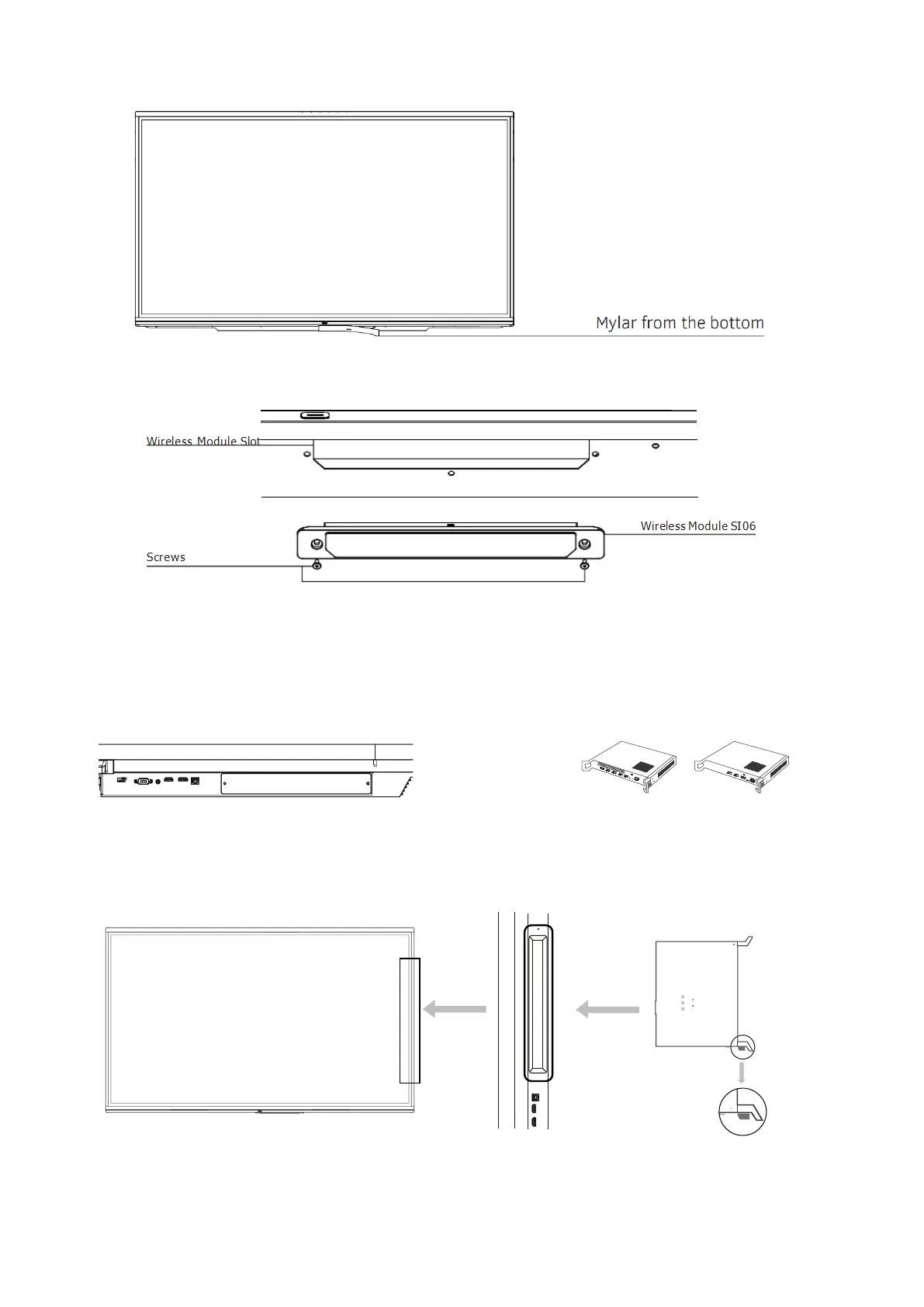
Step 1: Remove the Mylar on the bottom of the interactive flat panel.
Step 2: Insert the wireless module SI06 into the wireless module slot and screw securely into place.
Installing the OPS/Android Module
Note: Please make sure the power is off before proceeding with the installation.
Step 1: Unscrew and remove the cover.
Step 2: Prepare the OPS/Android Module.
Step 3: Correct positioning of the modules and slots.
Slot
Up



 To Next Page