07
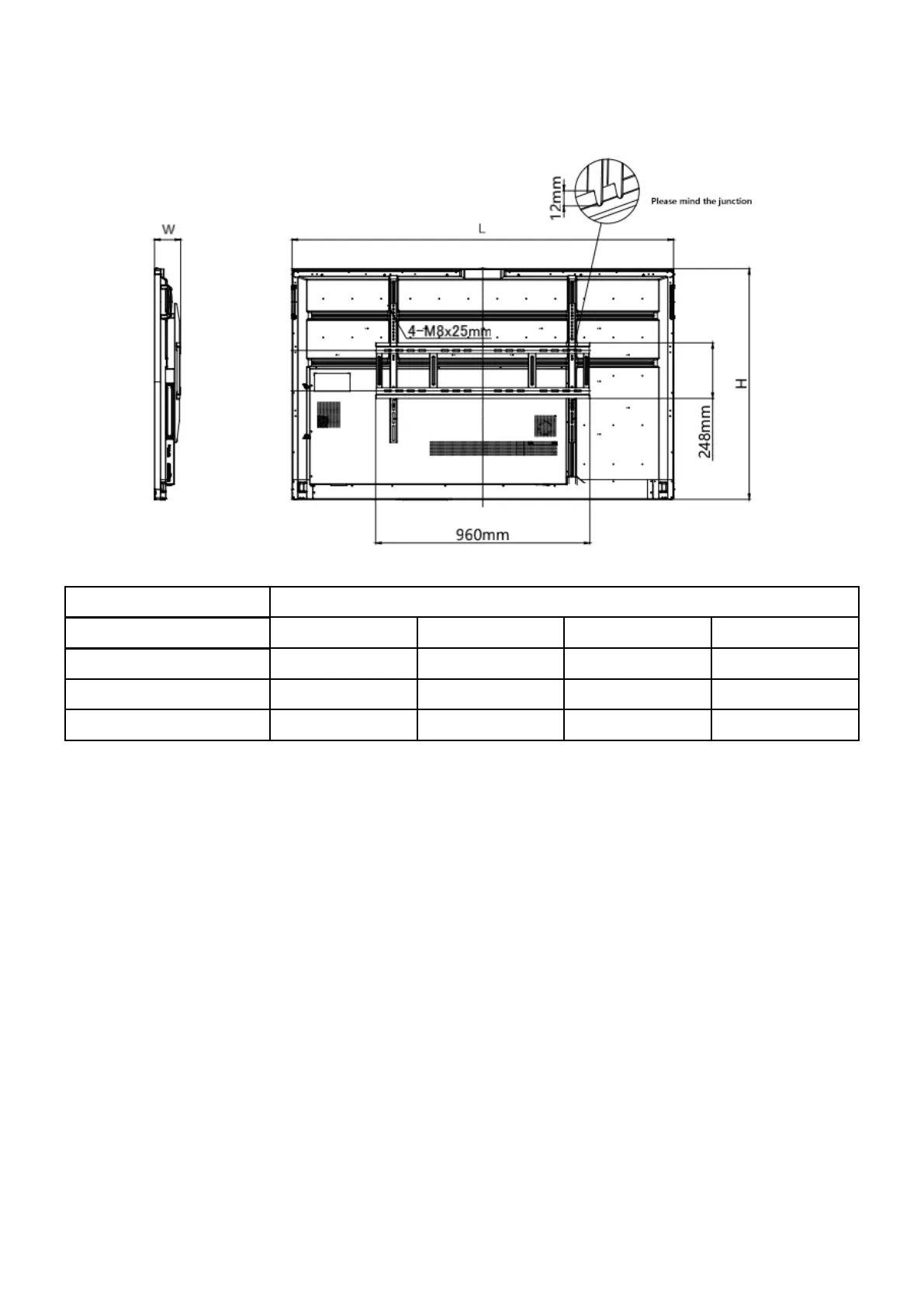
Reference for Wall Mounting
The physical dimensions listed below should be taken into consideration for wall mounting. For ease of
operation, maintain a proper distance between the wall and rear of the product panel.
Series Classic
Dimension 55" 65" 75" 86"
1263mm 1488mm
903mm
118mm
1709mm
1026mm
117mm
1957mm
1160mm
130mm
776mm
118mm
L
H
W
NOTE: The table and diagram are for reference only.
Installing the Wireless Module
Please make sure that the following items are ready before setting up the wireless module.
1×Interactive Flat Panel
1×Wireless Module SI06
2×Screws (CM3×6mm, Black)



 To Next Page