05
Installation Guide
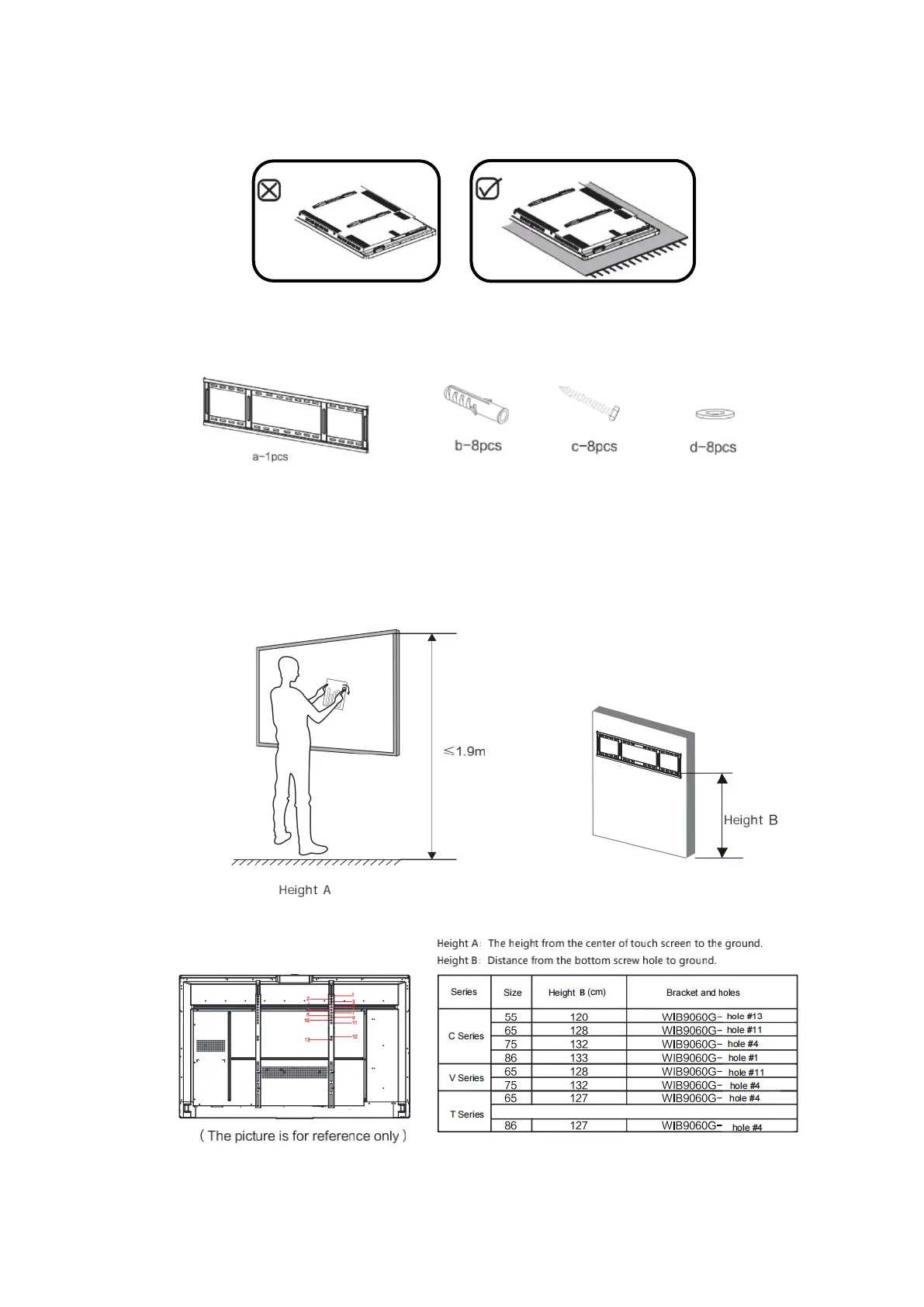
1. Remove the panel from the box and prepare for installation.
Place the panel on soft material like mat.
Bracket package is placed in accessory box.
2. Confirm the panel installation position.
The height and pictures are only for reference, please refer to the actual installation size on site.



 To Next Page