102
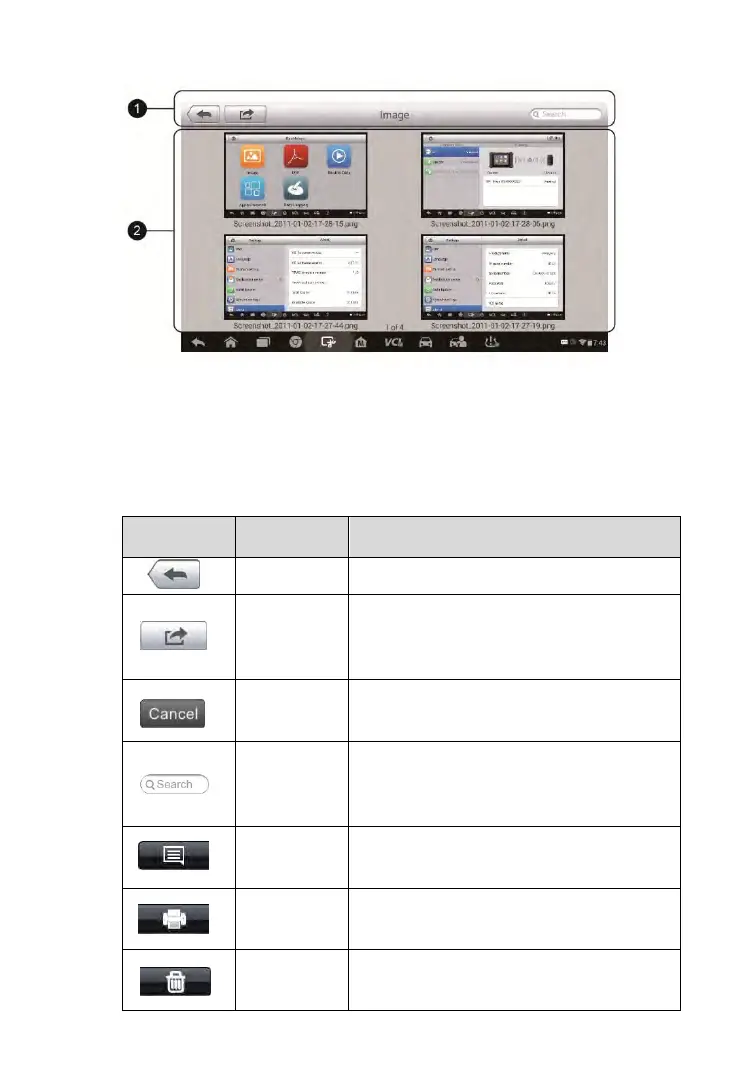
Figure 7-2 Sample Image Screen
1. Toolbar Buttons – used to edit, print and delete the image files. See
the following table for detailed information.
2. Main Section – displays the stored images.
Table 7-1 Toolbar Buttons in Image Screen
Returns to the previous screen.
Tapping this button shows the editing
toolbar to print, delete or view image
information.
Tapping this button closes the editing
toolbar or cancels file search.
Quickly locates the image file by
entering the vehicle name, test path,
file name or file info.
Tapping this button opens a window
displaying the details of the image.
Tapping this button prints the selected
image.
Tapping this button deletes the
selected image.



 To Next Page