14
Locator and Navigation Buttons
Operations of the Navigation buttons at the bottom of the screen are
described in the table below:
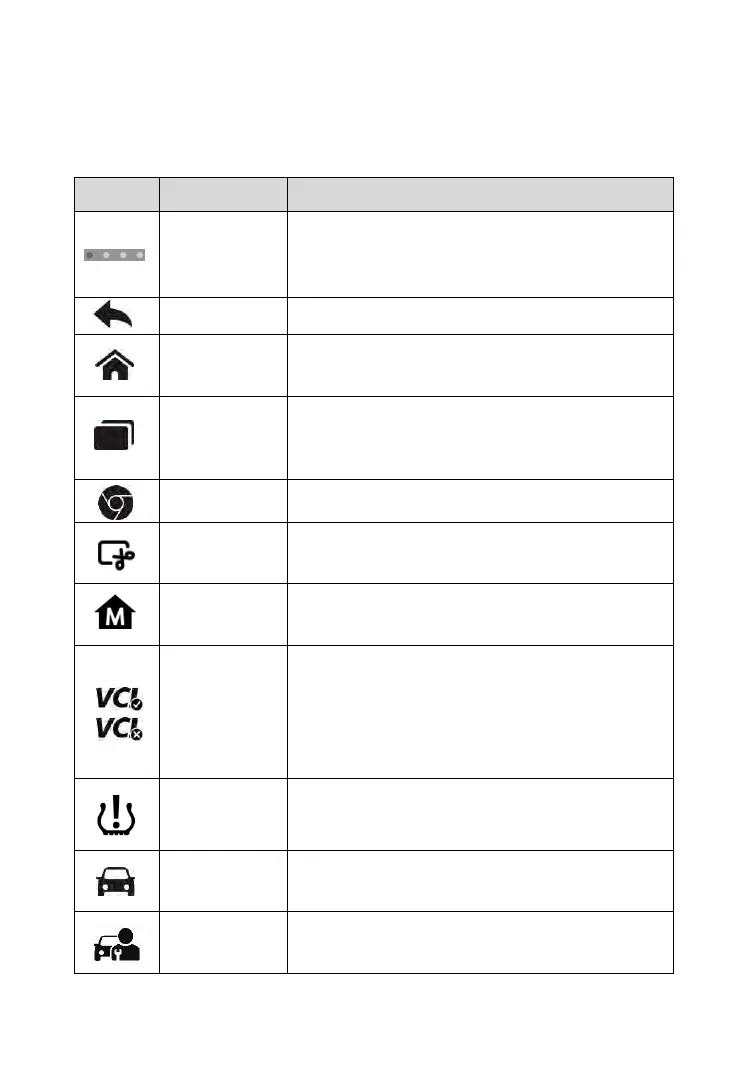
Table 3-2 Locator and Navigation Buttons
Indicates the location of the screen. Swipe the
screen left or right to view the previous or next
screen.
Returns to the previous screen.
Returns to Android System’s Home screen.
Displays a list of applications that are
currently working. To open an app, tap it. To
remove an app, swipe it to the top or bottom.
Launches the Android built-in browser.
Takes a screenshot when you want to save
the displayed information.
Returns to MaxiCheck Job Menu from other
operations.
Opens the VCI Manager application. The tick
icon at the bottom right corner indicates the
Display Tablet is communicating with the
MaxiVCI Mini, otherwise a cross icon
displays.
Returns to the TPMS screen from other
operations.
Returns to the Diagnostics screen from other
operations.
Returns to the Service screen from other
operations.



 To Next Page