27
Navigation
This section describes how to operate the Diagnostics screen and select
test options.
Diagnostics Screen Layout
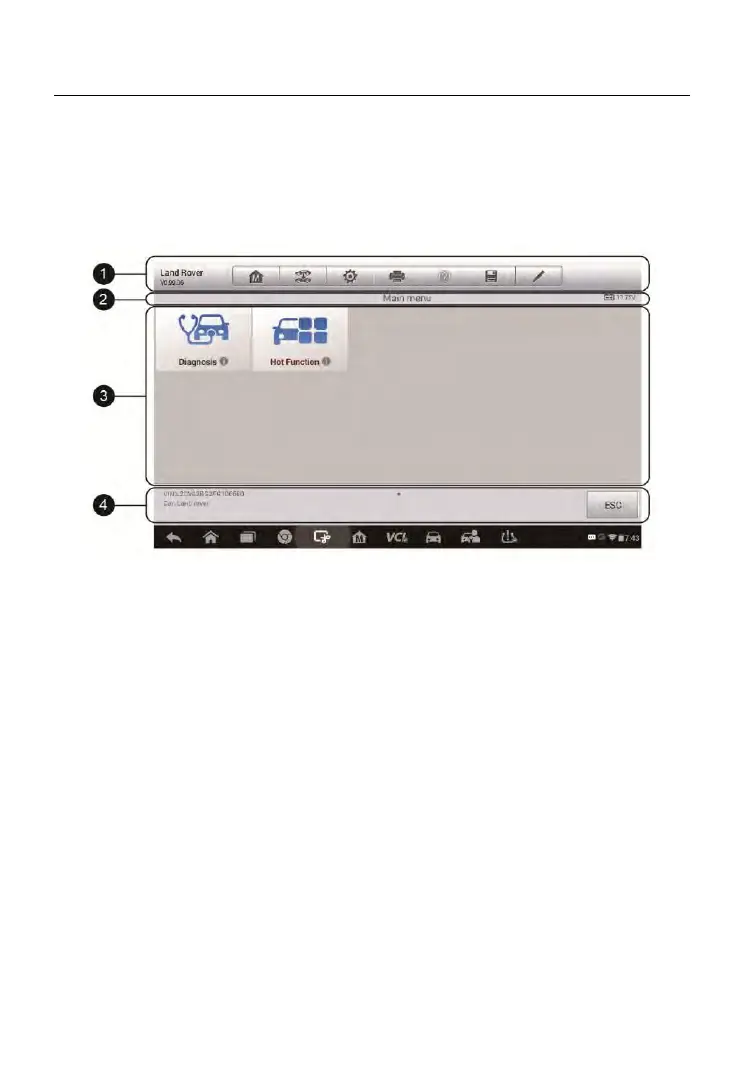
Figure 4-8 Sample Diagnostics Screen
The diagnostic screens typically include four sections.
1. Diagnostics Toolbar
2. Status Information Bar
3. Main Section
4. Functional Buttons
Diagnostics Toolbar
The Diagnostics Toolbar contains a number of buttons that allow you to print
or save the displayed data and make other controls. The table below
provides a brief description for the operations of the Diagnostics Toolbar
buttons.



 To Next Page