26
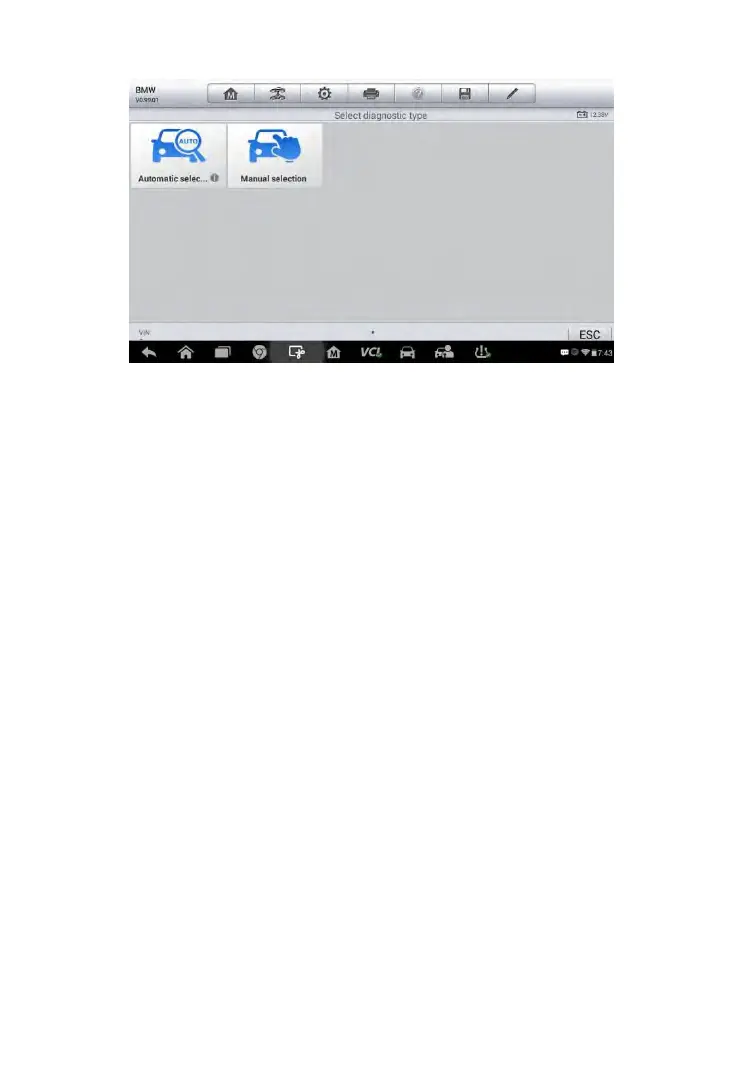
Figure 4-7 Sample Selection Screen
To perform Automatic Selection
1. Tap the Diagnostics application button from the MaxiCheck Job
Menu. The Vehicle Menu displays.
2. Tap the vehicle brand of the test vehicle.
3. Tap Automatic Selection and the system will proceed to acquire
VIN information automatically. Follow the on-screen instruction to
go into diagnostic screen.
Manual Selection
When the vehicle’s VIN is not automatically retrievable through the vehicle's
ECU, or the specific VIN is unknown, you can choose to select the vehicle
manually.
This mode of vehicle selection is menu driven, repeat the first two steps
from the automatic selection operation and tap Manual Selection, then you
can follow the on-screen prompts and make a series of choices. Each
selection you make advances you to the next step. A Back button at the
bottom right corner of the screen will bring you back to the previous step.
Exact procedures may vary for different vehicles being serviced.



 To Next Page